Displaying TextTracks in reverse order at bottom of player on chrome if line number is greater than 8
Nobody has claimed this yet.
- Dominant language
- TypeScript
- Stars
- 16.9k
- Forks
- 2.8k
- Avg merge
- 1d 12h
- Merged PRs (30d)
- 27
Description
What version of Hls.js are you using?
--v-1.0.11
What browser (including version) are you using?
--chrome : Version 101.0.4951.54 (Official Build) (x86_64)
What OS (including version) are you using?
--Mac OS Monterey v-12.3.1
Steps to reproduce:
--1. The textTracks that we receive our reverse ordered if the line number is greater than 8.
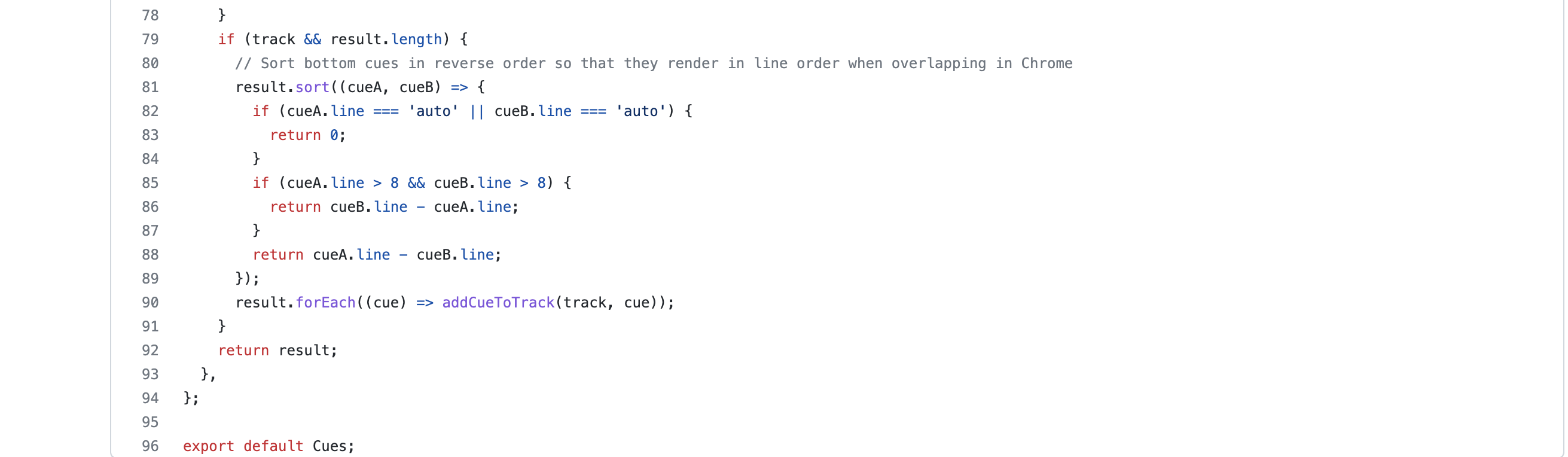
2. The textTracks displayed at the bottom of the player are shown inverted/reversed due to the logic in cues.ts file. This logic here is sorting them in reverse order and thats how we receive it and player also displays it like wise . Attaching a screenshot here for logic that seems to be sorting it in reverse order.
- The object that we receive with reversed order and thats how its getting displayed on screen . Here is the screenshot :
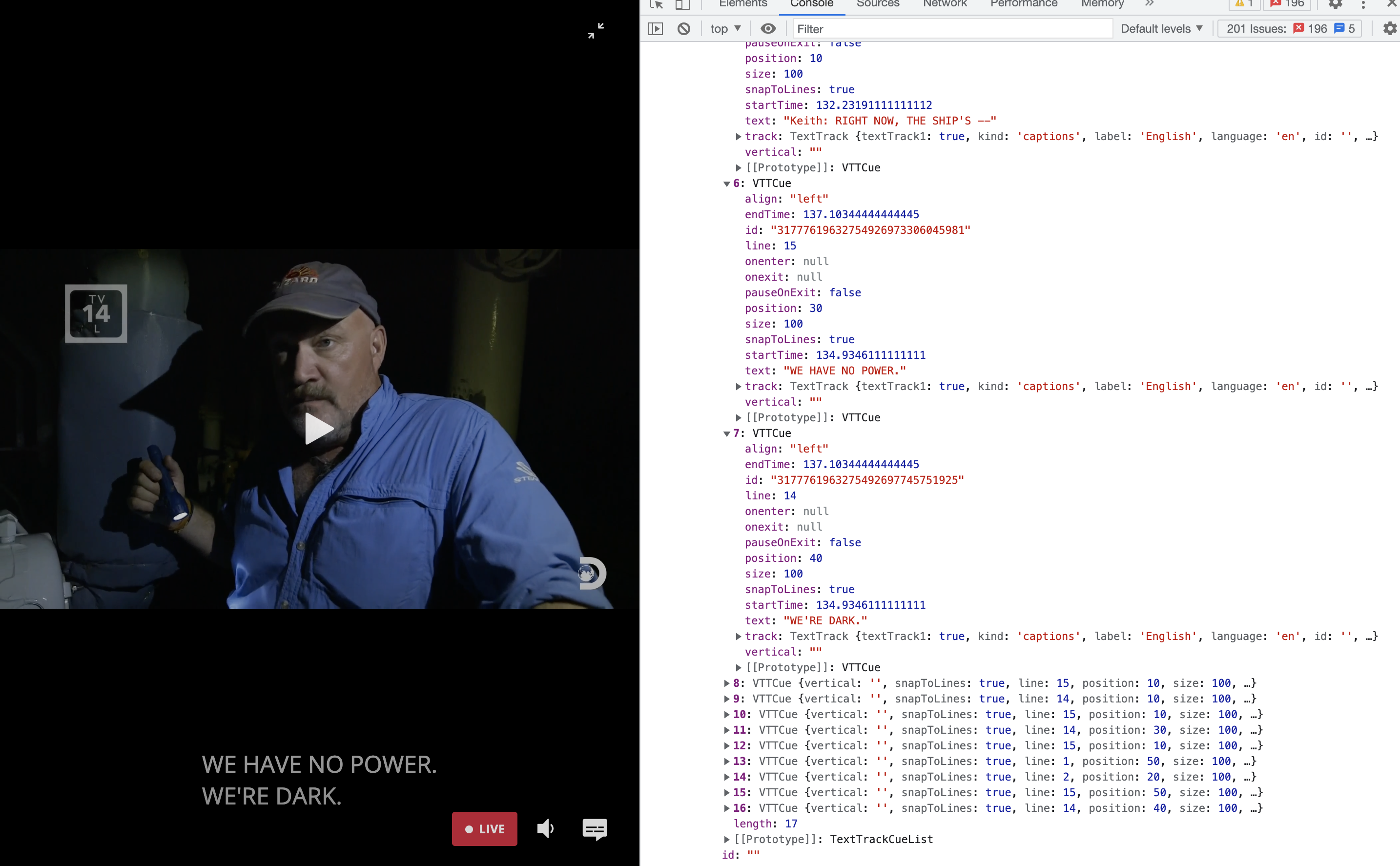
- This is happening on live stream.
Expected behaviour:
--1. We need the texttrack object to be sorted in correct order .
2. As seen in the screenshot attached above the order should be that we receive line number 14 before line number 15 . It should be correctly sorted in order . The text should be " We're dark" "We have no power" instead of vice versa .
What actually happened?
--The textTrack appears reversed , in bottom-up way on screen as shown in above screenshot .
Contributor guide
First steps
- Read the whole issue, then the project's contributing guide.
- Comment on the issue to say you are picking it up — it saves two people doing the same work.
- Fork the repository and make your change on a branch.
- Open a pull request that references the issue number.
Research direction
Start by inspecting cues.ts and reproduce the issue in Chrome 101 on a live stream using hls.js v1.0.11. Check the text-track ordering when the line number exceeds 8. Done means the received tracks and player display use the expected order, with line 14 before line 15 and the text no longer appearing reversed.
Written by the indexing model from the issue text.
Assessment
- Tech stack
- typescript
- Domain
- frontend
- Issue type
- Bug
- Difficulty
- 2/5
- Estimated time
- 1-3 hours
- Activity status
- Stale
- Clarity
- Mostly clear
- Newbie friendliness
- 35/100