Readme logo for dark-theme users
Nobody has claimed this yet.
- Dominant language
- TypeScript
- Stars
- 44.7k
- Forks
- 3.6k
- Avg merge
- 21m
- Merged PRs (30d)
- 1
Description
Is your feature request related to a problem? Please describe.
The vercel/hyper readme uses a logo with text targeted towards light theme users (the Hyper text is in black) which makes readability harder, and uglier, for dark theme users like myself.
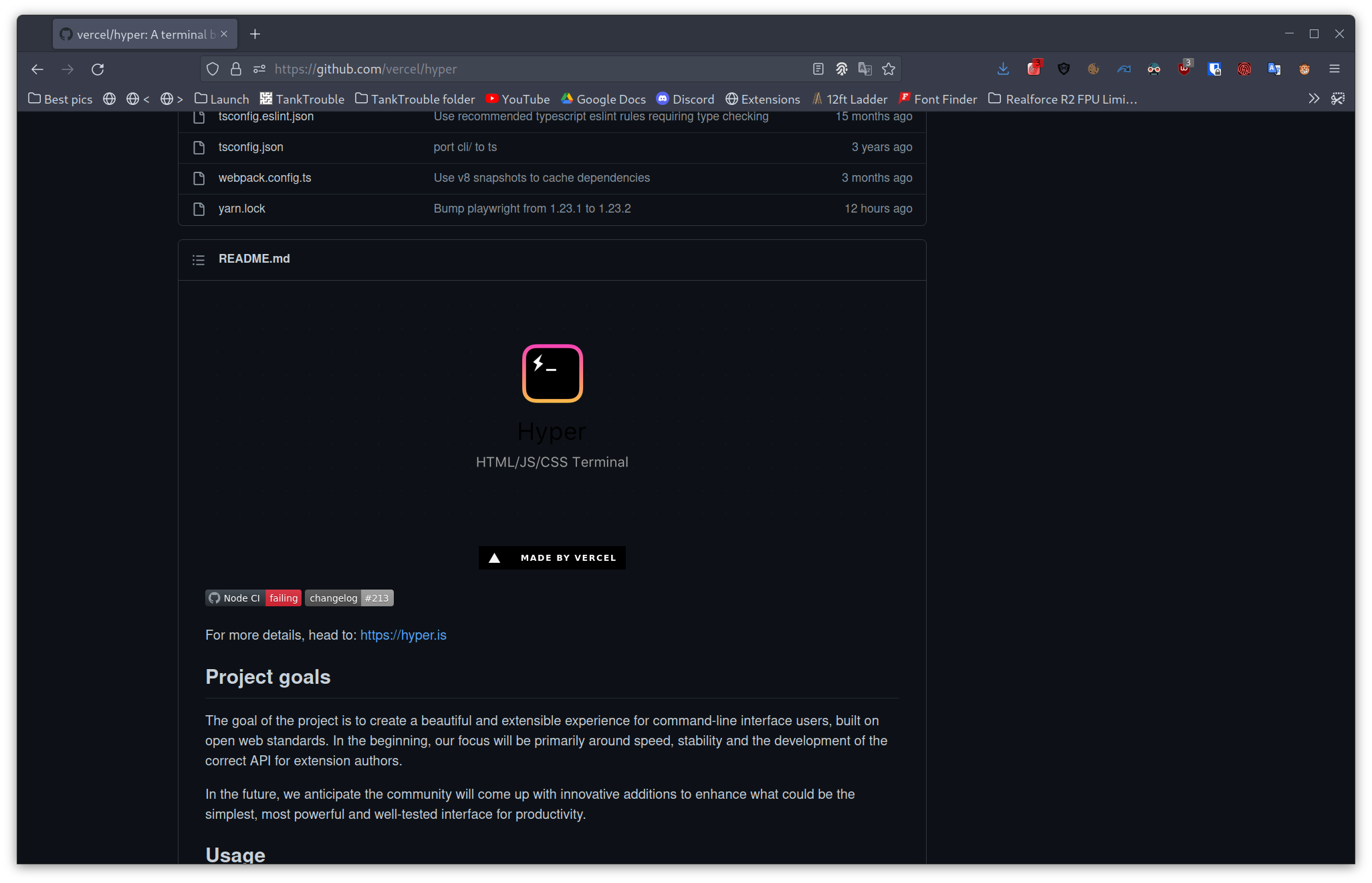
Describe the solution you'd like
Use two image assets in this repository and append #gh-light-mode-only and #gh-dark-mode-only to their srcs respectively. This allows for GitHub to only show the image targeted towards the user preference. Example: asger-finding/anotherkrunkerclient
Describe alternatives you've considered
-
Additional context
-
Contributor guide
No contributing guide indexed for this repository
First steps
- Read the whole issue, then the project's contributing guide.
- Comment on the issue to say you are picking it up — it saves two people doing the same work.
- Fork the repository and make your change on a branch.
- Open a pull request that references the issue number.
Research direction
Start in README.md and inspect the current logo reference along with the two image assets in the repository. Update the README to use the light- and dark-theme image sources with the specified GitHub suffixes, then verify the rendered README shows the appropriate logo for each theme.
Written by the indexing model from the issue text.
Assessment
- Tech stack
- github
- Domain
- documentation
- Issue type
- Feature
- Difficulty
- 1/5
- Estimated time
- Under an hour
- Activity status
- Stale
- Clarity
- Clearly specified
- Newbie friendliness
- 55/100