Settings/Plugins not working on Big Sur
Nobody has claimed this yet.
- Dominant language
- TypeScript
- Stars
- 44.7k
- Forks
- 3.6k
- Avg merge
- 21m
- Merged PRs (30d)
- 1
Description
- I am on the latest Hyper.app version
- I have searched the issues of this repo and think this is a duplicate of https://github.com/vercel/hyper/issues/5706. However, very little information is provided in that issue, so submitting a new issue with more details.
- OS version and name: Big Sur 11.5.1 (M1 - Apple Silicone)
- Hyper.app version: 3.1.2 (Stable)
- Link of a Gist with the contents of your .hyper.js: https://gist.github.com/simon-tarr/fa933510216ec4871862a33f1c3dc602
- The issue is reproducible in vanilla Hyper.app: N/A
Issue
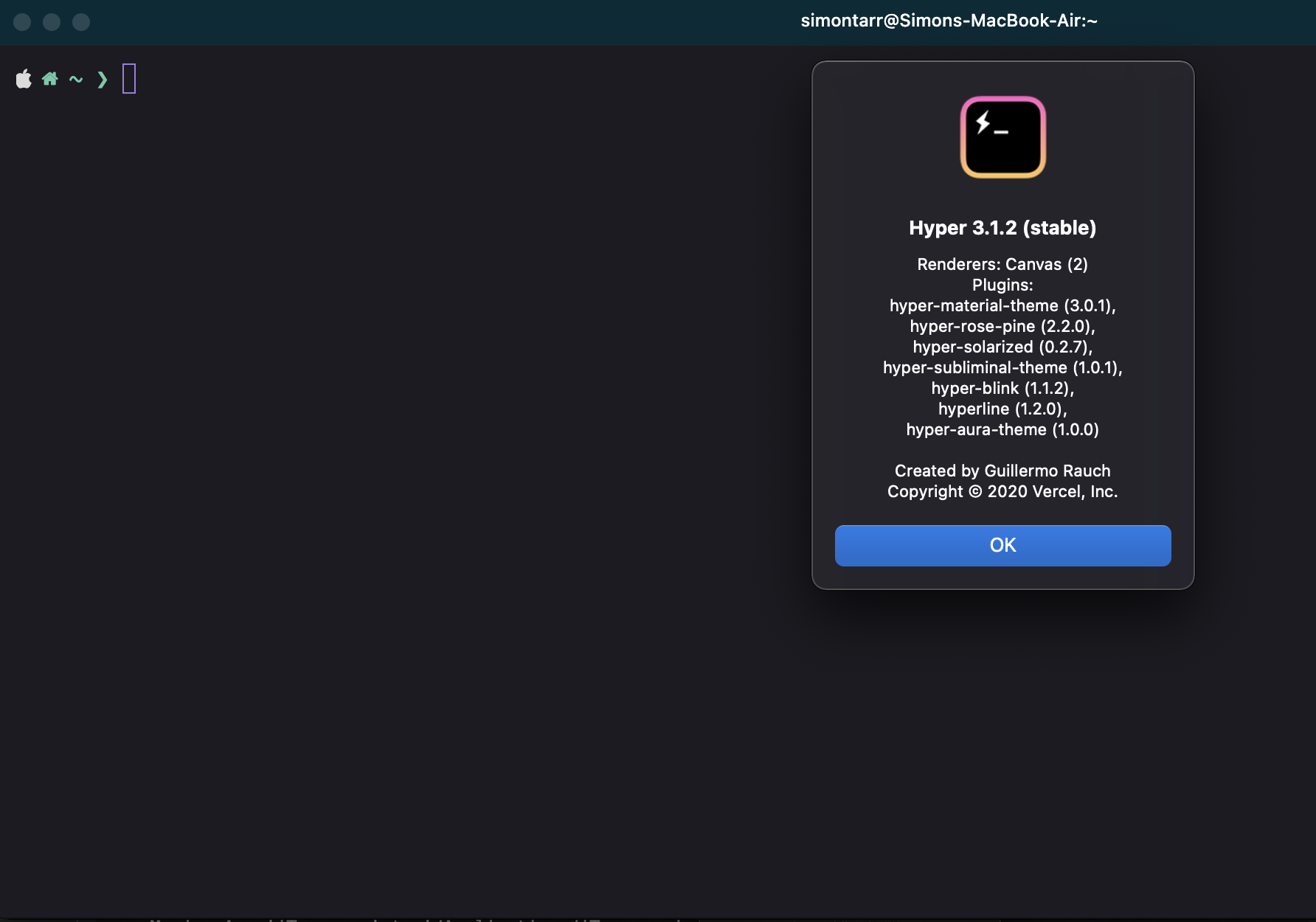
With a clean install of macOS and Hyper, I can't get Hyper to pick up changes to .hyper.js. For example, no plugins show in Hyper, even after a full reload of the app (e.g. hyperline and hyper-blink do not show despite being set in plugins). Hyper ignores other settings, too (e.g. workingDirectory)
In addition, themes only partially install. I've noticed that the tab bar colour is always a different colour to the main console window (see screenshot below, note teal tab bar against dark console window).
I have Powerline10k installed - could this be causing some funky issues with plugins/theming?
Contributor guide
No contributing guide indexed for this repository
First steps
- Read the whole issue, then the project's contributing guide.
- Comment on the issue to say you are picking it up — it saves two people doing the same work.
- Fork the repository and make your change on a branch.
- Open a pull request that references the issue number.
Research direction
Start by reviewing the linked .hyper.js configuration and reproducing the settings, plugin, and theme behavior in Hyper.app on Big Sur 11.5.1 with the reported M1 setup. Confirm whether configuration changes are loaded and plugins, workingDirectory, and theme colors take effect; the issue is done when these settings work reliably or the specific incompatibility is identified.
Written by the indexing model from the issue text.
Assessment
- Tech stack
- javascript, macos
- Domain
- desktop
- Issue type
- Bug
- Difficulty
- 4/5
- Estimated time
- 3-5 days
- Activity status
- Stale
- Clarity
- Needs clarification
- Newbie friendliness
- 25/100