Vim breaks in Hyper 3.0.0 on macOS under specific conditions
Nobody has claimed this yet.
- Dominant language
- TypeScript
- Stars
- 44.7k
- Forks
- 3.6k
- Avg merge
- 21m
- Merged PRs (30d)
- 1
Description
- I am on the latest Hyper.app version
- I have searched the issues of this repo and believe that this is not a duplicate
- OS version and name: macOS Mojave
- Hyper.app version: 3.0.0 (stable)
- Link of a Gist with the contents of your .hyper.js: Default
.hyper.js - Relevant information from devtools (CMD+ALT+I on macOS, CTRL+SHIFT+I elsewhere): N/A
- The issue is reproducible in vanilla Hyper.app: Yes
Issue
I believe this issue has not been raised yet, and I'm wondering if anyone else is experiencing it. This is on macOS, Hyper 3.0.0, default .hyper.js configuration, and no .vimrc file present. I am using the latest version of Vim from Homebrew. The issue was not occurring prior to Hyper 3.0.0.
I am able to produce the issue as follows:
- Open a new hyper window
- Open a file in Vim, e.g.,
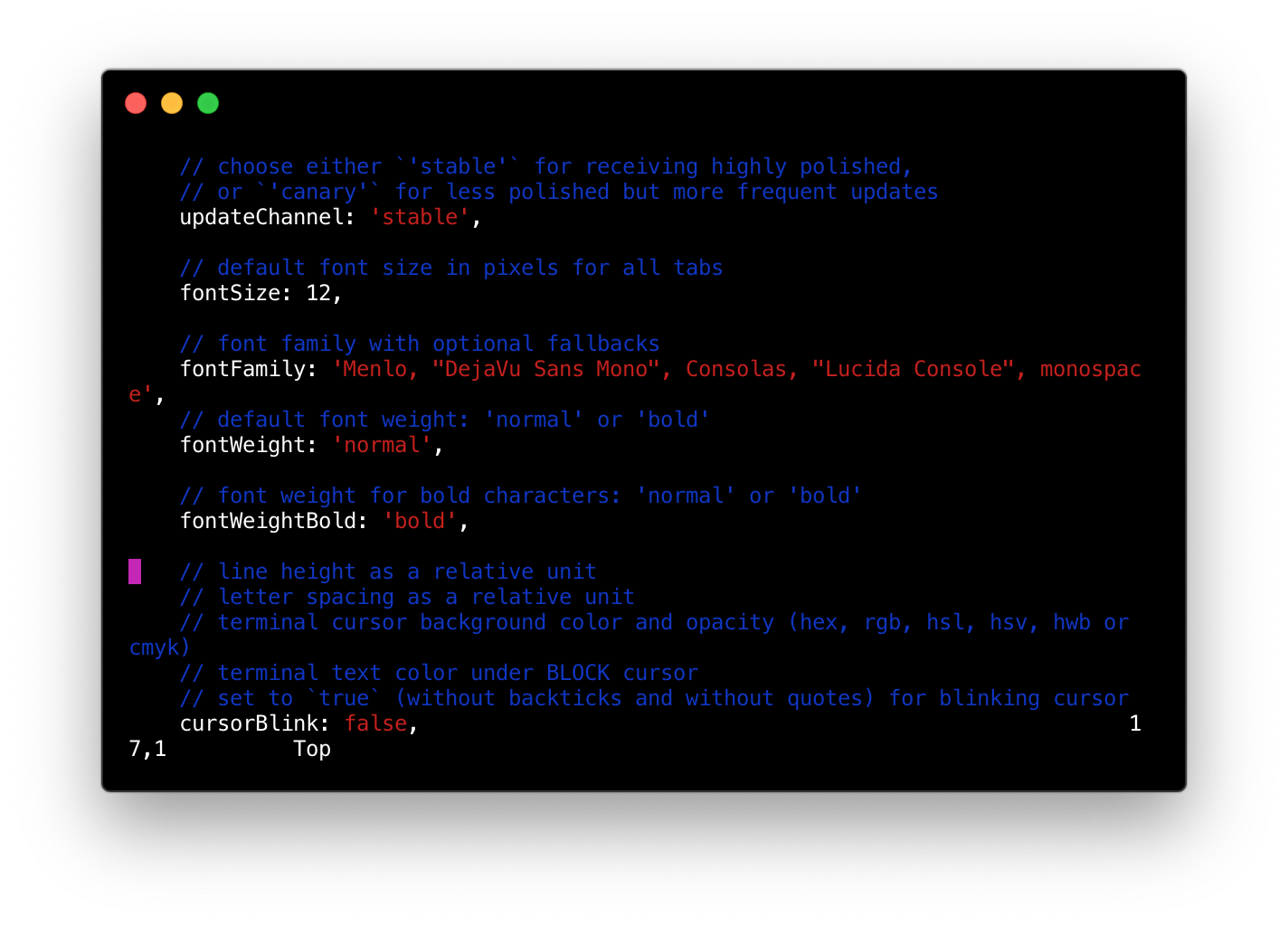
~/.hyper.js - The lines draw correctly, however the top of the file is cut off. The first line you see here is actually the 7th line of the file. I cannot scroll above this 7th line to the top of the file.
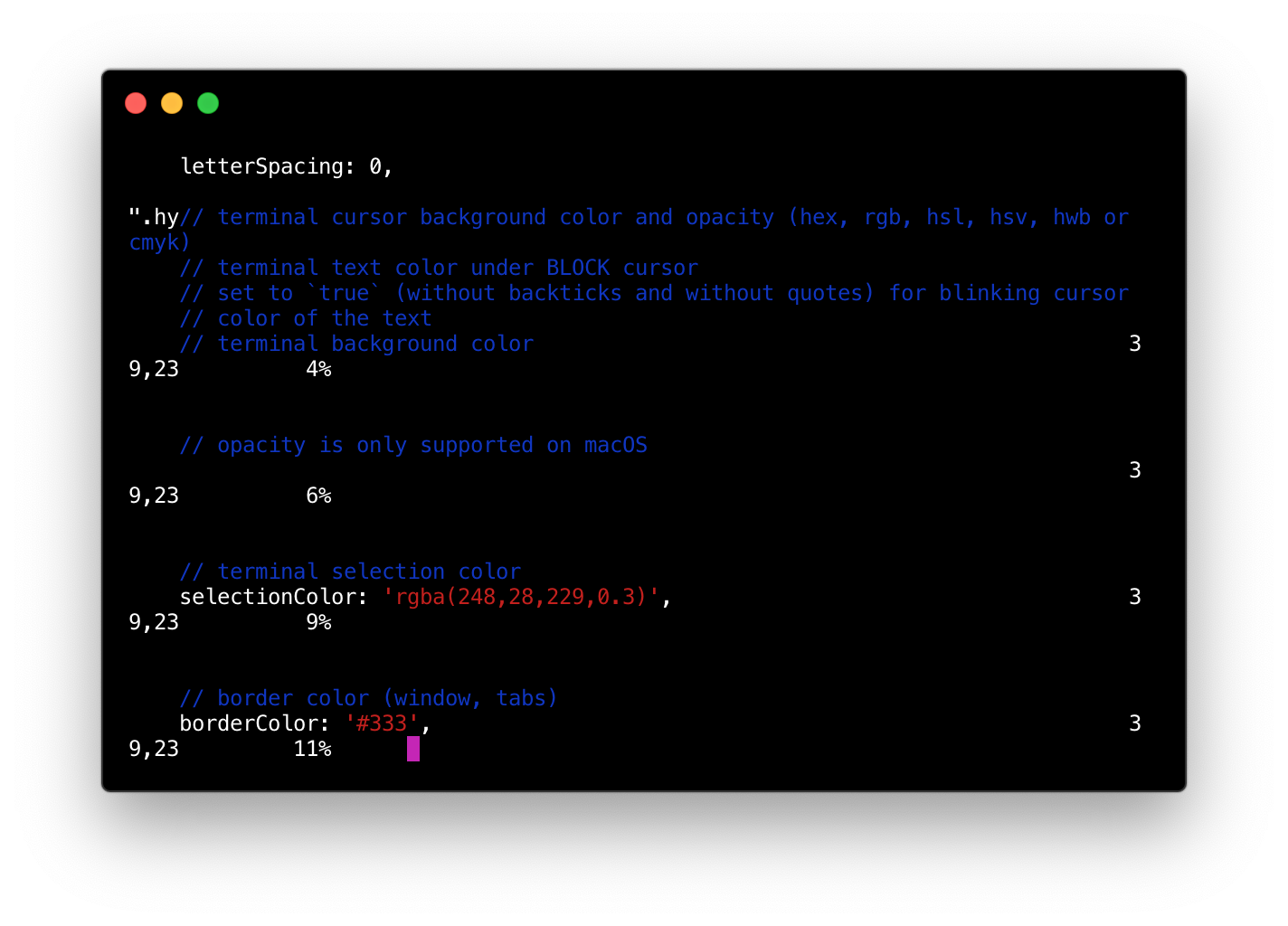
- Begin scrolling down. Draw errors immediately begin to occur:
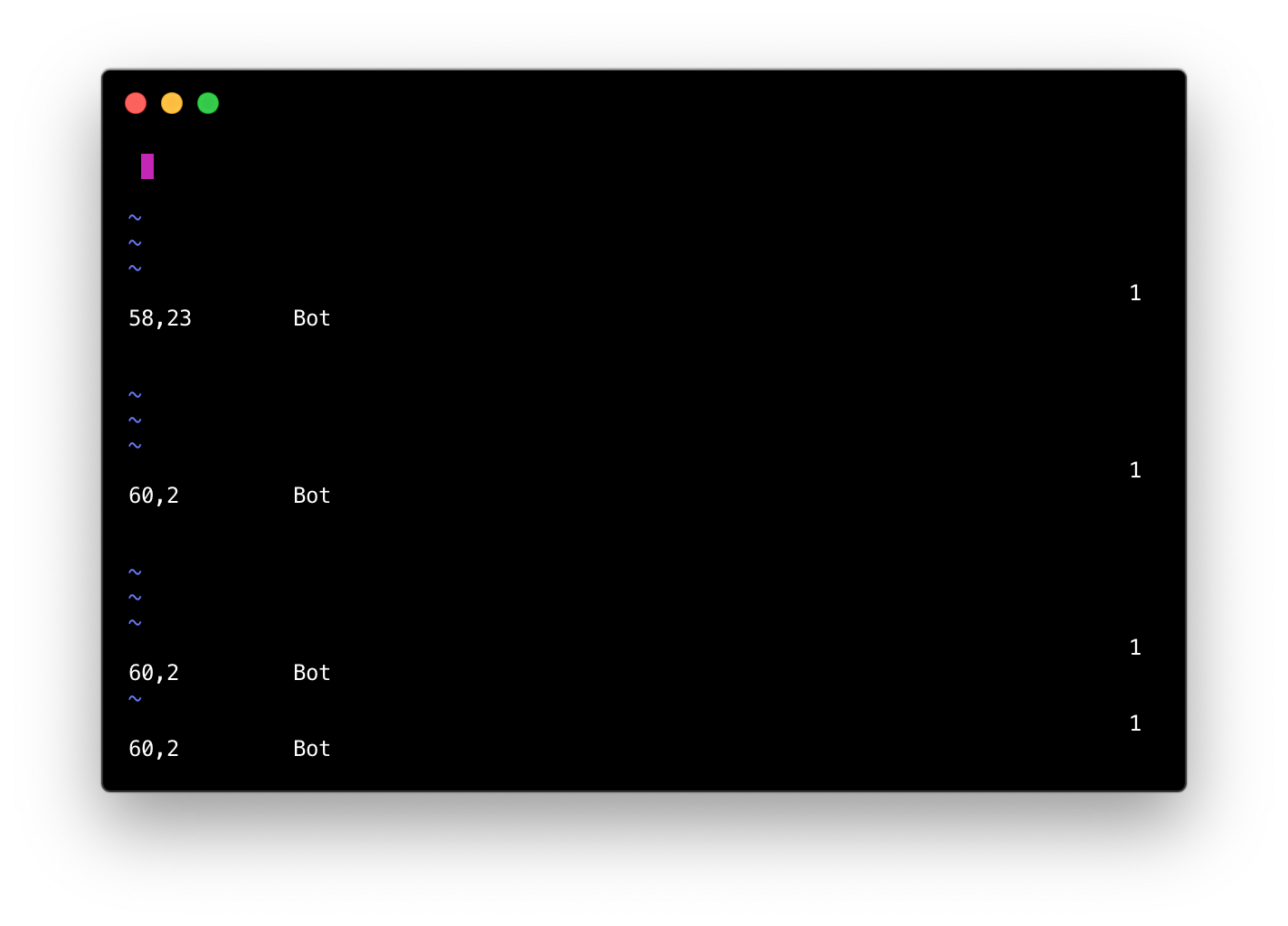
- The end of the file looks like this:
- I can scroll back up to the top of the file, scroll back down, exit and reopen the file, etc. and the issue persists.
Two caveats:
- The issue only occurs in the first tab of a new Hyper window. If I create a second Hyper tab and open the file, the issue disappears.
- It only happens if the window width is at 80 characters
(I know, very specific conditions; of course resizing the window or opening a new tab are easy temporary fixes for the problem, but 80 characters is probably the most common terminal width and this does not happen in any other Hyper version or terminal emulator.)
It's worth noting that I tried turning off WebGL rendering and it did not fix the problem. Thanks.
Contributor guide
No contributing guide indexed for this repository
First steps
- Read the whole issue, then the project's contributing guide.
- Comment on the issue to say you are picking it up — it saves two people doing the same work.
- Fork the repository and make your change on a branch.
- Open a pull request that references the issue number.
Research direction
Start by reproducing the issue in Hyper 3.0.0 on macOS with a new window, an 80-column width, and Vim open in the first tab. Compare rendering while scrolling in the first and second tabs, and test whether the behavior differs from an earlier Hyper version; done means Vim displays and scrolls correctly without draw errors.
Written by the indexing model from the issue text.
Assessment
- Tech stack
- macos, typescript, vim
- Domain
- cli, desktop, operating-systems
- Issue type
- Bug
- Difficulty
- 4/5
- Estimated time
- 3-5 days
- Activity status
- Stale
- Clarity
- Needs clarification
- Newbie friendliness
- 25/100