ctrl+C does not scroll to the bottom
Open
Nobody has claimed this yet.
🎨 Type: Enhancement
- Dominant language
- TypeScript
- Stars
- 44.7k
- Forks
- 3.6k
- Avg merge
- 21m
- Merged PRs (30d)
- 1
Description
- I am on the latest Hyper.app version
- I have searched the issues of this repo and believe that this is not a duplicate
- OS version and name: macOS 10.12.6
- Hyper.app version: 2.0.0 (stable)
- Link of a Gist with the contents of your .hyper.js: https://gist.github.com/emiljohansson/c2b1b7c0c3a30fb869f928a2c36c1e55
Issue
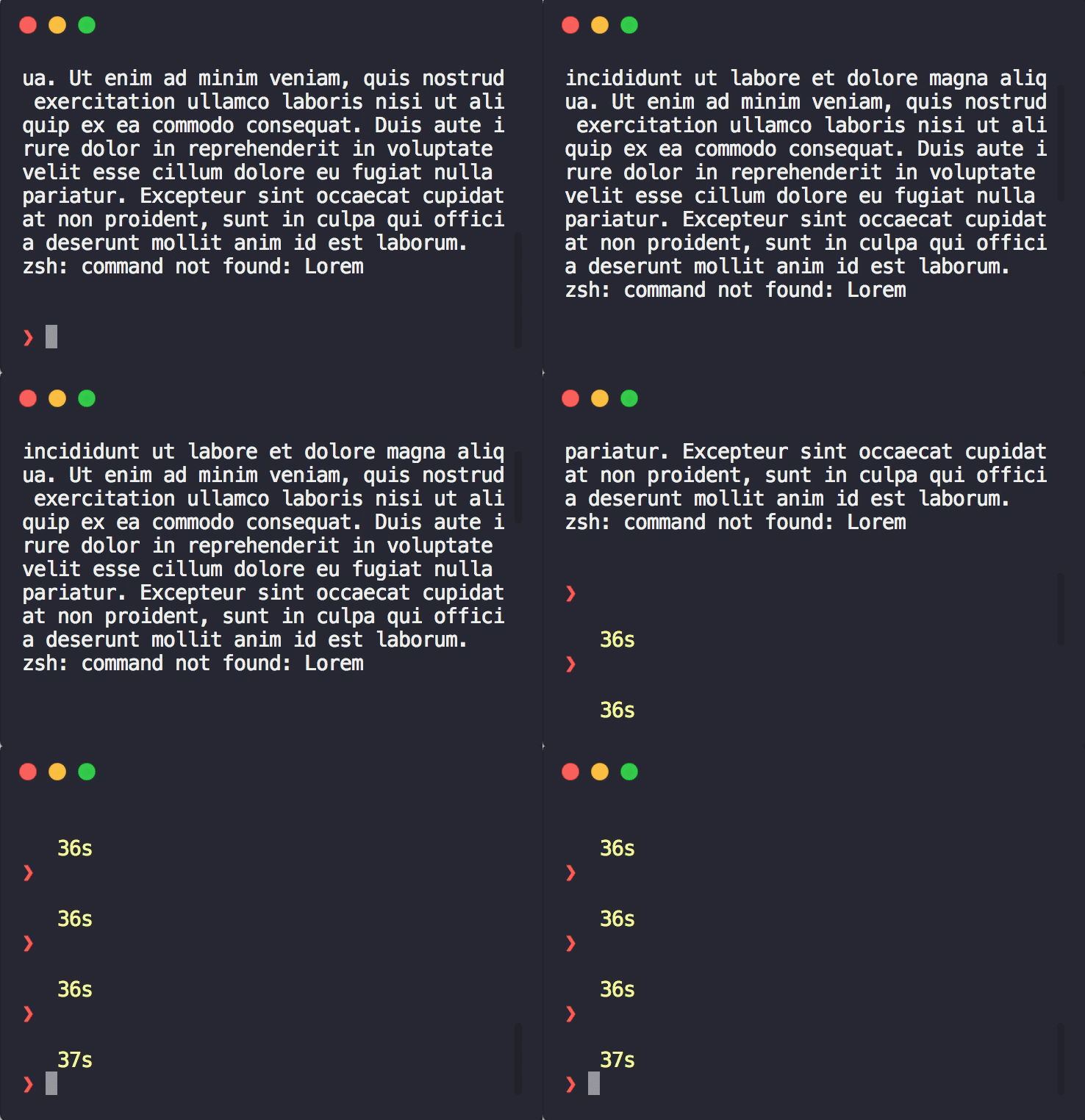
If you first scroll up a bit in the active window and press ctrl+c, the command works but the scroll position remains the same (see screenshot). If you do the same in the Terminal app, it will scroll to the bottom.
Worth noting that typing something in Hyper works as expecting, it scrolls to the bottom.
Contributor guide
No contributing guide indexed for this repository
First steps
- Read the whole issue, then the project's contributing guide.
- Comment on the issue to say you are picking it up — it saves two people doing the same work.
- Fork the repository and make your change on a branch.
- Open a pull request that references the issue number.
Research direction
Reproduce the issue in Hyper.app on macOS 10.12.6 by scrolling up in an active window and pressing ctrl+C, using the linked .hyper.js configuration if needed. Done means ctrl+C still interrupts the command and the terminal scroll position returns to the bottom, matching Terminal.app.
Written by the indexing model from the issue text.
Assessment
- Tech stack
- typescript
- Domain
- cli, desktop
- Issue type
- Bug
- Difficulty
- 3/5
- Estimated time
- 1-2 days
- Activity status
- Stale
- Clarity
- Mostly clear
- Newbie friendliness
- 35/100