New custom components not rendered after manually updating Spreadsheet
Nobody has claimed this yet.
- Dominant language
- Java
- Stars
- 50
- Forks
- 53
- Avg merge
- 1d 21h
- Merged PRs (30d)
- 1
Description
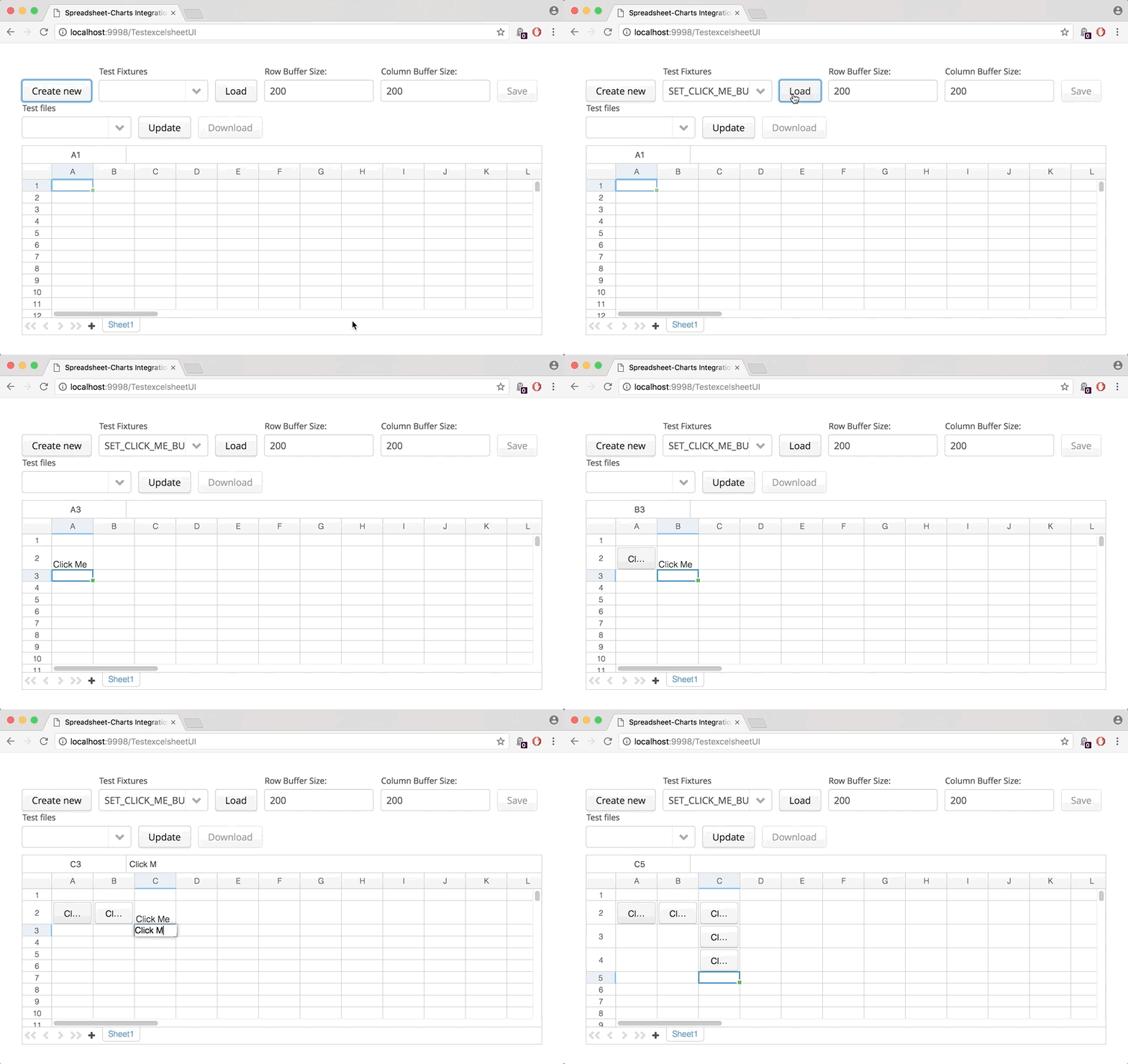
I have a spreadsheet with a custom component factory that turns a cell into a button if the text in the cell matches "Click Me". However, when the "Click Me" text is entered into a clean cell, the custom component (the button) is not always rendered: in some cases the component appears immediately, and sometimes - after editing another cell.
Contributor guide
No contributing guide indexed for this repository
First steps
- Read the whole issue, then the project's contributing guide.
- Comment on the issue to say you are picking it up — it saves two people doing the same work.
- Fork the repository and make your change on a branch.
- Open a pull request that references the issue number.
Research direction
Start by reproducing the custom component factory scenario described in the issue: enter "Click Me" into a clean cell, then edit another cell and compare rendering. Trace the spreadsheet rendering path for manually entered values; done means the button appears consistently when the matching text is entered, without requiring another edit.
Written by the indexing model from the issue text.
Assessment
- Tech stack
- java
- Domain
- frontend
- Issue type
- Bug
- Difficulty
- 3/5
- Estimated time
- 1-2 days
- Activity status
- Stale
- Clarity
- Needs clarification
- Newbie friendliness
- 35/100