Show virtual hard disk size in VM details
- Dominant language
- Swift
- Stars
- 35.5k
- Forks
- 1.8k
- Avg merge
- 5d 5h
- Merged PRs (30d)
- 7
Description
I would like to be able to see the amount of virtual storage space my VM hard disks have. For example, when I create a 1 GB hard disk in UTM, the VM size does not show 1 GB because the disk is not filled, so the file size has not grown yet.
My suggestion is to add another line to the Details screen (when a VM is selected in the sidebar) where the virtual amount of space is shown for each hard drive. Maybe the current file size should also be shown for each hard drive.
**Workaround**
To see the virtual disk size for a certain hard disk file, you can use `qemu-img info ` (if you don't have `qemu-img` installed, run `brew install qemu`).
Here is a screenshot showing how to find the hard disk file and get the info (macOS):
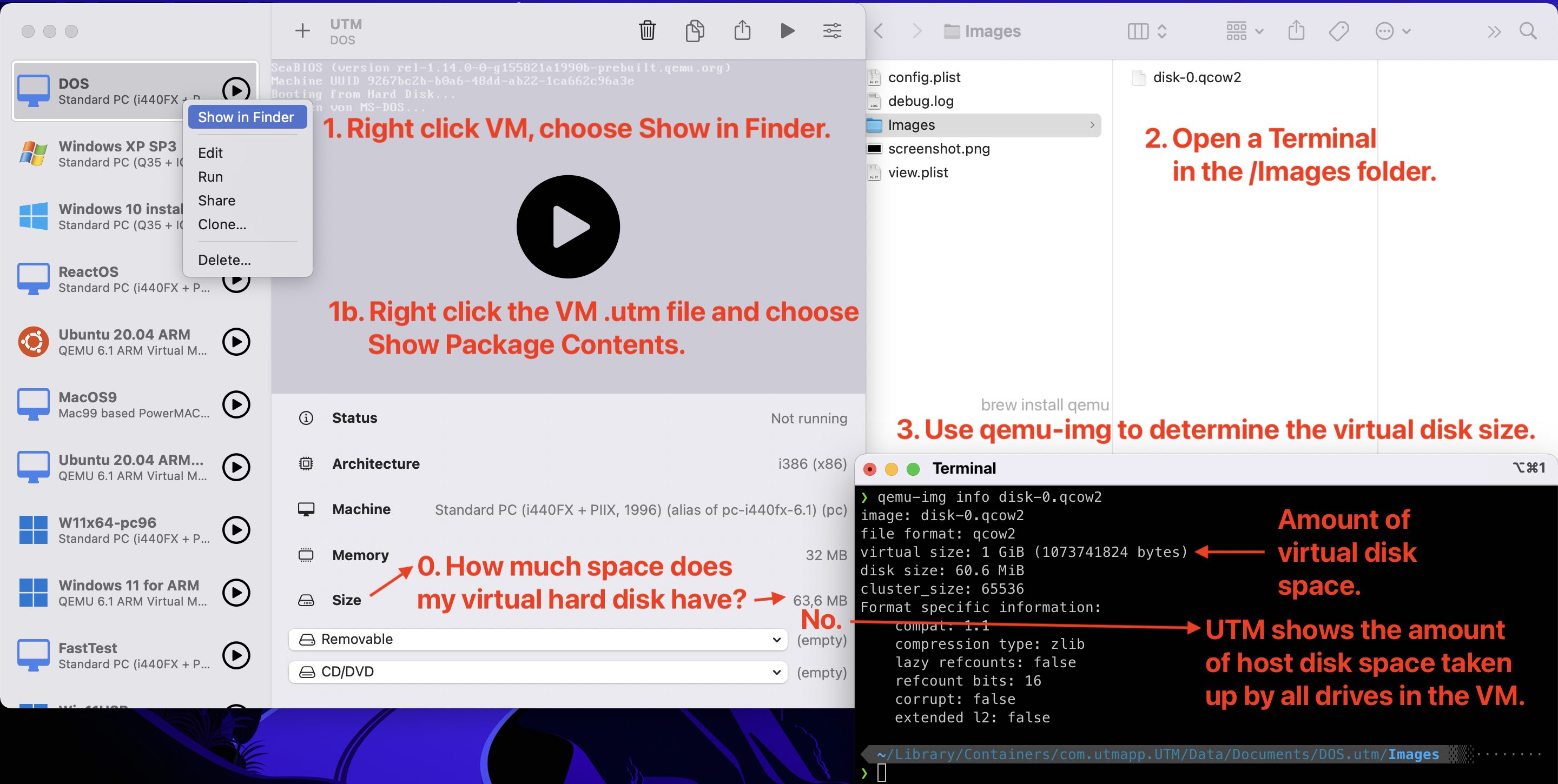
1. Right-click on the VM, choose Show in Finder.
2. In the Finder window, right-click the `.utm` file and choose Show Package Contents.
Navigate to the /Images folder. Now, open a Terminal window and `cd` into the folder (optional).
3. In Terminal, type `qemu-img info ` and either drag the hard disk file into the Terminal window from Finder, or type the name of the file. Press return.
4. The virtual disk size is shown in the 3rd line.
```bash
❯ qemu-img info disk-0.qcow2
image: disk-0.qcow2
file format: qcow2
virtual size: 1 GiB (1073741824 bytes)
disk size: 60.6 MiB
cluster_size: 65536
Format specific information:
compat: 1.1
compression type: zlib
lazy refcounts: false
refcount bits: 16
corrupt: false
extended l2: false
```
Contributor guide
Assessment
This issue has not been assessed yet.