tiny-pilot / tiny-pilot/tinypilot
FPS option in video settings dialog should match hardware capabilities
Nobody has claimed this yet.
- Dominant language
- Python
- Stars
- 3.5k
- Forks
- 291
- PR merge metrics
- No merged PRs in 30d
Description
The video settings dialog hardcodes a maximum FPS of 30, but different capture devices have different maximum framerates.
Most HDMI to USB dongles support 30 FPS, but the capture chip we use on the Voyager 1 and Voyager 2 has a max of 24 FPS, so it confuses users to see a different FPS listed in the settings:
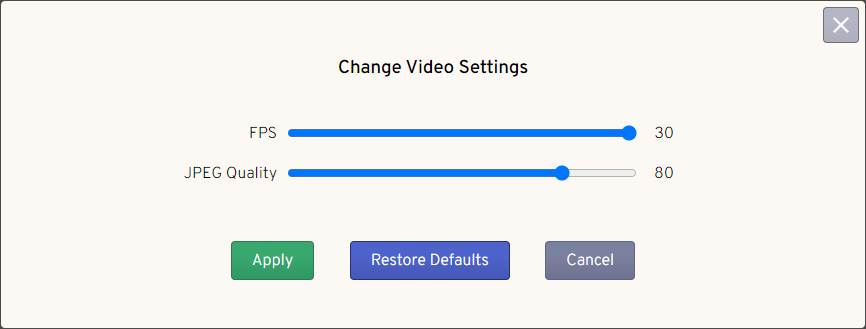
We can investigate whether we can auto-detect the device's max FPS from something like v4l2 and then dynamically display that in the slider.
Contributor guide
First steps
- Read the whole issue, then the project's contributing guide.
- Comment on the issue to say you are picking it up — it saves two people doing the same work.
- Fork the repository and make your change on a branch.
- Open a pull request that references the issue number.
Research direction
Start by locating the video settings dialog and the code that hardcodes the maximum FPS at 30. Investigate whether v4l2 exposes the capture device's maximum framerate, including the Voyager 1 and Voyager 2 hardware. Done means the dialog displays the device-specific maximum instead of a misleading fixed value.
Written by the indexing model from the issue text.
Assessment
- Tech stack
- python
- Domain
- embedded-iot, frontend
- Issue type
- Feature
- Difficulty
- 4/5
- Estimated time
- 3-5 days
- Activity status
- Stale
- Clarity
- Mostly clear
- Newbie friendliness
- 38/100