thunderbird / thunderbird/thunderbird-android
Mark unread button remains in its state in split-screen
Open
Nobody has claimed this yet.
- Dominant language
- Kotlin
- Stars
- 14k
- Forks
- 2.8k
- Avg merge
- 3d 3h
- Merged PRs (30d)
- 57
Description
Checklist
- I have used the search function to see if someone else has already submitted the same bug report.
- I will describe the problem with as much detail as possible.
App version
6.100
Where did you get the app from?
Other
Android version
8.1
Device model
Android emulator
Steps to reproduce
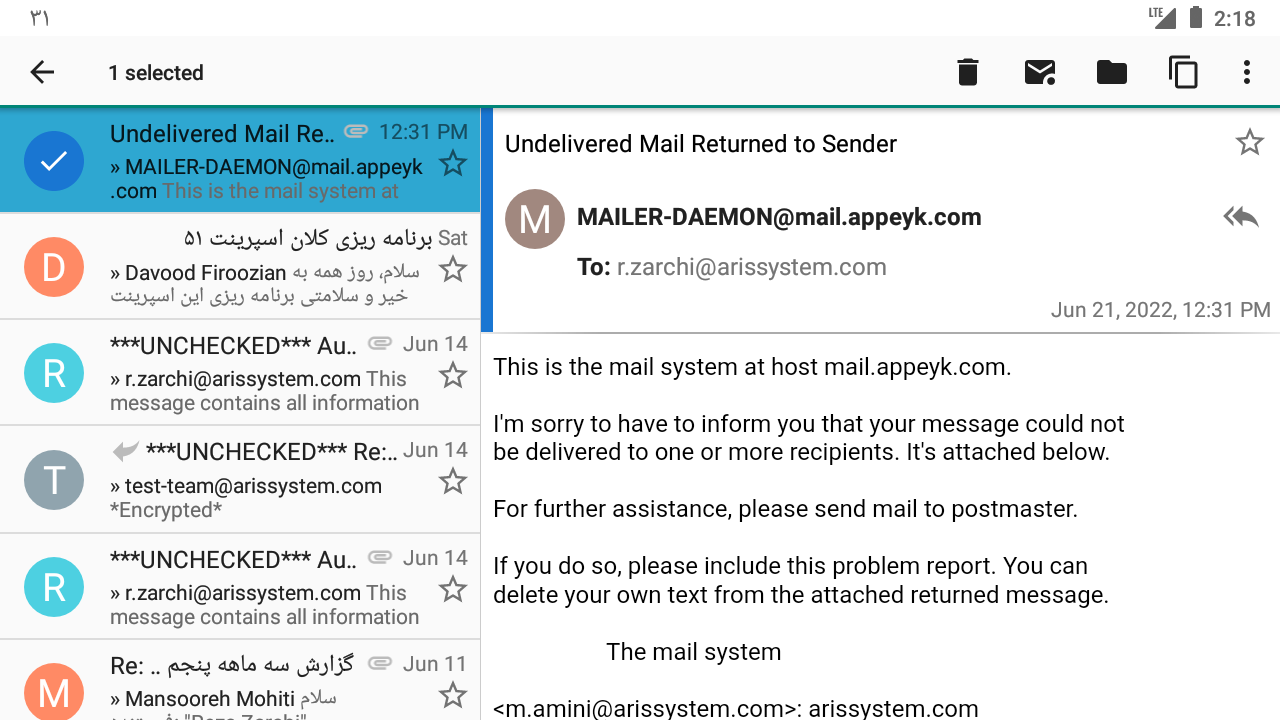
- Enable spilt-screen in the app Display settings
- open a message
- select its item from list
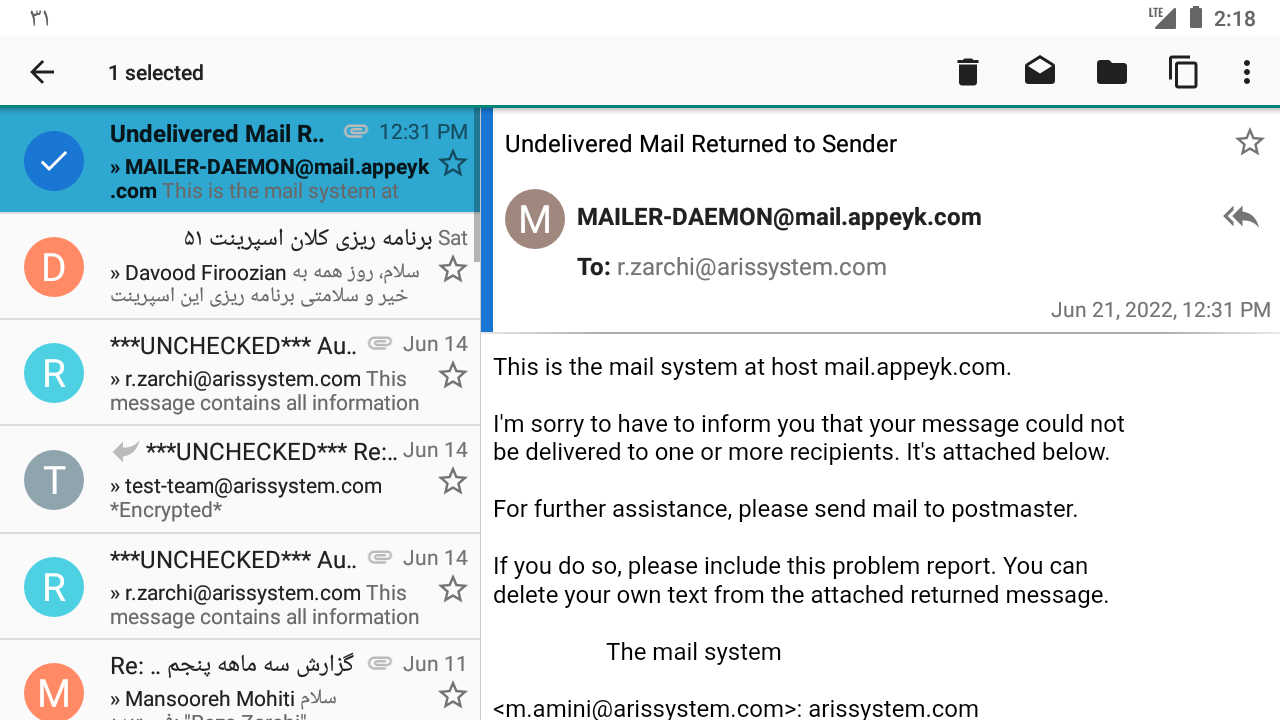
- Mark unread in toolbar
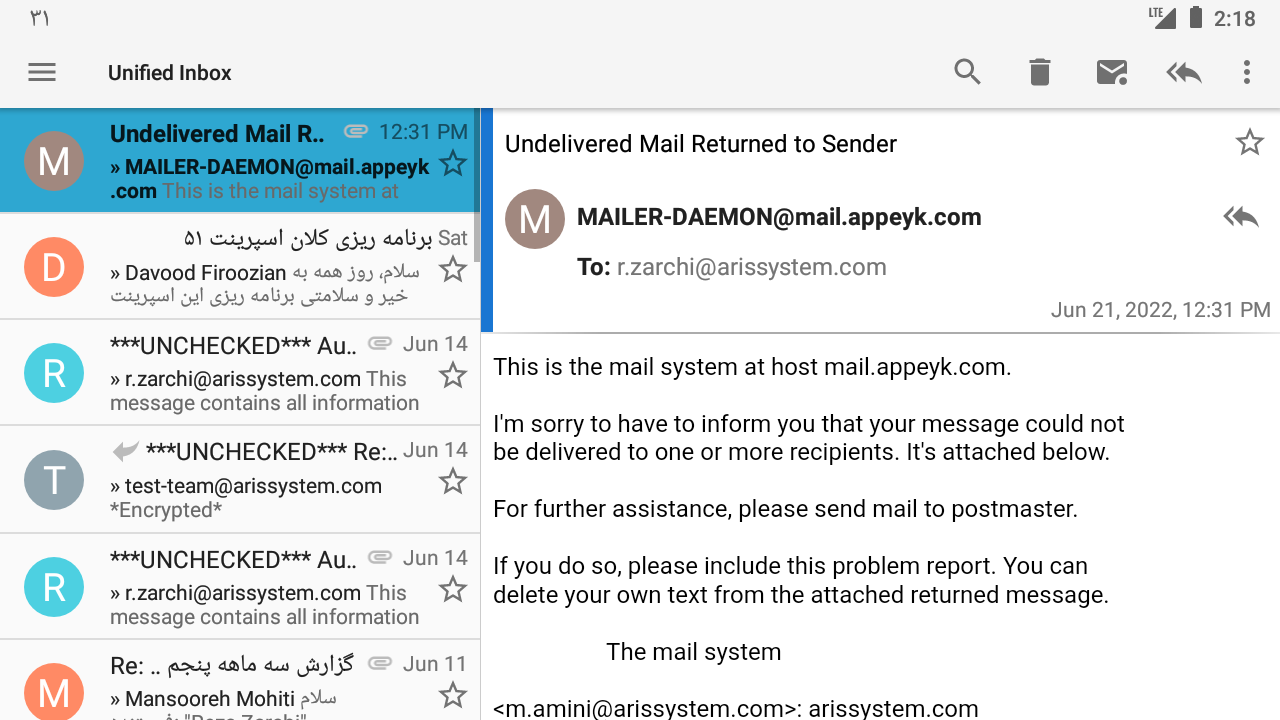
- Deselect item
Expected behavior
We should see Mark as Read button in the toolbar
Actual behavior
That button remains in its previous state (Mark as unread)
Logs
No response
ScreenShots
-
Step1:
-
Step2:
-
Step3
Contributor guide
First steps
- Read the whole issue, then the project's contributing guide.
- Comment on the issue to say you are picking it up — it saves two people doing the same work.
- Fork the repository and make your change on a branch.
- Open a pull request that references the issue number.
Research direction
Reproduce the issue on Android 8.1 with app version 6.100 using split-screen: open a message, select it, mark it unread, and deselect it. Trace the message selection and toolbar state around the Display settings flow; done means the toolbar changes to “Mark as Read” after deselection.
Written by the indexing model from the issue text.
Assessment
- Tech stack
- android, kotlin
- Domain
- mobile
- Issue type
- Bug
- Difficulty
- 3/5
- Estimated time
- 1-2 days
- Activity status
- Stale
- Clarity
- Mostly clear
- Newbie friendliness
- 35/100