thunderbird / thunderbird/thunderbird-android
In the compose mail screen, the contact popup is not displayed properly when they are many contacts
Nobody has claimed this yet.
- Dominant language
- Kotlin
- Stars
- 14k
- Forks
- 2.8k
- Avg merge
- 3d 3h
- Merged PRs (30d)
- 57
Description
Expected behavior
The information about the contact should be fully visible when clicking on it
Actual behavior
Only a small part of the information is visible, the popup is too small (scrollable, but it would be nicer to see everything at the same time)
Steps to reproduce
- Create a new email
- Add 20 recipients (enough to fill the screen)
- Click on one of the recipients
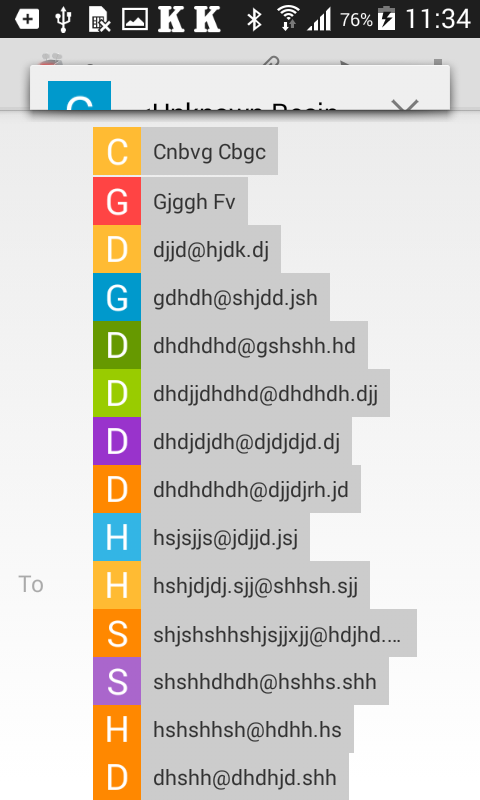

A similar issue is happening when adding a contact from the device contacts.
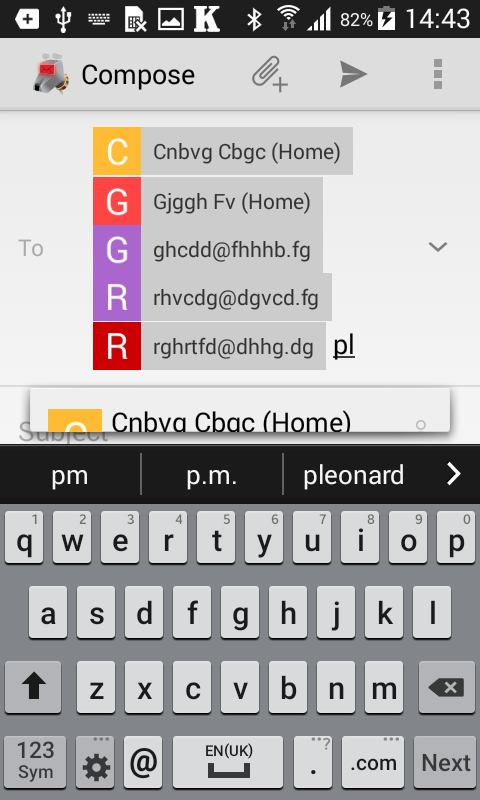
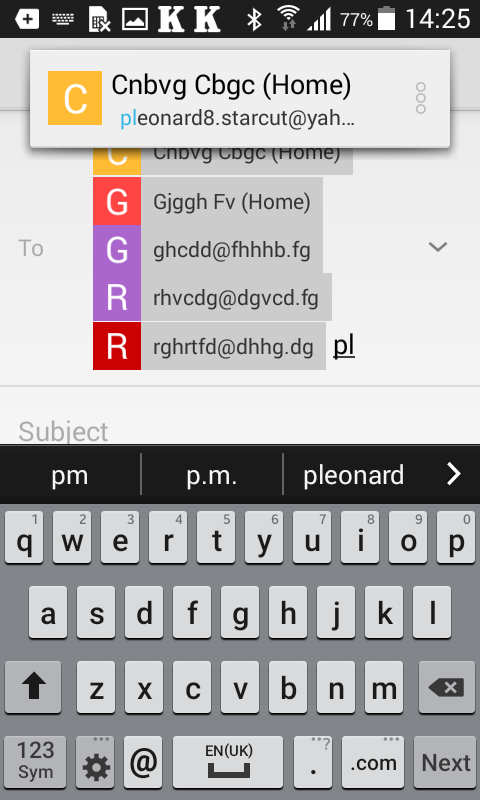
Environment
K-9 Mail version: 5.109
Android version: 4.4
Account type (IMAP, POP3, WebDAV/Exchange): IMAP
Contributor guide
First steps
- Read the whole issue, then the project's contributing guide.
- Comment on the issue to say you are picking it up — it saves two people doing the same work.
- Fork the repository and make your change on a branch.
- Open a pull request that references the issue number.
Research direction
Reproduce the issue in the compose-mail recipient flow with enough recipients to fill the screen, then check the similar device-contacts flow shown in the report. Trace the popup sizing behavior from those entry points and verify that the full contact information is visible without requiring scrolling in both cases.
Written by the indexing model from the issue text.
Assessment
- Tech stack
- android, kotlin
- Domain
- mobile
- Issue type
- Bug
- Difficulty
- 3/5
- Estimated time
- 1-2 days
- Activity status
- Stale
- Clarity
- Mostly clear
- Newbie friendliness
- 35/100