texstudio-org / texstudio-org/texstudio
Not working properly when resized from one screen to another of lower dpi
Nobody has claimed this yet.
- Dominant language
- C++
- Stars
- 3.6k
- Forks
- 403
- Avg merge
- 3h 14m
- Merged PRs (30d)
- 12
Description
I have two screens both 27" but one HD and one 4K (main screen). Texstudio starts in the 4K screen and everything works nice. But if I place the window on the HD screen the text get strange, see picture below:
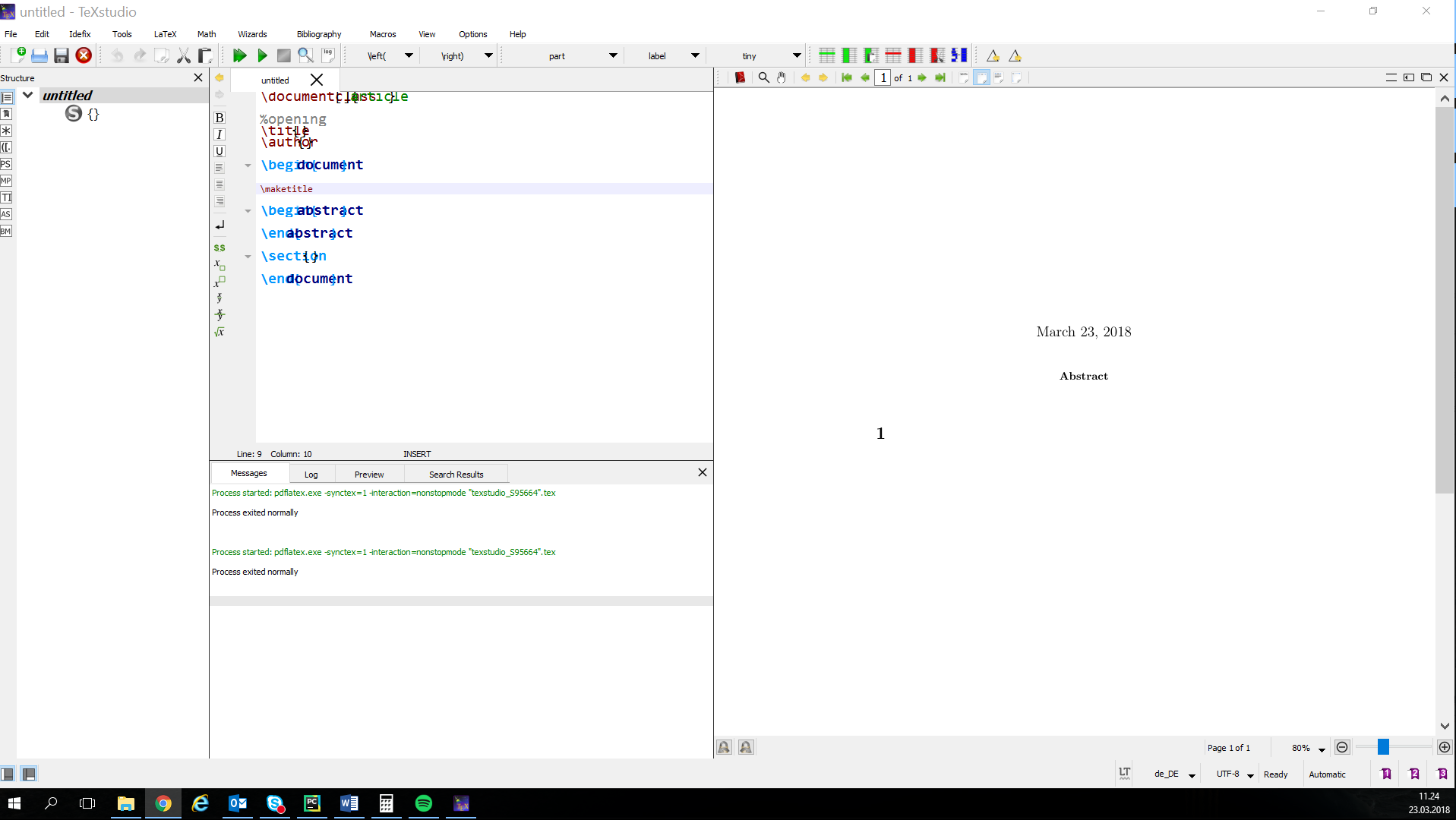
Here is the 4K screen
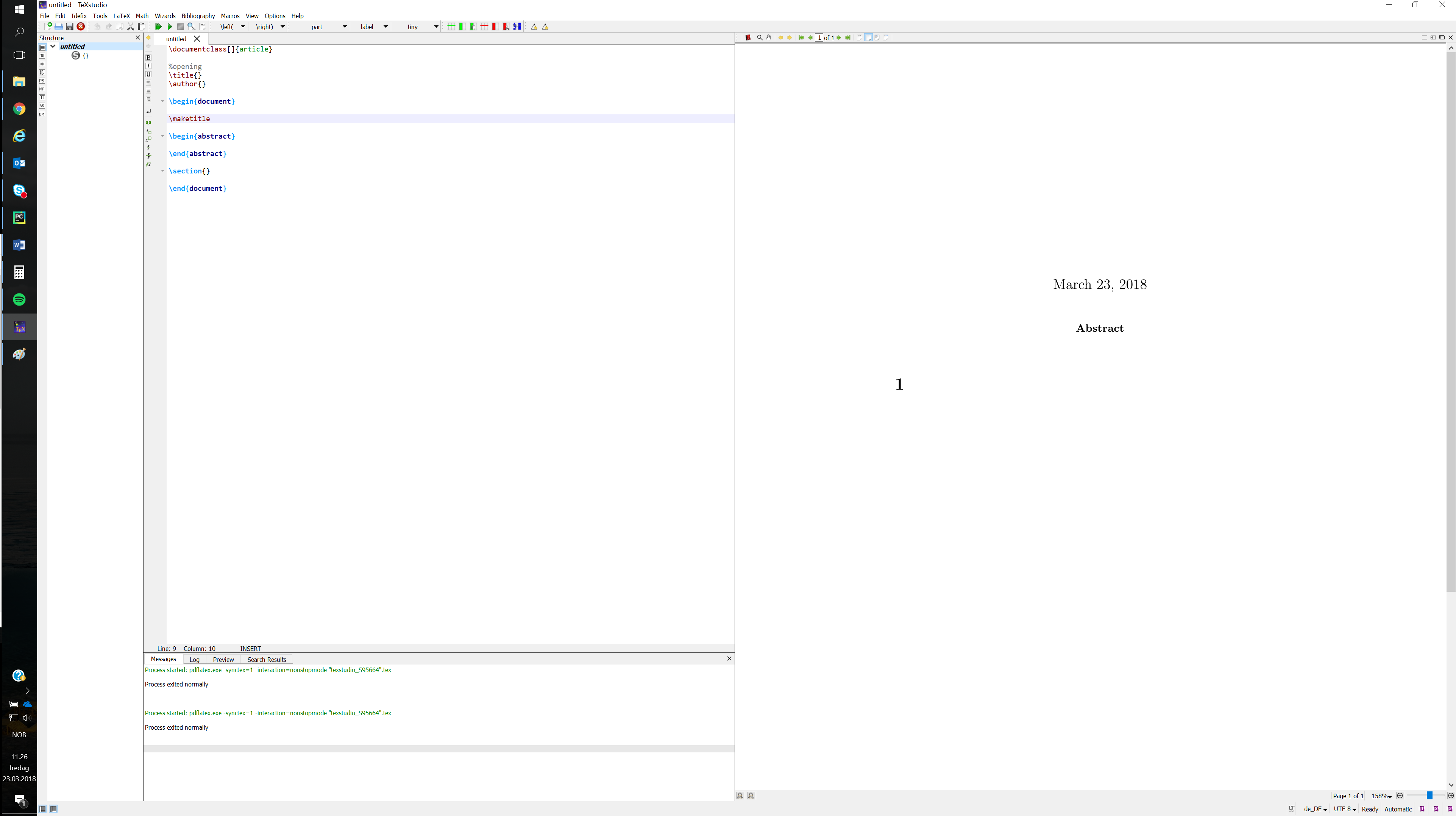
Environment
- TeXstudio 2.12.8 (hg 2.12.8-1-g68cd350)
- Using Qt Version 5.8.0, compiled with Qt 5.8.0 R
- OS: Windows 10 (Version 10.0.14393 Build 14393)
- TeX distribution: miktex
Expected behavior
Actual behavior
How to reproduce
In display settings set "Change the size of text, apps and other items:" to 150 % for one screen and 100% on another screen
Contributor guide
No contributing guide indexed for this repository
First steps
- Read the whole issue, then the project's contributing guide.
- Comment on the issue to say you are picking it up — it saves two people doing the same work.
- Fork the repository and make your change on a branch.
- Open a pull request that references the issue number.
Research direction
No source file, test, or entry point is identified. First reproduce the issue on Windows 10 using TeXstudio 2.12.8 with one display at 150% scaling and another at 100%, then trace the window rendering behavior. Done means text remains correctly rendered after moving the window between displays with different DPI settings.
Written by the indexing model from the issue text.
Assessment
- Tech stack
- cpp
- Domain
- desktop
- Issue type
- Bug
- Difficulty
- 4/5
- Estimated time
- 3-5 days
- Activity status
- Stale
- Clarity
- Needs clarification
- Newbie friendliness
- 35/100