texstudio-org / texstudio-org/texstudio
After zooming in editor text was visually broken
Nobody has claimed this yet.
- Dominant language
- C++
- Stars
- 3.6k
- Forks
- 403
- Avg merge
- 3h 14m
- Merged PRs (30d)
- 12
Description
Environment
- TeXstudio: 2.12.16
- Qt: 5.12.1 compiled with Qt 5.12.1 R
- OS: Windows 10.0.17763
- TeX distribution: MiKTeX 2.9
Expected behavior
Edited text should smoothly fill the lines on the screen up to the mark of transition to a new line.
Actual behavior
While working on enlarging / reducing text in the editor window with the mouse wheel or CTRL+
, the contents of the window are deformed. Occurs only when working with TXS on the second / external screen. There is no problem on the primary screen.
Below is the base image:

How to reproduce
- Display the TXS window on an external screen
- Use the combination / CTRL + / or / CTRL + mouse scroll wheel /
- Make a few times magnification and reduce the size of text on the screen
Below is the text after resizing:
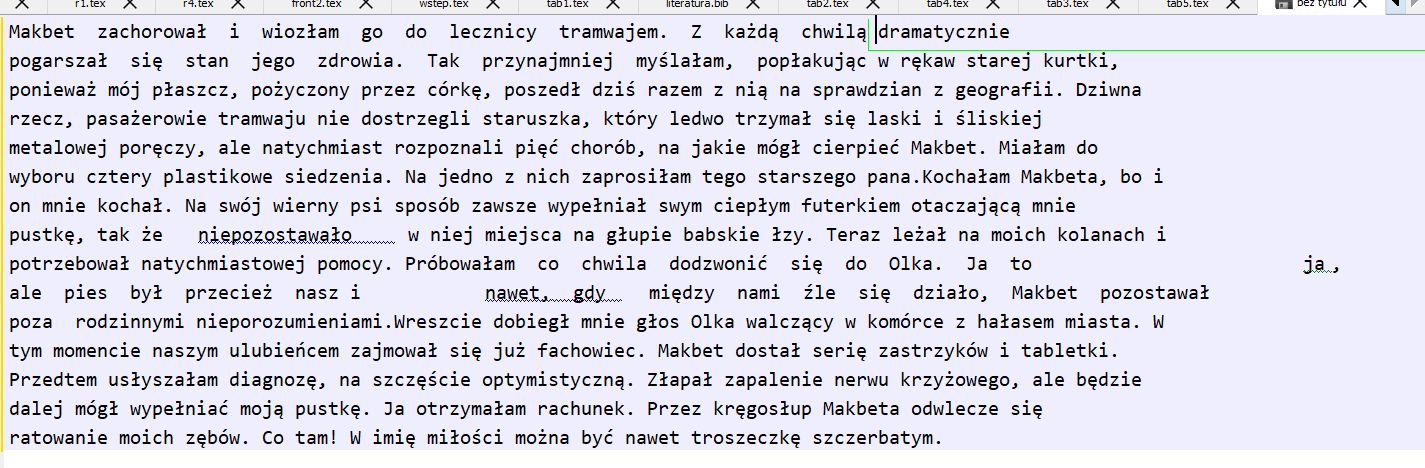
Below is the text highlighted on the left
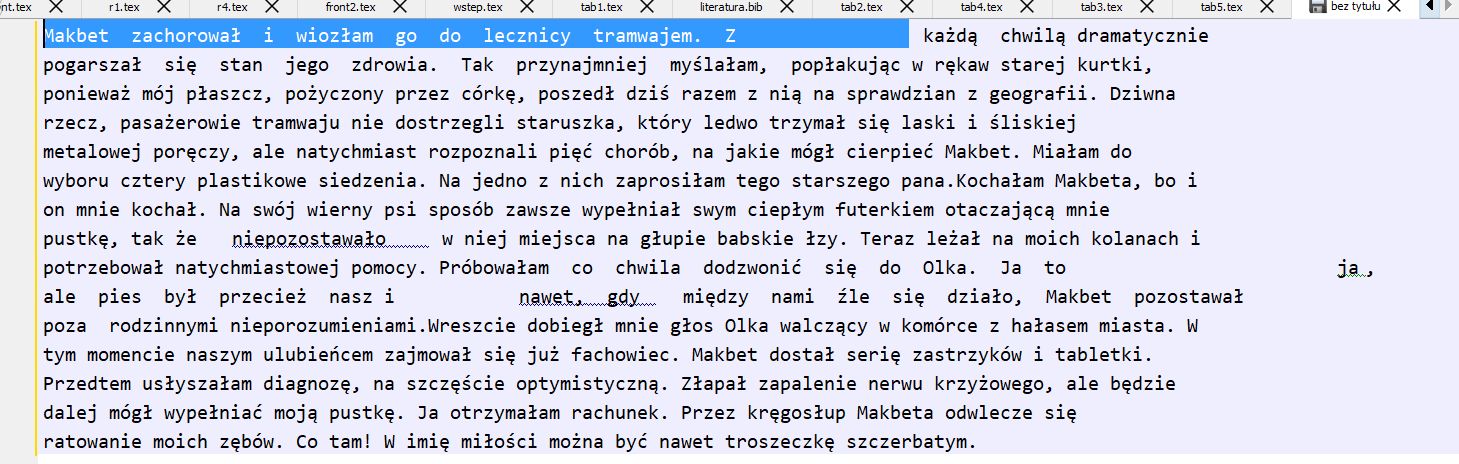
Below is the text highlighted on the right

And so after marking on each line.
Thanks, dziki
Contributor guide
No contributing guide indexed for this repository
First steps
- Read the whole issue, then the project's contributing guide.
- Comment on the issue to say you are picking it up — it saves two people doing the same work.
- Fork the repository and make your change on a branch.
- Open a pull request that references the issue number.
Research direction
Reproduce the problem in TeXstudio 2.12.16 on Windows 10 with MiKTeX 2.9, using an external screen. Zoom the editor with Ctrl plus the mouse wheel several times and compare the text layout with the primary screen; done means the text remains visually intact and fills lines correctly after resizing.
Written by the indexing model from the issue text.
Assessment
- Tech stack
- cpp
- Domain
- desktop
- Issue type
- Bug
- Difficulty
- 4/5
- Estimated time
- 3-5 days
- Activity status
- Stale
- Clarity
- Mostly clear
- Newbie friendliness
- 35/100