texstudio-org / texstudio-org/texstudio
Hard/Soft Line Wrap after max characters works incorrectly - with two connected monitors
Nobody has claimed this yet.
- Dominant language
- C++
- Stars
- 3.6k
- Forks
- 403
- Avg merge
- 3h 14m
- Merged PRs (30d)
- 12
Description
Maximal characters are somehow used incorrectly. I'm using the option (in Adv.Editor) Line wrapping: hard line wrap after max characters. (or soft, it doesn't matter)
Somehow the max characters setting has to be halved to work as needed.
My Editor font is Courier New 14.
If I set max characters to 80, which is what I want, then the wrapping happens at around column 146. I also don't see the hard line on screen.
If I set max characters to 45, wrapping happens at 80, and I see the line on screen around where it should be.
But, when TeXstudio starts, if max characters is set to 45, then the lines wrap at 45, the break line shows at around 80. Then I have to change the max characters to 80, and back to 45. Then everything is where I want it.
If I start TeXstudio with max characters set to 80, then lines are wrapped at 80, the break line is beyond the end, and typing new lines will break them at ~146.
Environment
- TeXstudio: 2.12.16
- Qt: 5.12.1 R
- OS:Windows 10, 1903
- TeX distribution: MiKTeX 2.9.7000 64-bit
Expected behavior
When setting maximal characters to 80 in settings->Adv Editor, and line wrapping "soft line wrap after max. characters" or "hard line wrap after max. characters", line should wrap after 80 characters.
Actual behavior
When setting to 80, line wraps at around 146, and right indicator for end of line is at around 146.

when setting to 40, wrap is at around 75.

. When setting to 80, quitting and restarting texstudio, text wraps at 80, but end of line indicator is at 146.

when setting to 40 and restarting, wrap is at 45, but indicator at 75
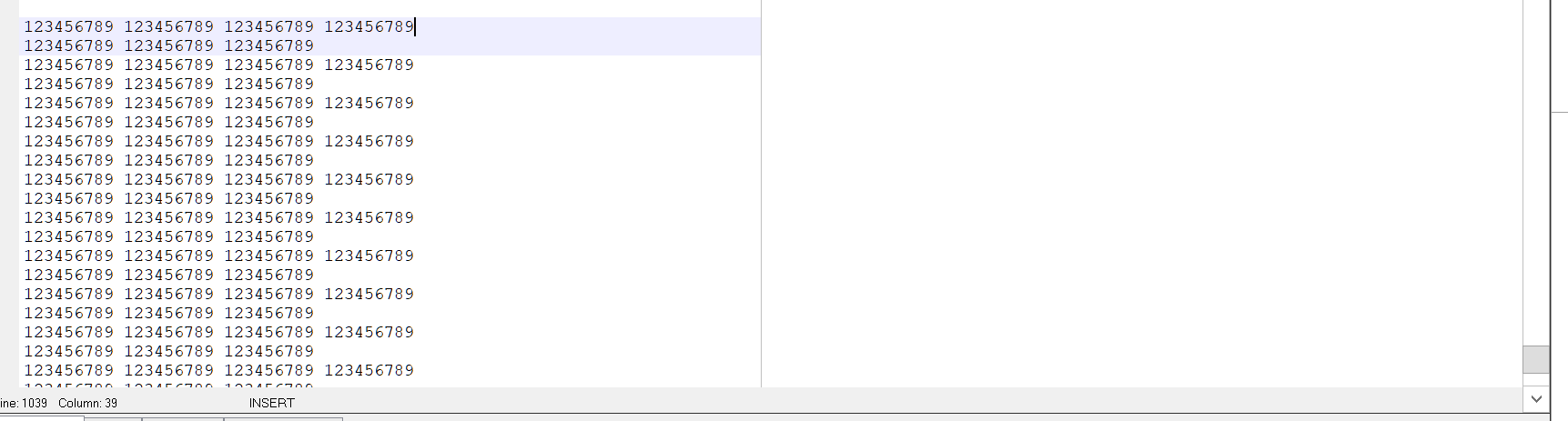
How to reproduce
In Settings->Adv Editor set max characters to 80, and line wrapping "soft line wrap after max. characters". Enter in text editor a long line.
Contributor guide
No contributing guide indexed for this repository
First steps
- Read the whole issue, then the project's contributing guide.
- Comment on the issue to say you are picking it up — it saves two people doing the same work.
- Fork the repository and make your change on a branch.
- Open a pull request that references the issue number.
Research direction
Start by reproducing the issue from Settings → Adv. Editor with soft and hard line wrapping after max characters, using two connected monitors on Windows 10. Check the editor’s wrapping and end-of-line indicator behavior both after changing the setting and after restarting TeXstudio; done means both consistently use the configured character limit.
Written by the indexing model from the issue text.
Assessment
- Tech stack
- cpp
- Domain
- desktop
- Issue type
- Bug
- Difficulty
- 4/5
- Estimated time
- 3-5 days
- Activity status
- Stale
- Clarity
- Mostly clear
- Newbie friendliness
- 32/100