tensorflow / tensorflow/tensorboard
`ng_tensorboard` plugin selector not keyboard-accessible
Nobody has claimed this yet.
- Dominant language
- TypeScript
- Stars
- 7.2k
- Forks
- 1.7k
- Avg merge
- 4d 22h
- Merged PRs (30d)
- 1
Description
Repro (Chrome 84 and Firefox 68esr, 2.3.0a20200720):
- Visit
localhost:6060on a directory with data for at least two
plugins: say, scalars and images. - Press Tab. The “scalars” plugin should be focused in the navbar.
- Press RightArrow. The “images” plugin should be focused in the
navbar. - Press Space or Enter.
Expected behavior: The images plugin is selected.
Actual behavior: The navbar updates styling (white underline) to
indicate that the images plugin has been selected, but actually nothing
happens:
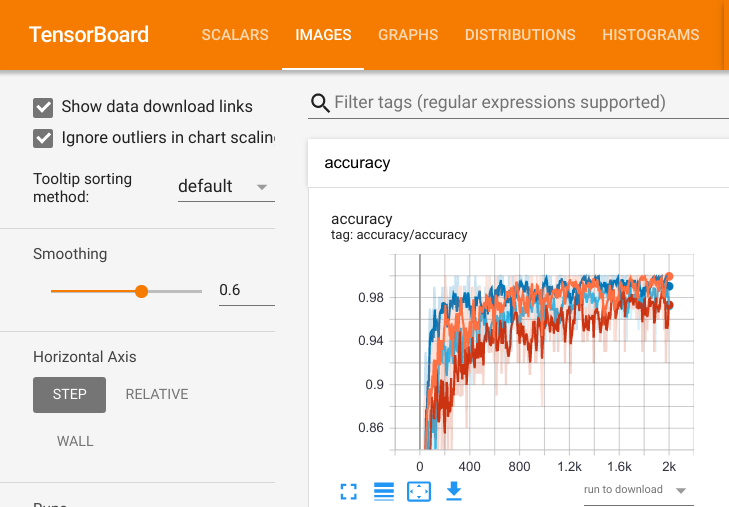
Maybe due to literal (click) listener?
Contributor guide
First steps
- Read the whole issue, then the project's contributing guide.
- Comment on the issue to say you are picking it up — it saves two people doing the same work.
- Fork the repository and make your change on a branch.
- Open a pull request that references the issue number.
Research direction
Open tensorboard/webapp/header/plugin_selector_component.ng.html around lines 27-33, then reproduce the issue in Chrome or Firefox with scalars and images data available. Verify that tabbing to the plugin selector, moving with RightArrow, and pressing Space or Enter actually selects the focused plugin rather than only changing its styling.
Written by the indexing model from the issue text.
Assessment
- Tech stack
- angular, typescript
- Domain
- accessibility, frontend
- Issue type
- Bug
- Difficulty
- 2/5
- Estimated time
- 1-3 hours
- Activity status
- Stale
- Clarity
- Clearly specified
- Newbie friendliness
- 45/100