tensorflow / tensorflow/models
how to get the mAP graph?
@pkulzc is already working on this.
Since Sep 22, 2020.
- Dominant language
- Python
- Stars
- 77.7k
- Forks
- 44.8k
- PR merge metrics
- No merged PRs in 30d
Description
Have i written custom code?
-No
OS Platform and Distribution:
-Windows10
TensorFlow installed from:
-pip install tensorflow
TensorFlow Version:
-1.15.0
Bazel Version:
-N/A
CUDA/cuDNN version:
-10.0/7.6.5
GPU model and memory:
NVIDIA GTX 2060s
Exact command to reproduce:
python model_main.py --logtostderr --model_dir=training/ --pipeline_config_path=training/faster_rcnn_inception_v2_pets.config
Managed to make mAP graph show using model_main.py
- How can I show this training and validation loss in a single graph
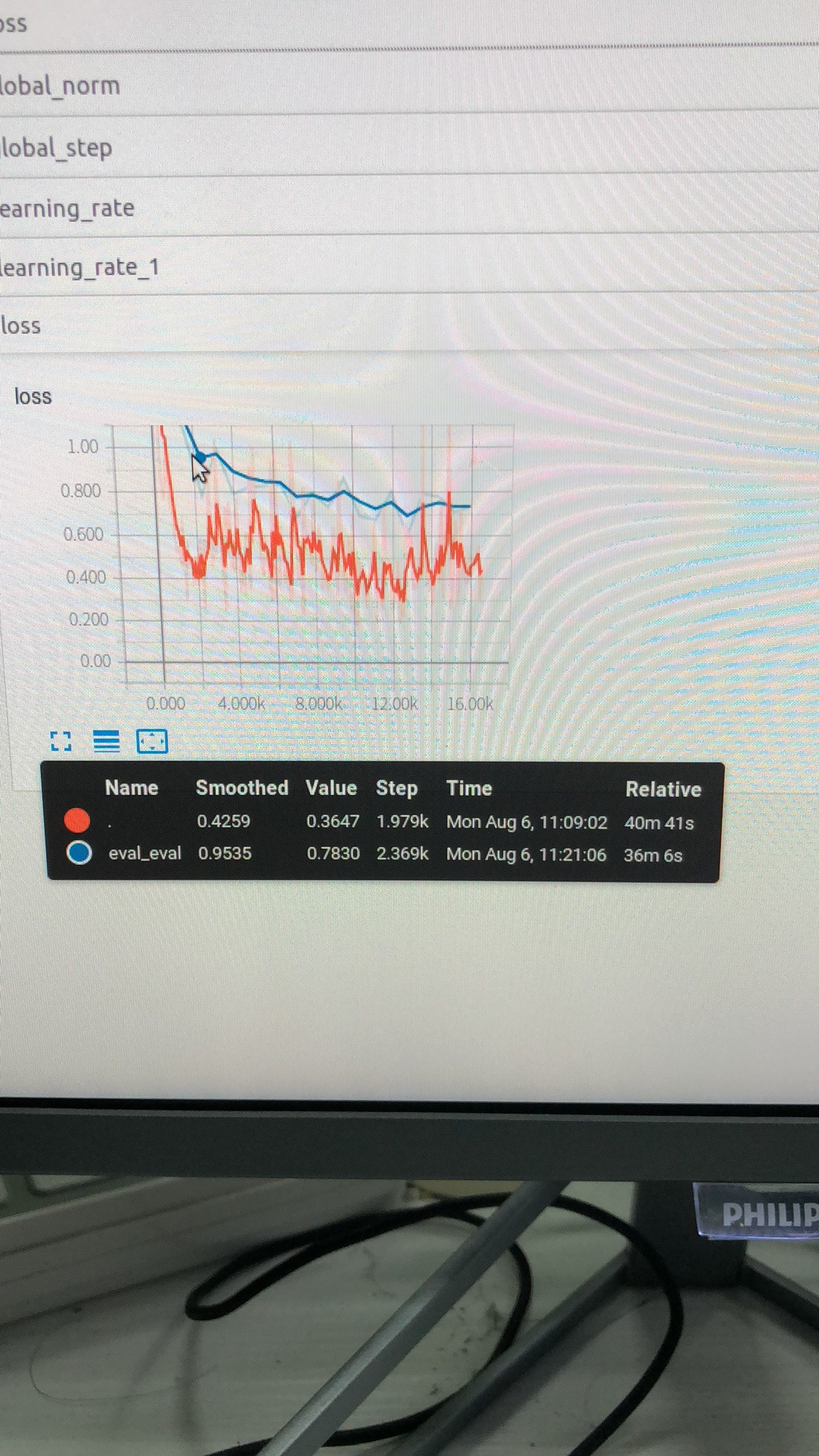
This is what I see in my tensorboard
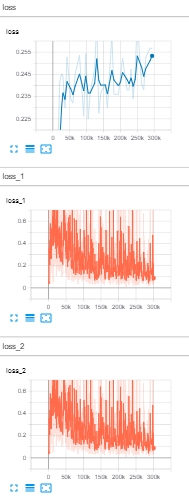
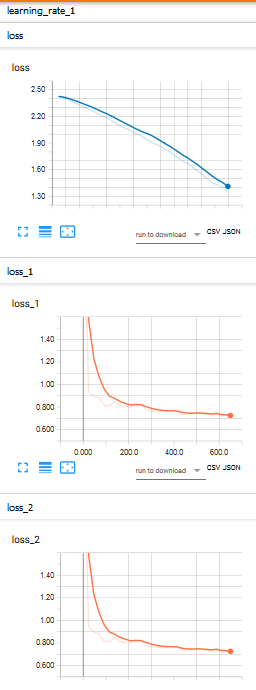
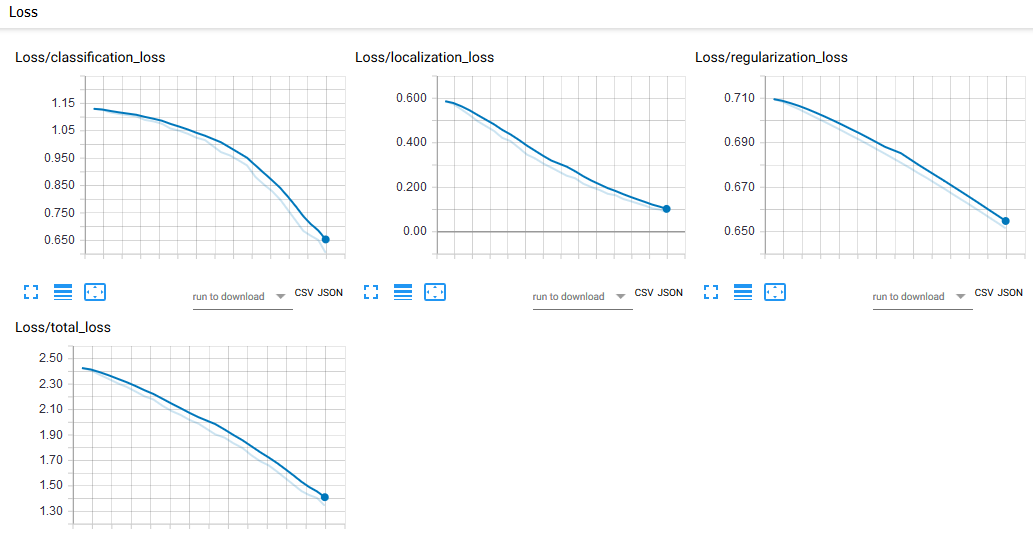
- My loss_1 and loss_2 in the above training progress is spiking where it should look smooth like this. My loss graph using train.py is similar to the images below.
-
My mAP graph is so low @ 29 mAP. Others training has 80 above mAP. I'm using faster rcnn inception v2 coco
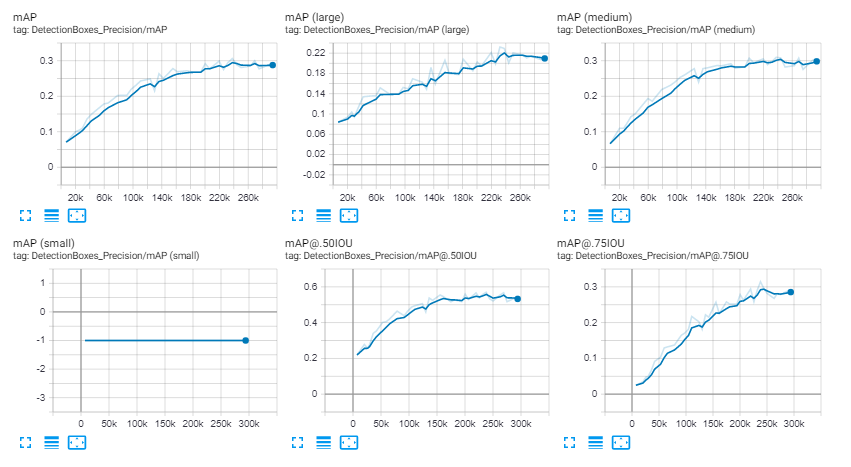
-
On my loss graph, when I used model_main.py the loss kept increasing whereas when I use train.py it was decreasing smoothly
Contributor guide
First steps
- Read the whole issue, then the project's contributing guide.
- Comment on the issue to say you are picking it up — it saves two people doing the same work.
- Fork the repository and make your change on a branch.
- Open a pull request that references the issue number.
Assessment
This issue has not been assessed yet.