tensorflow / tensorflow/models
Disable augmentation in training pipeline
Nobody has claimed this yet.
- Dominant language
- Python
- Stars
- 77.7k
- Forks
- 44.8k
- PR merge metrics
- No merged PRs in 30d
Description
Prerequisites
Please answer the following question for yourself before submitting an issue.
- [ x] I checked to make sure that this issue has not been filed already.
1. The entire URL of the documentation with the issue
https://tensorflow-object-detection-api-tutorial.readthedocs.io/en/latest/training.html
2. Describe the issue
Hey there!
Not sure if this is a bug because nobody seems to have an issue with this so I guess I just can´t find the right settings.
I followed the linked tutorial to train the SSD ResNet50 V1 FPN 640x640 model with my own dataset (only 1 object).
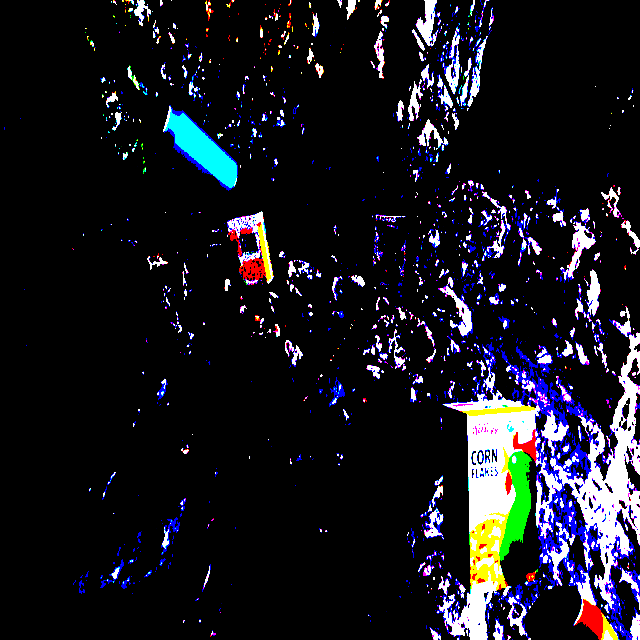
After monitoring the training with tensorboard I saw that the images used for training are very distorted.
I deleted all the lines responsible for the augmentation but the training images remain distorted.
Images during training look like this
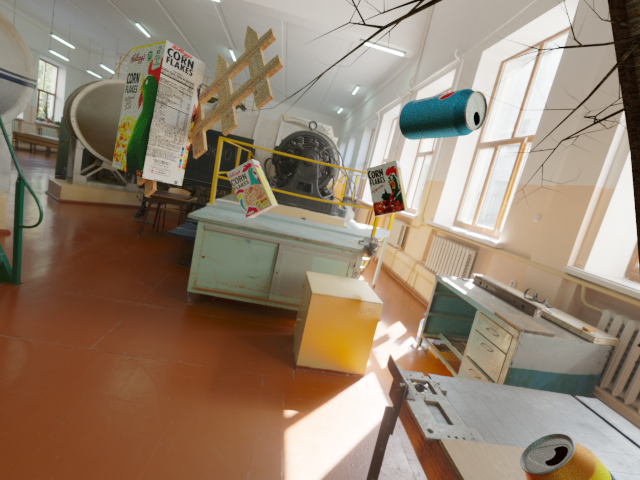
The images in my dataset look like this
I already asked on stackoverflow but there aren´t many views ans no answers :b
https://stackoverflow.com/questions/63523996/disable-augmentation-in-tensorflow-training-pipeline
So I was wondering how to fix this since I can´t figure out whats going on here.
I already trained a darknet yolo model with this dataset and the results are very good.
But here the map is close to zero and i figured thats because of the distortion in my training images.
If I use some training images for the map calculation the images are displayed correctly with tensorboard.
This issue seems to be related.
Contributor guide
First steps
- Read the whole issue, then the project's contributing guide.
- Comment on the issue to say you are picking it up — it saves two people doing the same work.
- Fork the repository and make your change on a branch.
- Open a pull request that references the issue number.
Assessment
This issue has not been assessed yet.