tensorflow / tensorflow/models
Problem with segmentation my dataset in DeepLab
@aquariusjay is already working on this.
Since May 14, 2020.
- Dominant language
- Python
- Stars
- 77.7k
- Forks
- 44.8k
- PR merge metrics
- No merged PRs in 30d
Description
I adapted the "build_convert" of the PASCAL Dataset to convert my dataset to execute the DeepLab, but all my segmentation tests generate a black image prediction.
My dataset has images with 140x140 px. (see an example above:)
Original Image
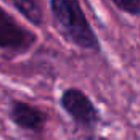
Original Mask

Converted Mask

Prediction Image (complete black, all prediction pixels are background)

What am I doing wrong?
Could anybody help me with this problem?
My step-by-step:
- Convert the segmentation masks
python ./remove_gt_colormap.py
--original_gt_folder="${SEG_FOLDER}"
--output_dir="${SEMANTIC_SEG_FOLDER}"
SEG_FOLDER -> the original mask images
- Create the tfrecord files
(I reused the PASCAL example)
python ./build_voc2012_data.py
--image_folder="${IMAGE_FOLDER}"
--semantic_segmentation_folder="${SEMANTIC_SEG_FOLDER}"
--list_folder="${LIST_FOLDER}"
--output_dir="${OUTPUT_DIR}"
- To train
NUM_ITERATIONS=100
python "${WORK_DIR}"/train.py
--logtostderr
--train_split="val"
--model_variant="${modelo}"
--atrous_rates=12 --atrous_rates=24 --atrous_rates=36 --output_stride=8
--decoder_output_stride=4
--train_crop_size="513,513"
--train_batch_size=4
--training_number_of_steps="${NUM_ITERATIONS}"
--train_logdir="${TRAIN_LOGDIR}"
--dataset_dir="${PASCAL_DATASET}"
- to eval
python "${WORK_DIR}"/vis.py
--logtostderr
--vis_split="val"
--model_variant="${modelo}"
--atrous_rates=12 --atrous_rates=24 --atrous_rates=36 --output_stride=8 --decoder_output_stride=4
--vis_crop_size="513,513"
--checkpoint_dir="${TRAIN_LOGDIR}"
--vis_logdir="${VIS_LOGDIR}"
--dataset_dir="${PASCAL_DATASET}"
--max_number_of_iterations=1
Thanks
Thanks
Contributor guide
First steps
- Read the whole issue, then the project's contributing guide.
- Comment on the issue to say you are picking it up — it saves two people doing the same work.
- Fork the repository and make your change on a branch.
- Open a pull request that references the issue number.
Assessment
This issue has not been assessed yet.