swagger-api / swagger-api/swagger-ui
Using swagger-ui in react app causing memory leak. Takes up lots of memory and CPU usage.
Nobody has claimed this yet.
- Dominant language
- JavaScript
- Stars
- 29k
- Forks
- 9.3k
- Avg merge
- 2d 23h
- Merged PRs (30d)
- 25
Description
Q&A (please complete the following information)
- OS: MacOS
- Browser: Chrome
- Version: 79.0.3945.130
- Method of installation: npm
- Swagger-UI version: 3.24.2
- Swagger/OpenAPI version: Swagger 2.0
Content & configuration
Uploading a swagger spec more than 2 mb in size.
Note: Memory leak exists regardless of the size of the swagger, but impact is significant when using a large swagger file.
Example Swagger/OpenAPI definition:
Describe the bug you're encountering
After swagger component is rendered and interacting between the methods, memory used by the tab keeps increasing along with the CPU usage. Switching between components, even unmounting the component which uses swagger-ui component doesn't get rid of the memory used and keeps increasing the memory usage as the swagger-ui component is visited eventually crashing the application and browser.
To reproduce...
Steps to reproduce the behavior:
- Go to swagger component.
- Upload large swagger spec file.
- Switch between tabs and keep interacting with the application, visiting the swagger methods.
- See memory usage increase along with the CPU usage.
Expected behavior
Should not take up all the memory. No memory leak.
Screenshots
On initial render

After expanding and interacting with methods

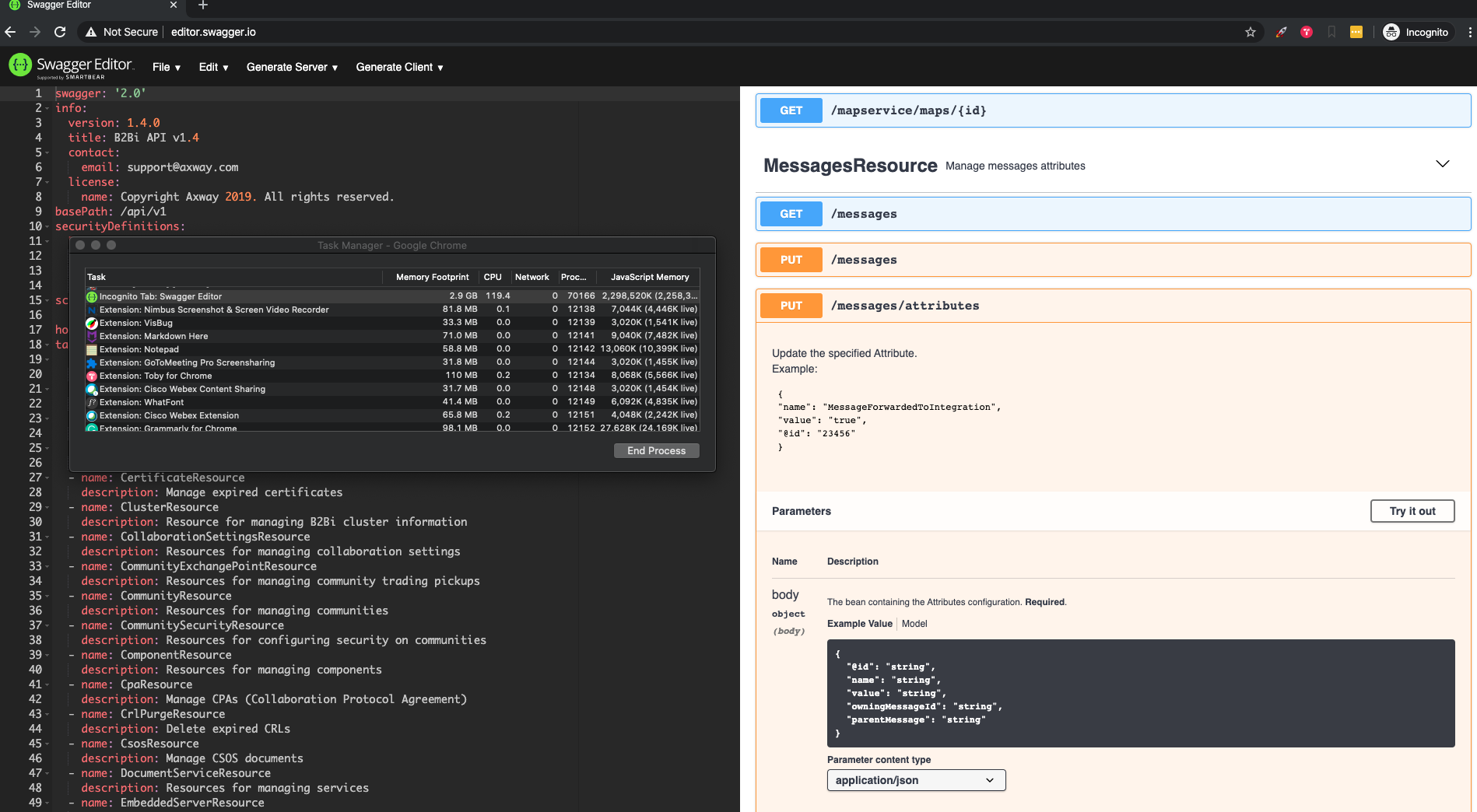
Additional context or thoughts
Contributor guide
First steps
- Read the whole issue, then the project's contributing guide.
- Comment on the issue to say you are picking it up — it saves two people doing the same work.
- Fork the repository and make your change on a branch.
- Open a pull request that references the issue number.
Research direction
Start by reproducing the issue in the React app with Swagger UI 3.24.2, Chrome, and the provided large Swagger 2.0 definition. Exercise the methods, switch tabs, and unmount the Swagger component while monitoring memory and CPU; done means repeated interaction and unmounting no longer cause memory usage to keep increasing.
Written by the indexing model from the issue text.
Assessment
- Tech stack
- javascript, react
- Domain
- frontend, performance
- Issue type
- Bug
- Difficulty
- 4/5
- Estimated time
- 3-5 days
- Activity status
- Stale
- Clarity
- Mostly clear
- Newbie friendliness
- 25/100