swagger-api / swagger-api/swagger-ui
Execute Result is misleading (it's mixed with all possible Results)
Nobody has claimed this yet.
- Dominant language
- JavaScript
- Stars
- 29k
- Forks
- 9.3k
- Avg merge
- 2d 23h
- Merged PRs (30d)
- 25
Description
Q&A (please complete the following information)
- OS: macOS
- Browser: chrome
- Version: 73
- Method of installation: https://petstore.swagger.io/#/pet/addPet
- Swagger-UI version: [e.g. 3.10.0]
- Swagger/OpenAPI version: [e.g. Swagger 2.0, OpenAPI 3.0]
- Locally used by:
  <link rel='stylesheet' type='text/css' href='https://unpkg.com/swagger-ui-dist@3/swagger-ui.css'>
  <script src='https://unpkg.com/swagger-ui-dist@3/swagger-ui-standalone-preset.js'></script>
  <script src='https://unpkg.com/swagger-ui-dist@3/swagger-ui-bundle.js'></script>
Describe the bug you're encountering
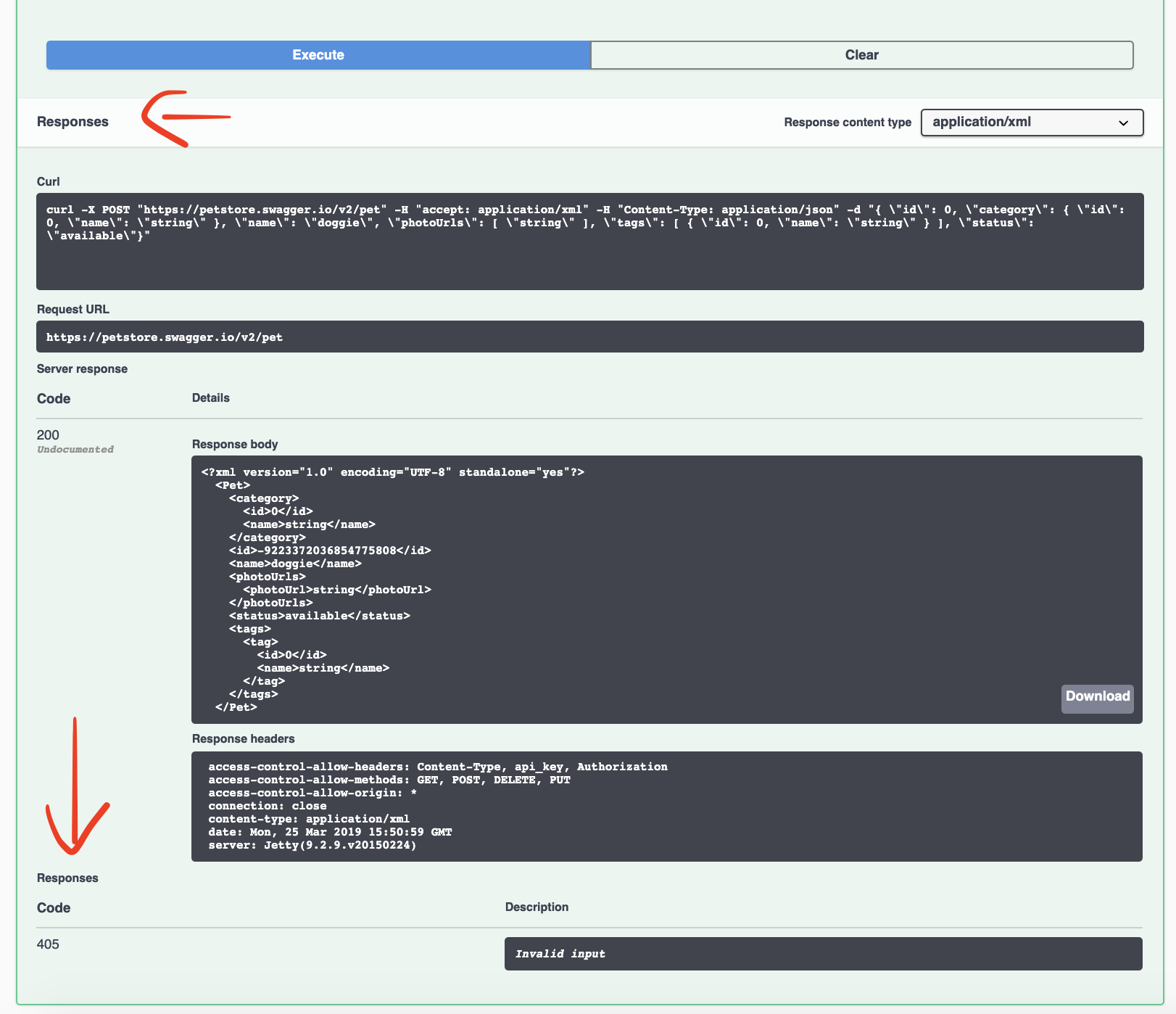
First time I've used this UI and instead of the real result I was looking at error result at the end of the list of all possible results. It's super confusing.
To reproduce...
Steps to reproduce the behavior:
- Go to https://petstore.swagger.io/#/pet/addPet
- Click on 'Execute.'
- Scroll down to 'Results.'
- See how 'Results' is written in small font just after the executed result.
Expected behavior
Execute result and all possible results should be clearly separated.
Screenshots
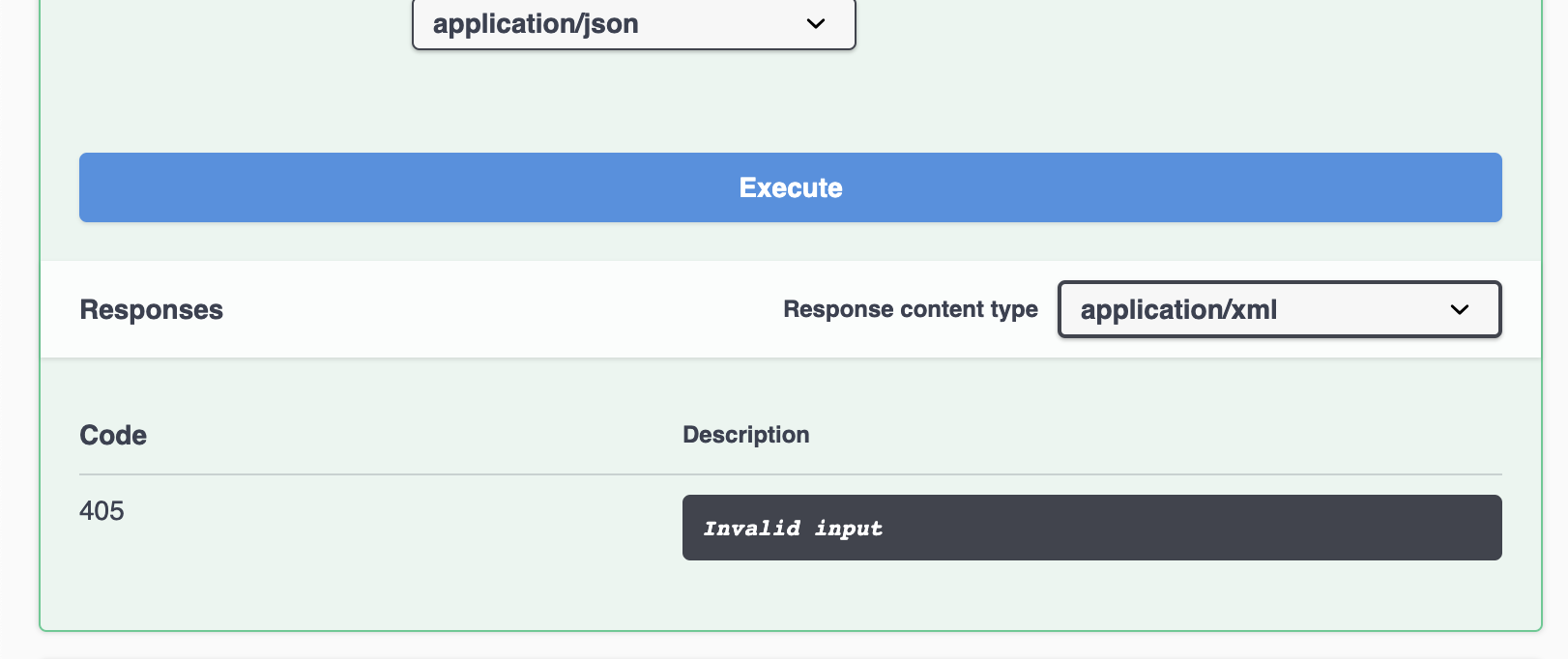
Looks good:
All messed up. I've added red arrows to make it easier to notice.
What can help
- Separate result from the list of results.
- Or at least make sure that list of results has this 'header' like look that would work as the divider.
Contributor guide
First steps
- Read the whole issue, then the project's contributing guide.
- Comment on the issue to say you are picking it up — it saves two people doing the same work.
- Fork the repository and make your change on a branch.
- Open a pull request that references the issue number.
Research direction
Reproduce the issue at the Petstore addPet URL by clicking Execute and inspecting the Results section. Trace the Swagger UI rendering entry point for the executed result and possible results, then verify that the two sections are clearly separated or that the possible-results heading reads as a divider.
Written by the indexing model from the issue text.
Assessment
- Tech stack
- javascript
- Domain
- frontend
- Issue type
- Bug
- Difficulty
- 3/5
- Estimated time
- 1-2 days
- Activity status
- Stale
- Clarity
- Mostly clear
- Newbie friendliness
- 42/100