Automatically disable gizmos
Nobody has claimed this yet.
- Dominant language
- C#
- Stars
- 7.8k
- Forks
- 1.2k
- Avg merge
- 2d 17h
- Merged PRs (30d)
- 49
Description
Is your feature request related to a problem? Please describe.
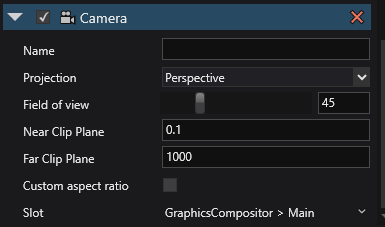
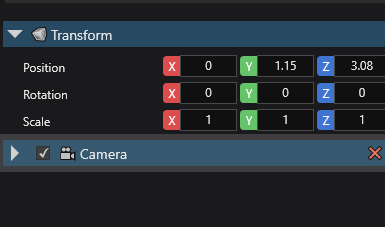
It'll be better if the gizmos for certain components get automatically disabled when minimazing that component, so that we don't have to go to gizmos settings each time we want to disable gizmos for a specific type of components (just like in unity)
Describe the solution you'd like
already described in the problem description
Describe alternatives you've considered
i don't think there are any alternatives
Additional context
show camera gizmos
don't show camera gizmos
Contributor guide
First steps
- Read the whole issue, then the project's contributing guide.
- Comment on the issue to say you are picking it up — it saves two people doing the same work.
- Fork the repository and make your change on a branch.
- Open a pull request that references the issue number.
Research direction
The issue does not identify files, tests, or entry points. Start by locating the editor gizmo settings and the component minimization behavior, then define how minimizing a component should affect its gizmos and verify the behavior for the camera example shown.
Written by the indexing model from the issue text.
Assessment
- Tech stack
- csharp
- Domain
- game-dev
- Issue type
- Feature
- Difficulty
- 5/5
- Estimated time
- Over a week
- Activity status
- Stale
- Clarity
- Needs clarification
- Newbie friendliness
- 25/100