[GameStudio] Add a way to clear the asset compiler cache.
Nobody has claimed this yet.
- Dominant language
- C#
- Stars
- 7.8k
- Forks
- 1.2k
- Avg merge
- 2d 17h
- Merged PRs (30d)
- 49
Description
Is your feature request related to a problem? Please describe.
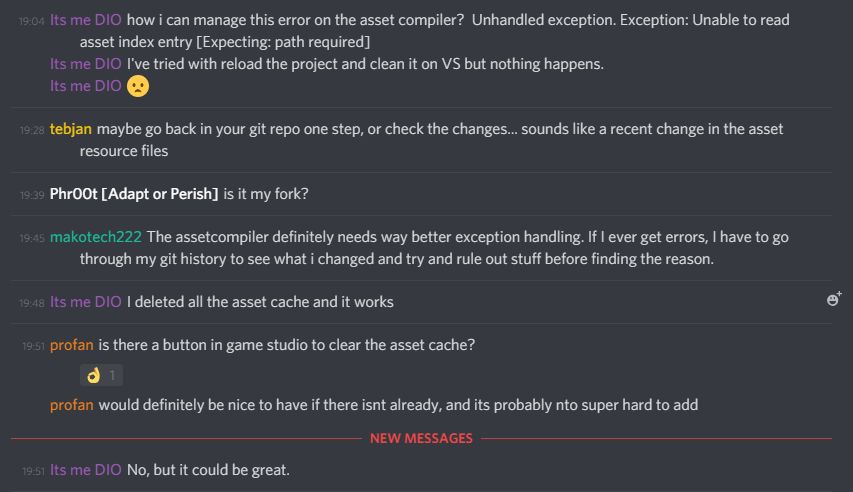
Currently the asset compiler can misbehave either due to your own error or errors not yet clearly identified, it would be nice to have a button to clear the asset cache as it is a problem that people often run into.
Describe the solution you'd like
A button in the game studio ui to clear the asset compiler's cache.
Describe alternatives you've considered
... Fixing the asset compiler problems? But this is on a longer term and does not address current problems.
Additional context
Contributor guide
First steps
- Read the whole issue, then the project's contributing guide.
- Comment on the issue to say you are picking it up — it saves two people doing the same work.
- Fork the repository and make your change on a branch.
- Open a pull request that references the issue number.
Research direction
Start by locating the GameStudio UI and the asset compiler cache entry points. Trace how the UI invokes asset compilation and determine where cache clearing can be connected. Done means GameStudio provides a button that clears the asset compiler cache and the behavior can be verified without manual cache removal.
Written by the indexing model from the issue text.
Assessment
- Tech stack
- csharp
- Domain
- game-dev, tooling
- Issue type
- Feature
- Difficulty
- 4/5
- Estimated time
- 3-5 days
- Activity status
- Stale
- Clarity
- Mostly clear
- Newbie friendliness
- 35/100