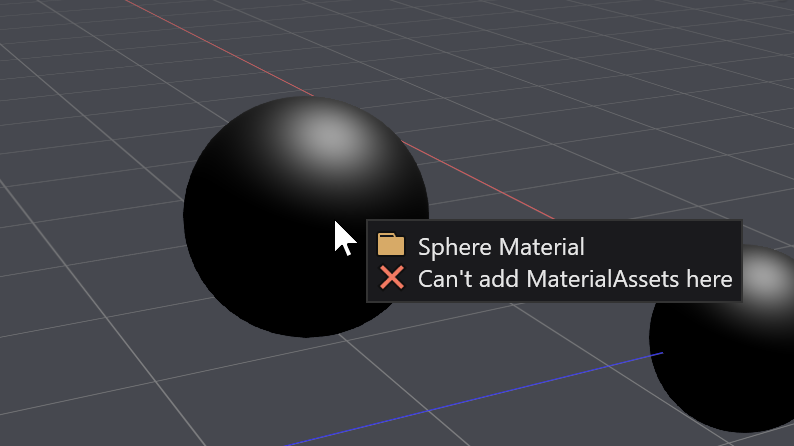
Drag and drop material assets on entities to assign materials.
Open
Nobody has claimed this yet.
area-GameStudio
enhancement
- Dominant language
- C#
- Stars
- 7.8k
- Forks
- 1.2k
- Avg merge
- 2d 17h
- Merged PRs (30d)
- 49
Description
This would make life easier when you can simply drag material on the scene editor and apply it to the specific section of the model, rather than going into property grid and finding corresponding material property.
Contributor guide
First steps
- Read the whole issue, then the project's contributing guide.
- Comment on the issue to say you are picking it up — it saves two people doing the same work.
- Fork the repository and make your change on a branch.
- Open a pull request that references the issue number.
Research direction
Start in the scene editor and property grid areas described in the issue, using the attached screenshot to understand the intended interaction. Trace how material assets and entity model sections are currently selected and assigned. Done means dragging a material onto a specific model section applies it without requiring manual property-grid lookup.
Written by the indexing model from the issue text.
Assessment
- Tech stack
- csharp
- Domain
- game-dev, tooling
- Issue type
- Feature
- Difficulty
- 5/5
- Estimated time
- Over a week
- Activity status
- Stale
- Clarity
- Needs clarification
- Newbie friendliness
- 30/100