GameStudio resets files on file movement / order restructuring
Nobody has claimed this yet.
- Dominant language
- C#
- Stars
- 7.8k
- Forks
- 1.2k
- Avg merge
- 2d 17h
- Merged PRs (30d)
- 49
Description
Release Type: Official Release
Version: 4.1.0.1948
Platform(s): Win 10 Pro
Describe the bug
Files change back , without warning or any confirmation to whatever it was before.
Whatever it was before is either a cached version or the latest(pre latest) save.
I noticed this because todays coding and testing was reset to yesterdays version of the file.
To Reproduce
Steps to reproduce the behavior:
In short:
- Make a script in the main Code folder
- Write some comments
- Save the code, save the game studio close everthing ( cached version ?)
- Reopen the Game Studio
- Make some changes to the File (doesnt matter where, in Game Studio or VS)
- Save everything
- Make a new folder somewhere under the main Code folder (or somewhere deeper)
- Move the saved file
- Open saved file (it should now be reset to the cached version from step 3)
Steps are many, check Video
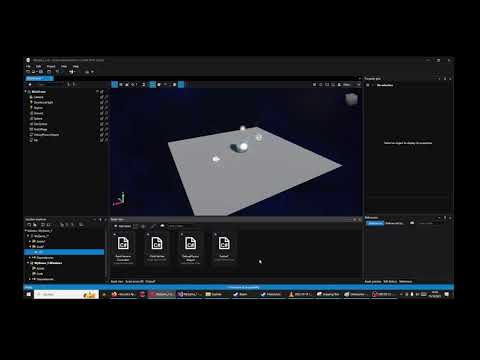
Expected behavior
Files that are saved should never be changed.
If they must be changed or recreated, a Dialog should apear, asking for permission of that change or to not do anything.
Screenshots
see vid link above
Log and callstacks
none
Additional Context
No git is set up for this, there is no version control
Side Note
The saved file can also no longer be opened with the Game Studios Editor after being moved.
Contributor guide
First steps
- Read the whole issue, then the project's contributing guide.
- Comment on the issue to say you are picking it up — it saves two people doing the same work.
- Fork the repository and make your change on a branch.
- Open a pull request that references the issue number.
Research direction
Reproduce the behavior in GameStudio using the listed steps: save a script, close and reopen the studio, modify it, then create a folder and move the file. Start by investigating GameStudio's handling of cached or saved files during movement; the reproduction video is provided, but no source files or tests are named. Done means a saved file is not reset and remains openable after being moved, or any required change prompts for permission.
Written by the indexing model from the issue text.
Assessment
- Tech stack
- csharp
- Domain
- game-dev
- Issue type
- Bug
- Difficulty
- 4/5
- Estimated time
- 3-5 days
- Activity status
- Stale
- Clarity
- Mostly clear
- Newbie friendliness
- 35/100