Panel Clip To Bounds cause its content to not be rendered in worldspace UI and Editor
Nobody has claimed this yet.
- Dominant language
- C#
- Stars
- 7.8k
- Forks
- 1.2k
- Avg merge
- 2d 17h
- Merged PRs (30d)
- 49
Description
Release Type: Official Release/GitHub (please choose appropriate option)
Official Release
Version: Version number and/or git branch
4.1.0.1734
Platform(s): Does the problem occur on Windows, Android...?
Windows
Describe the bug
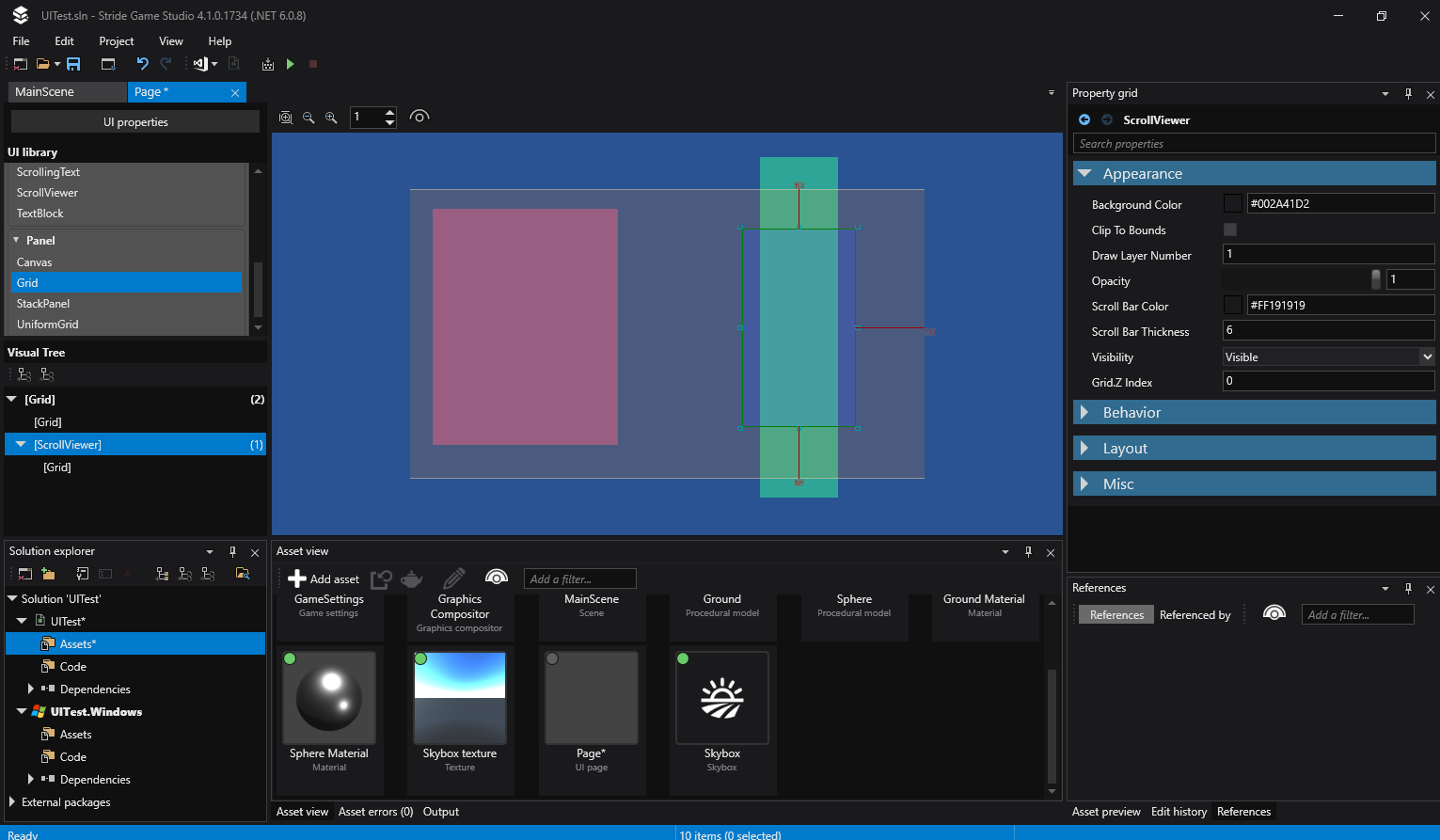
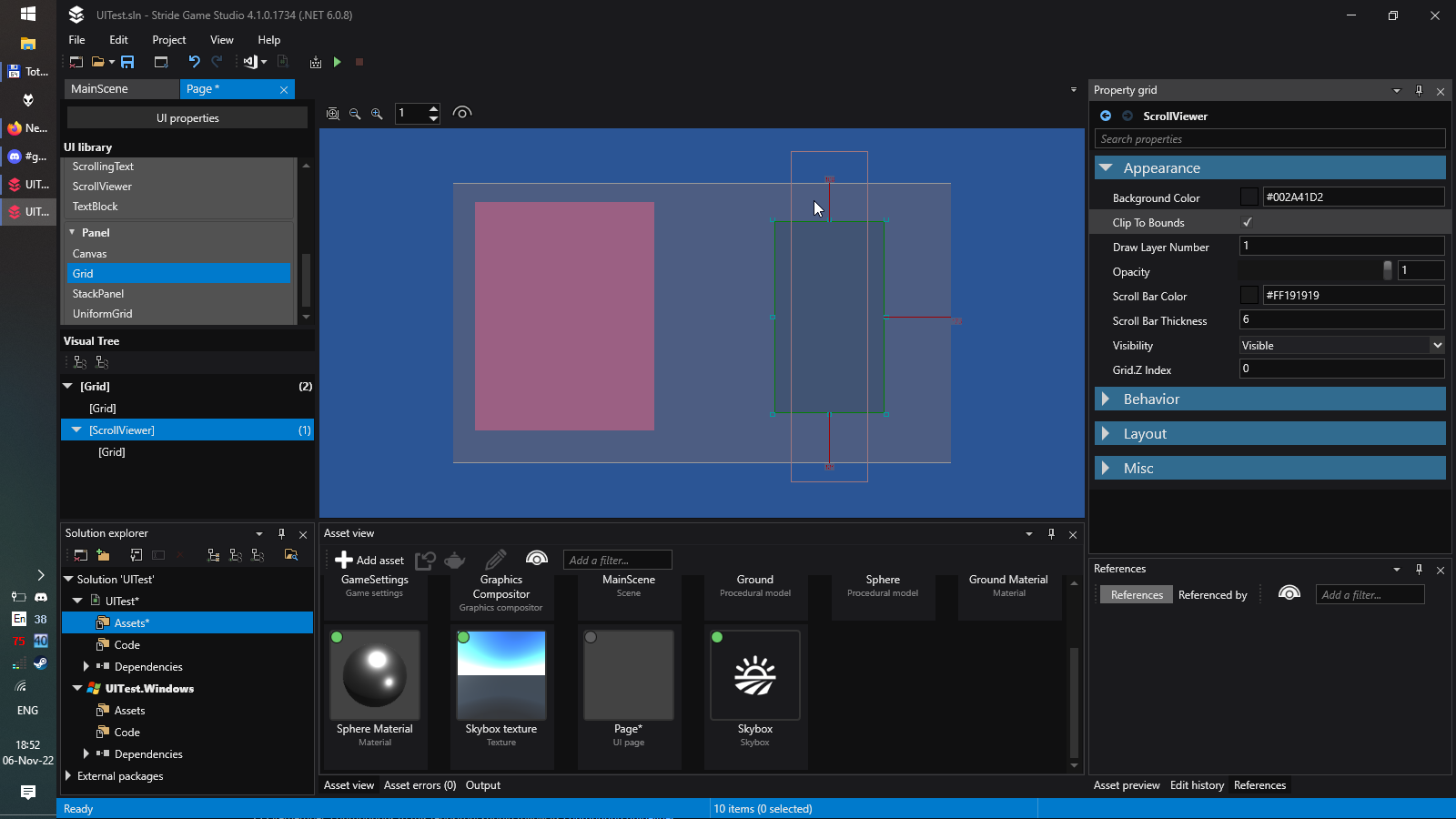
Panel 'Clip To Bounds' option cause its content not rendered in Stride UI Editor.
In game build it works fine though.
This is editor only issue.
To Reproduce
Steps to reproduce the behavior:
- Create empty project.
- Make UI Page.
- Drop panel on it (grid, scroll viewer..).
- Change background color or add child elements (buttons, text etc).
- Check 'Clip To Bounds' box. All panel contend, including panel itself becomes invisible, but its still there and can be clicked.
Expected behavior
Everything works as in build = content is rendered inside panel view, only that is outside is hidden.
Screenshots
Unchecked
Checked
Log and callstacks
Additional context
Contributor guide
First steps
- Read the whole issue, then the project's contributing guide.
- Comment on the issue to say you are picking it up — it saves two people doing the same work.
- Fork the repository and make your change on a branch.
- Open a pull request that references the issue number.
Research direction
Start by reproducing the issue in Stride's UI Editor with a Panel using Clip To Bounds, then compare its rendering with the game build. Trace the editor rendering path for clipped panels and verify that the panel and its in-bounds content render while only out-of-bounds content is hidden.
Written by the indexing model from the issue text.
Assessment
- Tech stack
- csharp
- Domain
- devtools, game-dev
- Issue type
- Bug
- Difficulty
- 3/5
- Estimated time
- 1-2 days
- Activity status
- Stale
- Clarity
- Mostly clear
- Newbie friendliness
- 38/100