Feature Broken: Drag and Drop of scripts in Scene.
Nobody has claimed this yet.
- Dominant language
- C#
- Stars
- 7.8k
- Forks
- 1.2k
- Avg merge
- 2d 17h
- Merged PRs (30d)
- 49
Description
Release Type: Official Release
Version: 4.1.0.1734
Platform(s): Windows
Describe the bug
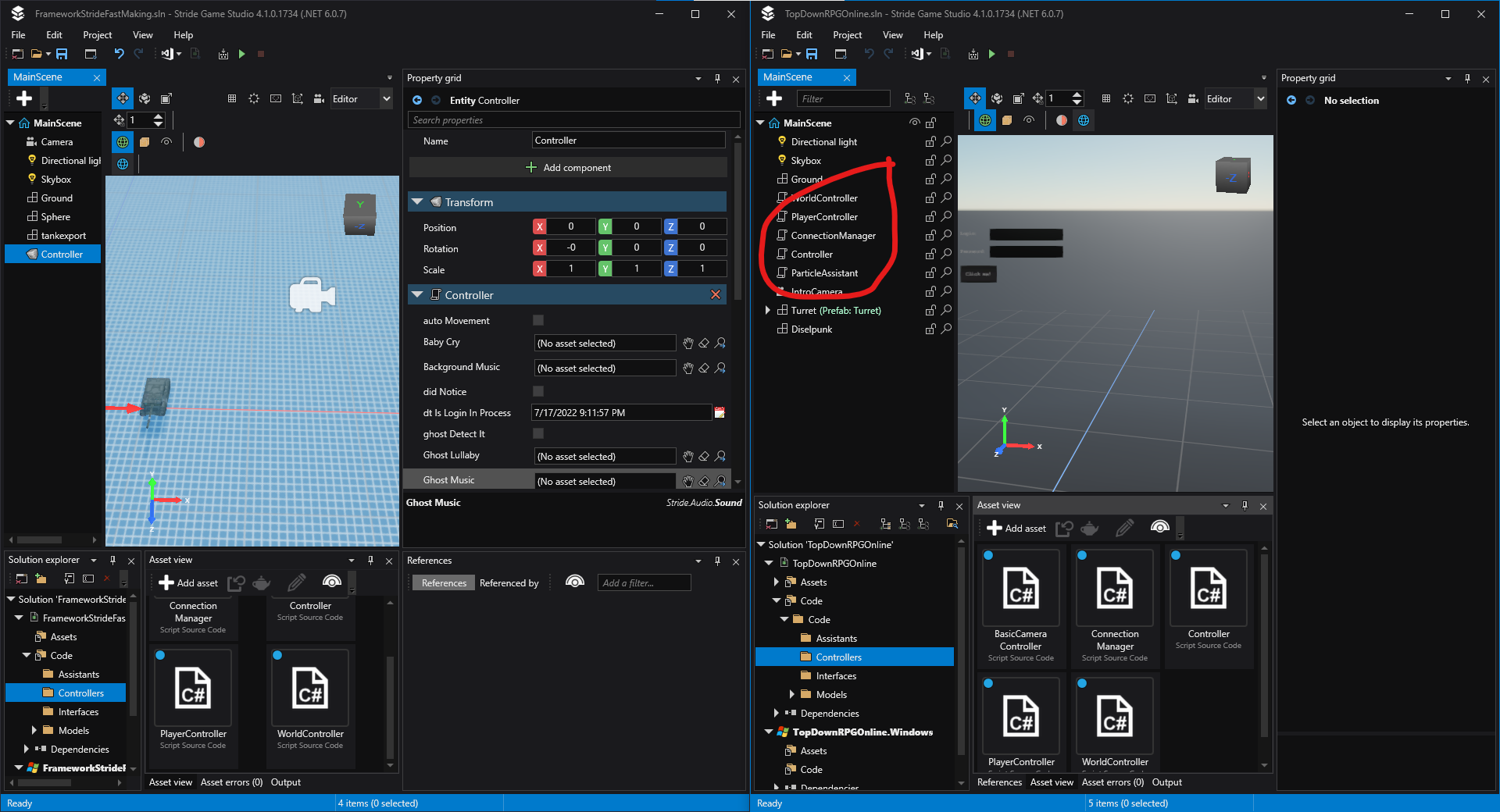
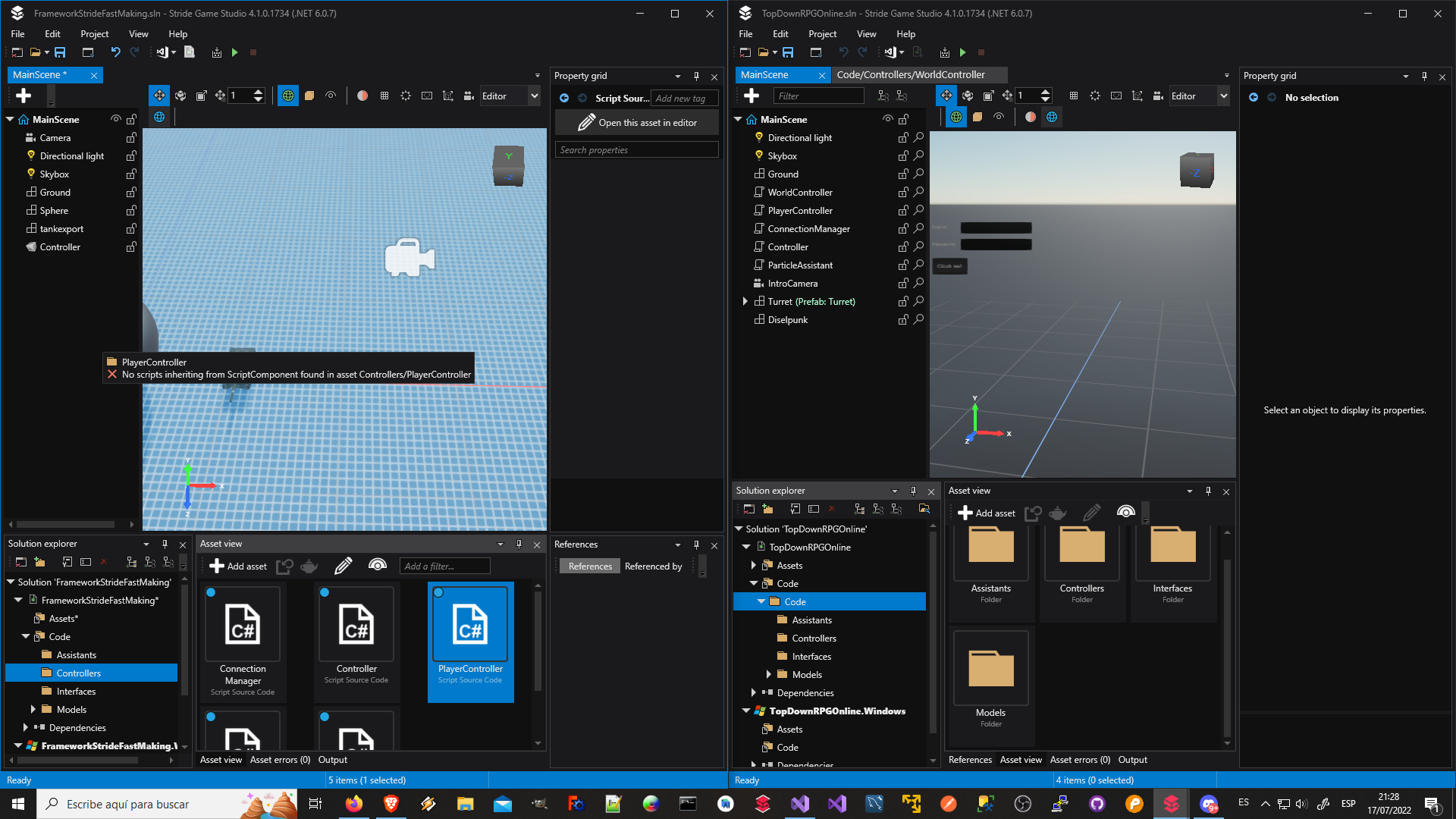
For some reason you cannot drag and drop scripts to the code directly anymore, even tho they still conserve the old icons it used to have when you add them like that, the scripts added to the scene at least still works (if they are correctly coded of course).
Both scripts were StartupScript if that's relevant, but i tried to do it with other types too and it doesn't work either.
To Reproduce
Steps to reproduce the behavior:
- Drag a script from your asset folder to the scene.
- See the error message than appeard there.
Expected behavior
Should be possible to drag scripts from your asset folder to the scene and, after doing that, it should create an entity with a special icon with the script in there.
Screenshots
In this pictures, the project at the left is new, the project at the right is old, from before the feature was broken (i.e. before the updates start)
Contributor guide
First steps
- Read the whole issue, then the project's contributing guide.
- Comment on the issue to say you are picking it up — it saves two people doing the same work.
- Fork the repository and make your change on a branch.
- Open a pull request that references the issue number.
Research direction
No source file or test is named. Reproduce on Windows with Stride 4.1.0.1734 by dragging a script from the asset folder into the scene, then compare the error and resulting entity with the expected behavior and the supplied screenshots. Done means the drag creates a scene entity with the script and special icon for StartupScript and other script types.
Written by the indexing model from the issue text.
Assessment
- Tech stack
- csharp
- Domain
- game-dev, tooling
- Issue type
- Bug
- Difficulty
- 4/5
- Estimated time
- 3-5 days
- Activity status
- Stale
- Clarity
- Mostly clear
- Newbie friendliness
- 35/100