Build error on Mac with Apple M1 Processor
Open
Nobody has claimed this yet.
- Dominant language
- Python
- Stars
- 549
- Forks
- 277
- Avg merge
- 3d 9h
- Merged PRs (30d)
- 2
Description
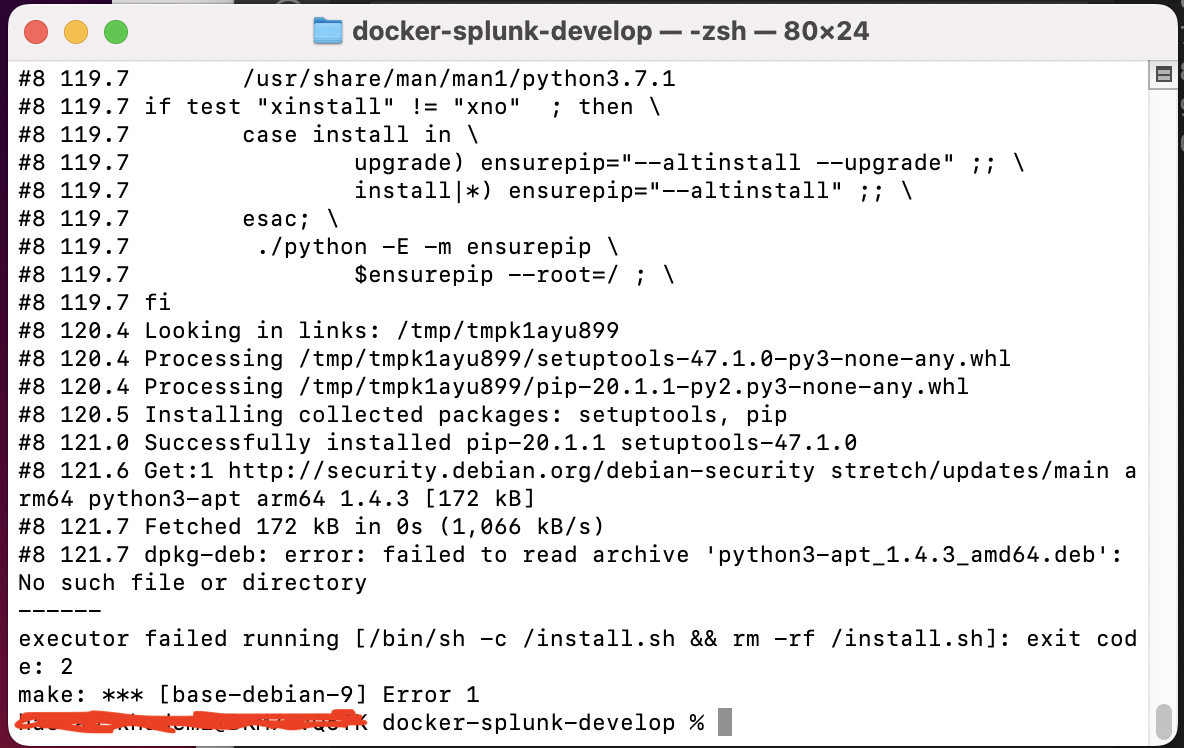
I got this error when I tried to build the repo on my Mac which has an Apple M1 Processor (arm64):
#8 121.7 dpkg-deb: error: failed to read archive 'python3-apt_1.4.3_amd64.deb': No such file or directory
------
executor failed running [/bin/sh -c /install.sh && rm -rf /install.sh]: exit code: 2
make: *** [base-debian-9] Error 1
To be honest, all I need is the minimal code needed to create an arm64 base image for Splunk. Can you fork a branch for me that contains only the files for that?
Contributor guide
First steps
- Read the whole issue, then the project's contributing guide.
- Comment on the issue to say you are picking it up — it saves two people doing the same work.
- Fork the repository and make your change on a branch.
- Open a pull request that references the issue number.
Research direction
Start with the base-debian-9 Make target and the /install.sh step that fails while building on arm64. Check how the build selects the python3-apt package architecture and whether the repository supports an arm64 base image. Done means the requested minimal Splunk base image builds successfully on an Apple M1.
Written by the indexing model from the issue text.
Assessment
- Tech stack
- docker
- Domain
- build-system, devops, operating-systems
- Issue type
- Bug
- Difficulty
- 5/5
- Estimated time
- Over a week
- Activity status
- Stale
- Clarity
- Needs clarification
- Newbie friendliness
- 25/100