selfteaching / selfteaching/selfteaching-python-camp
Day02 作业环境配置问题
Nobody has claimed this yet.
- Dominant language
- Python
- Stars
- 151
- Forks
- 875
- PR merge metrics
- No merged PRs in 30d
Description
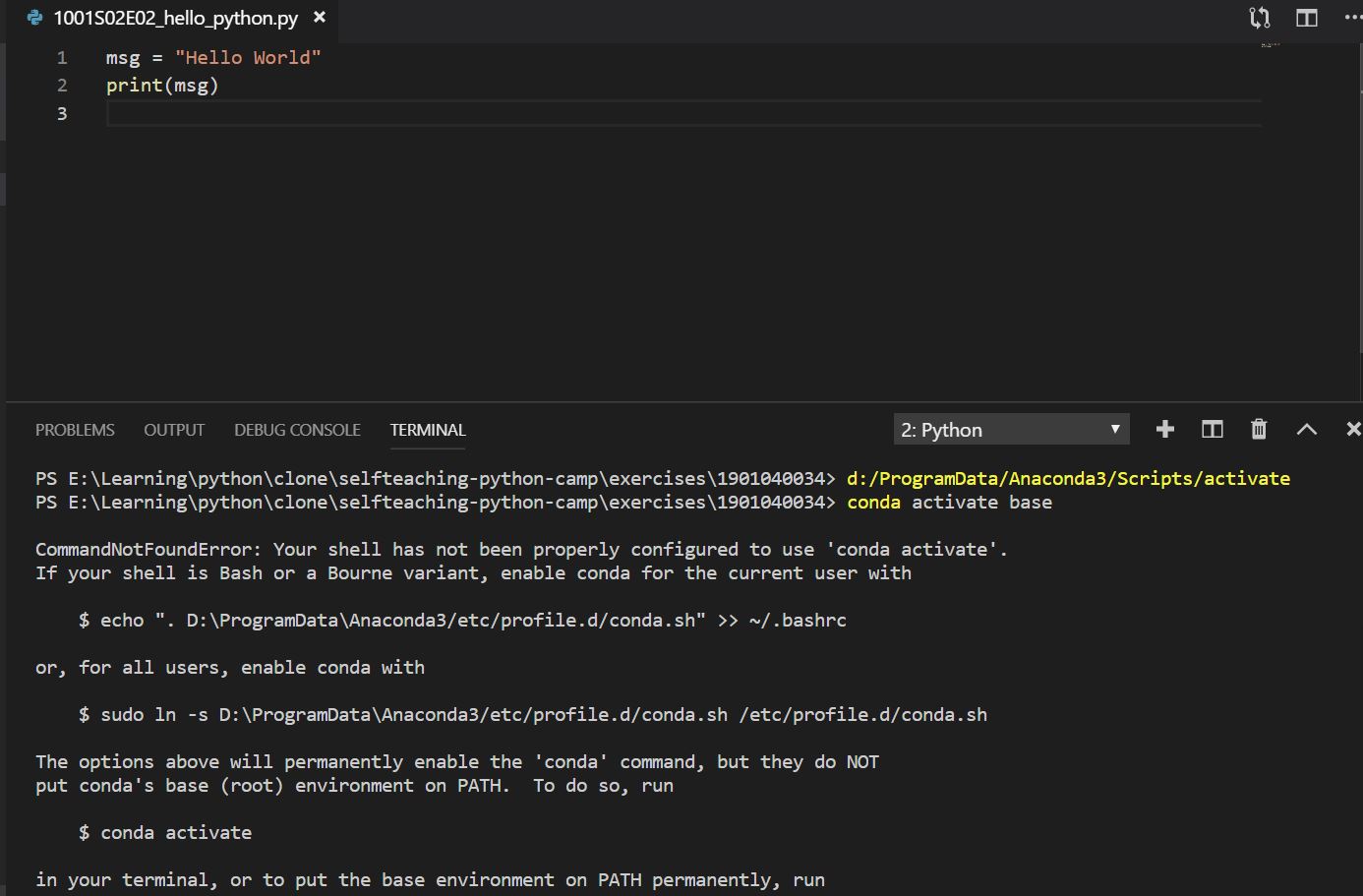
按照https://code.visualstudio.com/docs/python/python-tutorial 里面内容完成了Python程序的安装,并配置了对应的环境变量。编写并执行我的第一个python程序“Hello World”时报错,根据其他同学提交的ISSUE,配置了Anaconda在我的win10系统的环境变量,配置完成后,重新执行.py程序,依然报错。上网和在issues中查了半天,没找到解决办法,请老师 @yjz111 或者知道如何处理的同学协助解答,谢谢!
下面是path信息和报错截图

Contributor guide
No contributing guide indexed for this repository
First steps
- Read the whole issue, then the project's contributing guide.
- Comment on the issue to say you are picking it up — it saves two people doing the same work.
- Fork the repository and make your change on a branch.
- Open a pull request that references the issue number.
Research direction
Start with the linked VS Code Python tutorial and inspect the provided PATH and execution screenshots for the Windows 10 and Anaconda setup. Confirm the exact error and environment configuration first; the issue is resolved when the Hello World Python program runs successfully.
Written by the indexing model from the issue text.
Assessment
- Tech stack
- anaconda, python
- Domain
- tooling
- Issue type
- Bug
- Difficulty
- 3/5
- Estimated time
- 1-2 days
- Activity status
- Stale
- Clarity
- Needs clarification
- Newbie friendliness
- 25/100