selfteaching / selfteaching/selfteaching-python-camp
Day12 windows系统 中正常执行代码后,无法弹出二维码的解决办法
Nobody has claimed this yet.
- Dominant language
- Python
- Stars
- 151
- Forks
- 875
- PR merge metrics
- No merged PRs in 30d
Description
在day12作业中遇到了这样的问题:
代码正确的被执行了,但是不弹出二维码。(并且同样的代码在mac系统下能正常运行并弹出登录二维码)
这是运行后的截图(只运行,不出结果):

一开始我的代码是这样的:
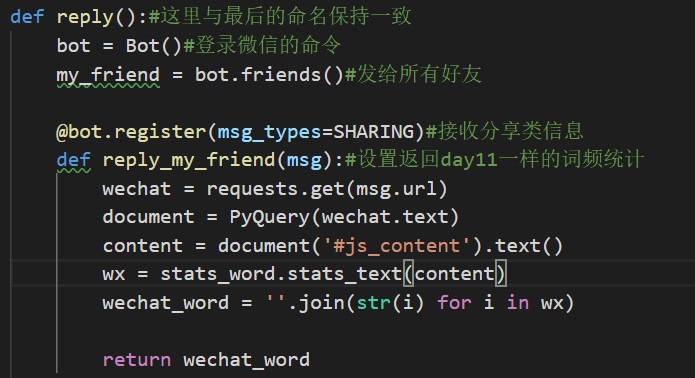
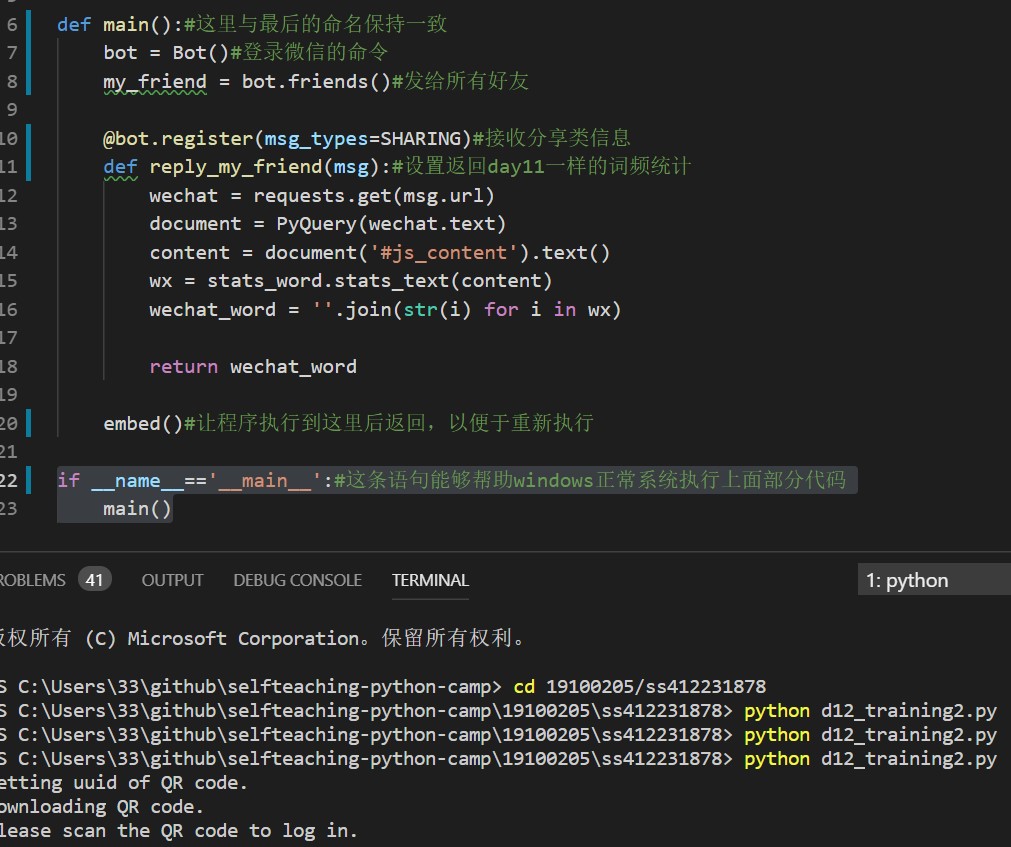
后来我加上了
if name=='main':
main()
这个语句,问题就解决了。
如下图:
本来
if name=='main':
语句是用来定义在用import引用它的时候,不执行语句后的命令,但是这里却能够用来帮助windows系统更好的判断代码应该执行哪一部份。帮助我解决了问题。
希望能帮助到遇到同样问题的同学。
Contributor guide
No contributing guide indexed for this repository
First steps
- Read the whole issue, then the project's contributing guide.
- Comment on the issue to say you are picking it up — it saves two people doing the same work.
- Fork the repository and make your change on a branch.
- Open a pull request that references the issue number.
Research direction
Start from the day12 assignment entry point and reproduce the QR-code behavior on Windows, comparing it with macOS. Check how execution changes when the if __name__ == '__main__': main() guard is added; done would mean confirming the cause and recording the workaround clearly for other learners.
Written by the indexing model from the issue text.
Assessment
- Tech stack
- python
- Domain
- operating-systems
- Issue type
- Bug
- Difficulty
- 2/5
- Estimated time
- 1-3 hours
- Activity status
- Stale
- Clarity
- Needs clarification
- Newbie friendliness
- 35/100