selfteaching / selfteaching/selfteaching-python-camp
Day10 通过pip安装jieba的方法
Nobody has claimed this yet.
- Dominant language
- Python
- Stars
- 151
- Forks
- 875
- PR merge metrics
- No merged PRs in 30d
Description
我刚看到通过pip安装jieba时时一脸懵逼...
第一,不知道什么是pip?
第二,不知道怎么用它来安装jieba?
然后我们一个个来解决问题。
第一,什么是pip?
pip 是一个现代的,通用的 Python 包管理工具 。提供了对Python 包的查找、下载、安装、卸载的功能。
好的第一个问题解决,然后第二个。
第二,怎么用它来安装jieba?
1.找到你的pip.exe的路径,一般默认在x:...\Anaconda3\Scripts\pip.exe(或x:...\PythonX\Scripts\pip.exe)
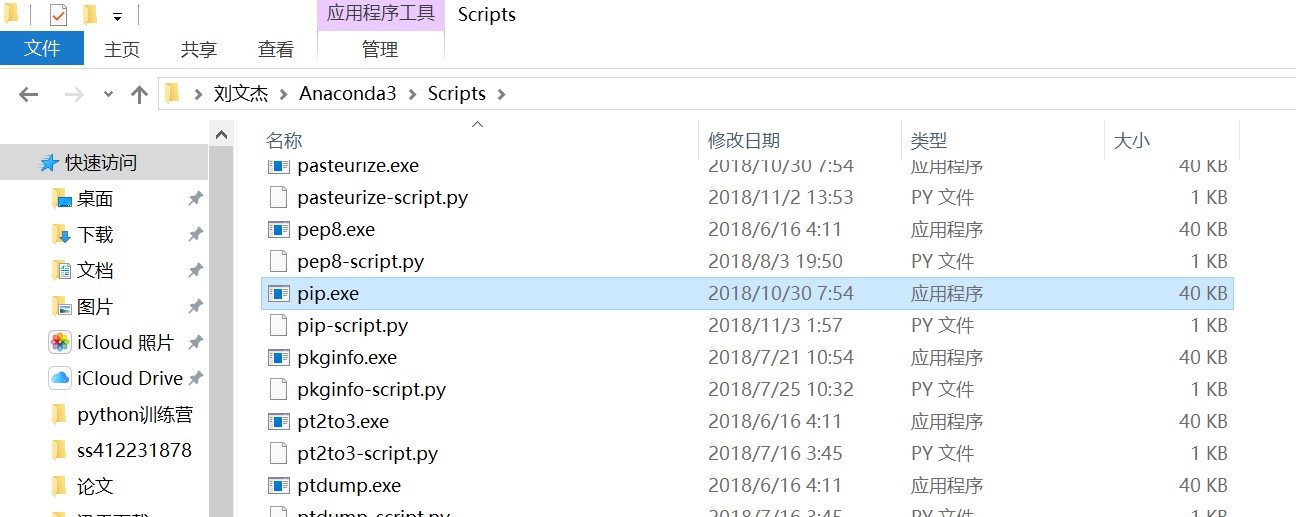
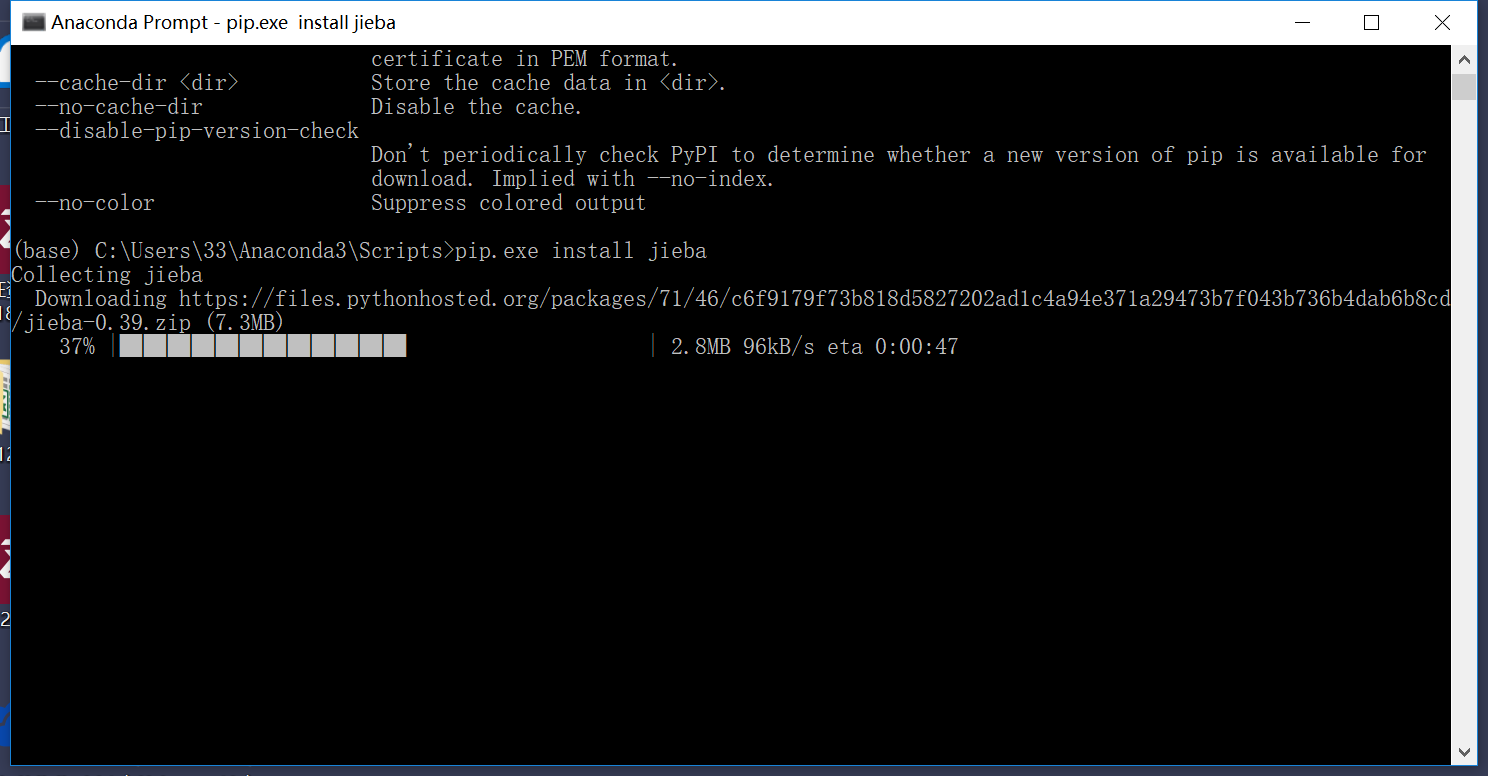
2.打开命令,我这里用的是Anaconda Prompt(网上有用windows自带的CMD的,感兴趣可以试试),cd到pip.exe所在的文件夹,然后输入pip.exe install jieba,然后默默等待jieba自动安装。
3.如果自动安装不行,请参考这篇文章:
https://github.com/selfteaching/selfteaching-python-camp/issues/950
Contributor guide
No contributing guide indexed for this repository
First steps
- Read the whole issue, then the project's contributing guide.
- Comment on the issue to say you are picking it up — it saves two people doing the same work.
- Fork the repository and make your change on a branch.
- Open a pull request that references the issue number.
Research direction
No repository file or test is named; start by locating where the Day 10 learning materials are stored and read issue 950 for the referenced installation guidance. Done means the pip explanation and jieba installation steps are incorporated in the appropriate lesson, with the screenshots and troubleshooting link handled consistently.
Written by the indexing model from the issue text.
Assessment
- Tech stack
- python
- Domain
- documentation
- Issue type
- Documentation
- Difficulty
- 2/5
- Estimated time
- 1-3 hours
- Activity status
- Stale
- Clarity
- Needs clarification
- Newbie friendliness
- 25/100