scratchfoundation / scratchfoundation/scratch-desktop
Get an err when run in development mode with npm start
Open
Nobody has claimed this yet.
- Dominant language
- JavaScript
- Stars
- 426
- Forks
- 268
- Avg merge
- 16h 6m
- Merged PRs (30d)
- 25
Description
After prepare media library assets, I run the "npm start" in the scratch-desktop, the electron-vue comes out but with an error just like this

When come into the compose.js?235c:29
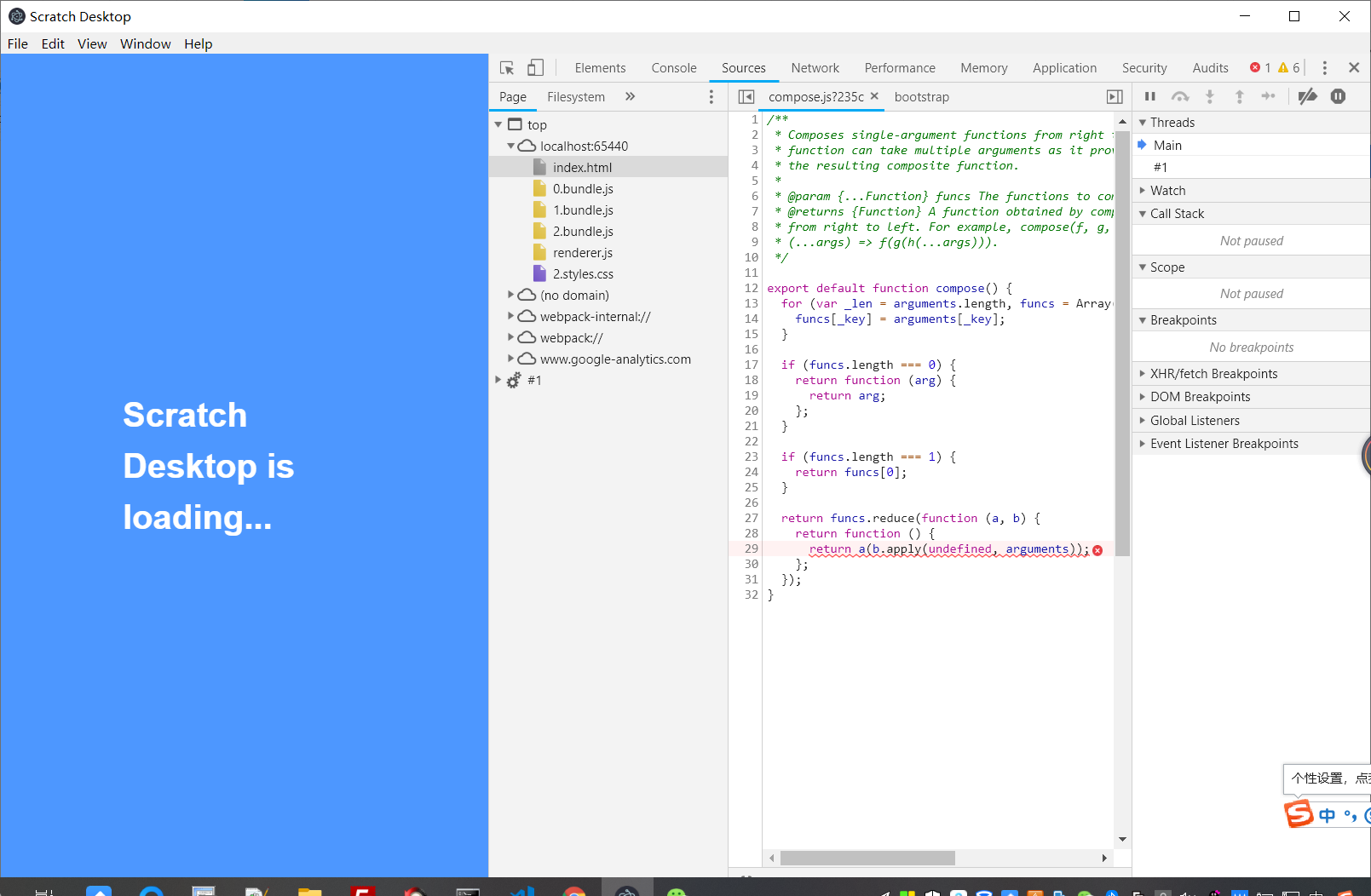
and the Cmd just stop here never move

Contributor guide
First steps
- Read the whole issue, then the project's contributing guide.
- Comment on the issue to say you are picking it up — it saves two people doing the same work.
- Fork the repository and make your change on a branch.
- Open a pull request that references the issue number.
Research direction
Reproduce the issue in scratch-desktop by preparing the media library assets and running npm start. Start by inspecting the compose.js:235c:29 location shown in the error, then trace why the development process stops there. Done means the Electron app starts without the reported error and the command continues running.
Written by the indexing model from the issue text.
Assessment
- Tech stack
- electron, javascript
- Domain
- desktop
- Issue type
- Bug
- Difficulty
- 3/5
- Estimated time
- 1-2 days
- Activity status
- Stale
- Clarity
- Needs clarification
- Newbie friendliness
- 25/100