rust-lang / rust-lang/rust-analyzer
Over-aggressive span for errors in macro invocation
Nobody has claimed this yet.
- Dominant language
- Rust
- Stars
- 16.9k
- Forks
- 2.2k
- Avg merge
- 1d 12h
- Merged PRs (30d)
- 72
Description
Often when there is an error in the macro invocation, the entire invocation is underlined in red. This is undesirable, because it is unspecific, and makes the code harder to read due to the large amount of styling.
At least some of the time, there is an existing span from rustc that would provide a better error highlighting location, but this is hidden by the span that rust-analyzer chooses to emit.
Example code that illustrates this issue:
macro_rules! example {
    ([
        $($name:ident),*
    ]) => {};
}

fn main() {
    // We get an error because there shouldn't be a closing comma after yz
    example!([
        abc,
        def,
        ghi,
        jkl,
        mno,
        pqr,
        stu,
        vwx,
        yz,
    ]);
}
With normal rust-analyzer:
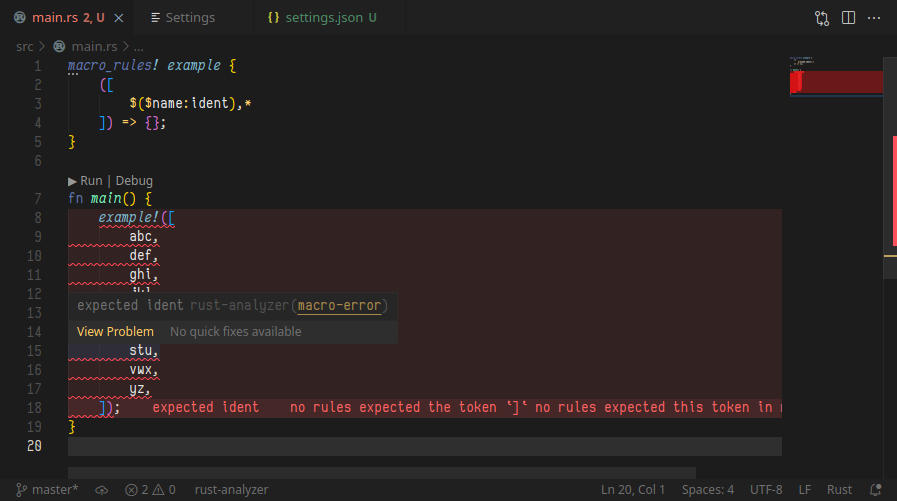
The diagnostic being macro-error. If we were to disable this, we get much more readable and useful output, since it tells us approximately where the error occurs:
(Disabling using:
"rust-analyzer.diagnostics.disabled": [
        "macro-error"
]
)

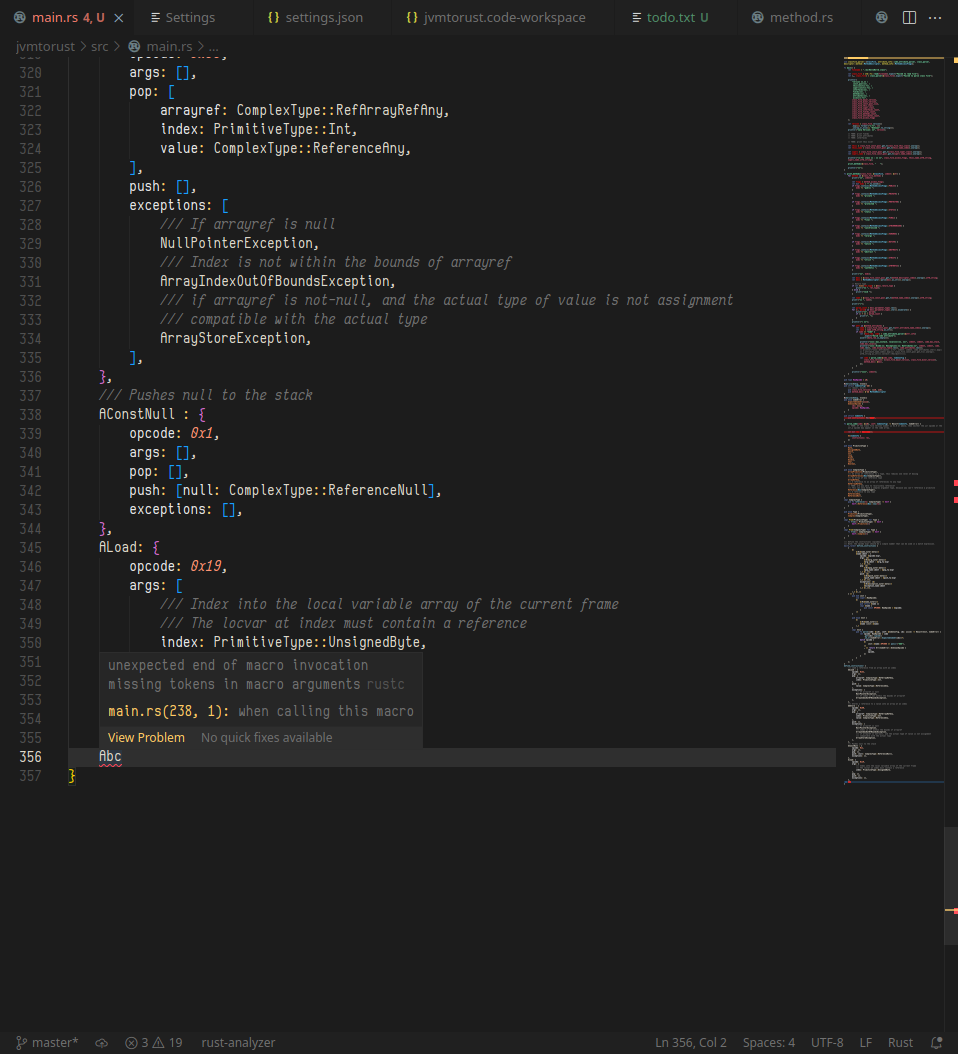
This is even more notable on macros which are quite large, and are actively being written (so that errors pop up frequently, and so you may get red lines appearing and disappearing). Example screenshots of a larger macro:
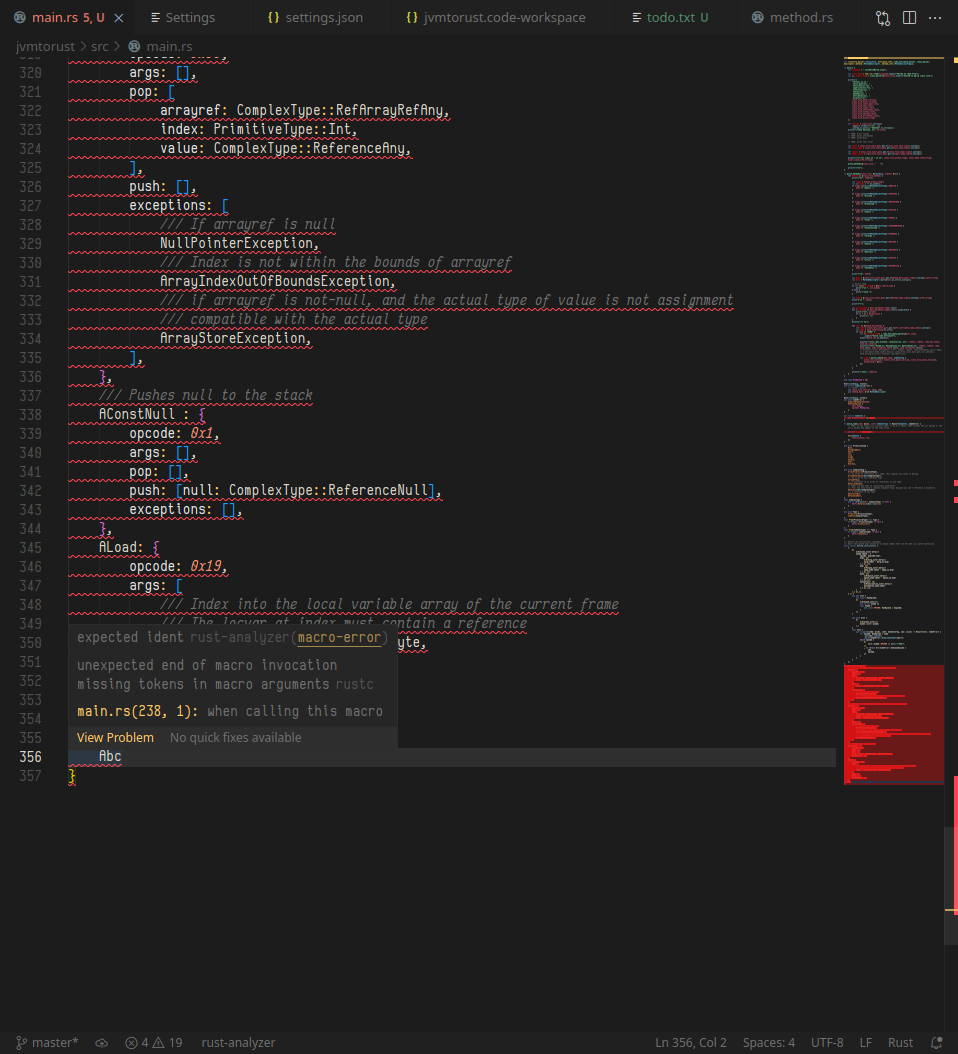
(Error Lens is what made the background red in the first images, but I have it disabled in my actual project)
RA-Version: 009e6ceb1 2021-09-27 stable
Rustc Version: Tested on Nightly 1.57.0-nightly (c02371c44 2021-10-01), and Stable 1.55.0 (c8dfcfe04 2021-09-06)
VSCodium Version: 1.60.1
Operating System: Linux
(I use the download extension button from the Microsoft VSCode marketplace instead of Open VSX since the Open VSX rust-analyzer extension is often out-of-date.)
Contributor guide
First steps
- Read the whole issue, then the project's contributing guide.
- Comment on the issue to say you are picking it up — it saves two people doing the same work.
- Fork the repository and make your change on a branch.
- Open a pull request that references the issue number.
Research direction
Reproduce the example macro invocation and compare the normal rust-analyzer diagnostic with the output after disabling macro-error. Start by tracing how the macro-error diagnostic selects its span, then verify that existing rustc spans remain visible while broad invocation highlighting is avoided.
Written by the indexing model from the issue text.
Assessment
- Tech stack
- rust
- Domain
- compilers
- Issue type
- Bug
- Difficulty
- 4/5
- Estimated time
- 3-5 days
- Activity status
- Stale
- Clarity
- Mostly clear
- Newbie friendliness
- 35/100