Support gganimate - allow embedding gifs in notebooks
Nobody has claimed this yet.
- Dominant language
- Python
- Stars
- 704
- Forks
- 83
- Avg merge
- 3d 4h
- Merged PRs (30d)
- 4
Description
gganimate is a popular ggplot extension allowing to add animations to plots. It can be installed from CRAN with:
install.packages('gganimate')
One needs to install gifski to render actual gifs rather than a sequence of PNG images:
install.packages('gifski')
However, the resulting animations do not work with rpy2 straight away. Here is an example:
%load_ext rpy2.ipython
%%R
library(ggplot2)
library(gganimate)

animated_plot = ggplot(mtcars, aes(factor(cyl), mpg)) +
  geom_boxplot() +
  transition_states(
    gear,
    transition_length = 2,
    state_length = 1
  )
animated_plot
results in an error:
RRuntimeError: Error in check.options(new, name.opt = ".X11.Options", envir = .X11env) :
  invalid argument name ‘useS4’ in 'device(files[i], ...)'
Calls: <Anonymous> ... animate.gganim -> do.call -> <Anonymous> -> device -> check.options
I am able to work around this with a two-step solution:
First, generate the animation in R:
%%R -o animation
# this can take a minute or two
animation = gganimate::animate(
    animated_plot,
    renderer=gifski_renderer(),
    width=350, height=300, res=90
)
Secondly, embed the file animation as a gif picture:
from IPython.display import Image, display

def embed_gif(path):
    with open(path, 'rb') as f:
        display(Image(data=f.read(), format='gif'))

embed_gif(animation[0])
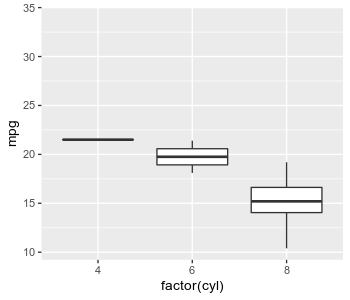
While skipping the second step and returning the animation is also possible...
%%R
animation
...it leads to the system image-browser popping up, so it would not work on remote deployments of Jupyter (e.g. JupyterHub).

PS. to support relevance of this issue, I will note someone previously placed a misdirected question about the possibility of using gganimate from Python: https://github.com/thomasp85/gganimate/issues/291
Contributor guide
No contributing guide indexed for this repository
First steps
- Read the whole issue, then the project's contributing guide.
- Comment on the issue to say you are picking it up — it saves two people doing the same work.
- Fork the repository and make your change on a branch.
- Open a pull request that references the issue number.
Research direction
Start with the rpy2 IPython extension entry point used by %load_ext rpy2.ipython and the %%R result-display path. Reproduce the gganimate example in a notebook, then determine how returned animations can render inline as GIFs without opening a system image browser; done means the animation displays correctly on remote Jupyter deployments.
Written by the indexing model from the issue text.
Assessment
- Tech stack
- jupyter-notebook, python, r
- Domain
- data-visualization
- Issue type
- Feature
- Difficulty
- 4/5
- Estimated time
- 3-5 days
- Activity status
- Stale
- Clarity
- Mostly clear
- Newbie friendliness
- 35/100