[pyplot] Complete the live browser status, cursor, navigation, and event bridge
Nobody has claimed this yet.
Assessment
- Difficulty
- 5/5
- Estimated time
- Over a week
- Newbie friendliness
- 25/100
- Issue type
- Feature
- Clarity
- Mostly clear
- Activity status
- Stale
- Tech stack
- python
- Domain
- data-visualization, web-dev
Research direction
Start by reading PR #413 and the referenced examples, misc/coords_report.py and widgets/mouse_cursor.py, to understand the live canvas and manager bridge. Run the deterministic behavior gates for the 71 required examples; done means the listed Matplotlib-compatible events, callbacks, status text, cursor changes, widgets, timers, redraws, and failure behavior all pass with zero waivers.
Written by the indexing model from the issue text.
Description
Problem
A pyplot-compatible browser canvas must do more than display a static screenshot. Matplotlib examples rely on coordinate status text, cursor changes, navigation, resize/close semantics, picking, widgets, timers, and Python callbacks. Missing or incomplete event fields can render the initial chart while silently breaking interaction.
The standard gallery contract currently identifies 71 behavior-required examples. PR #413 adds the live XY canvas/manager bridge and fail-closed behavior evidence.
Comparisons
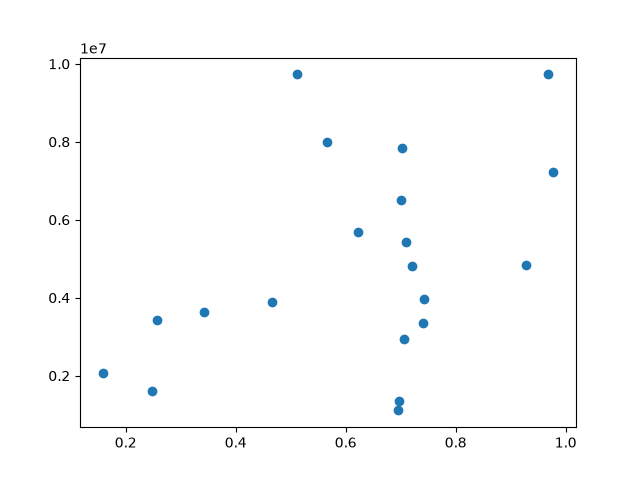
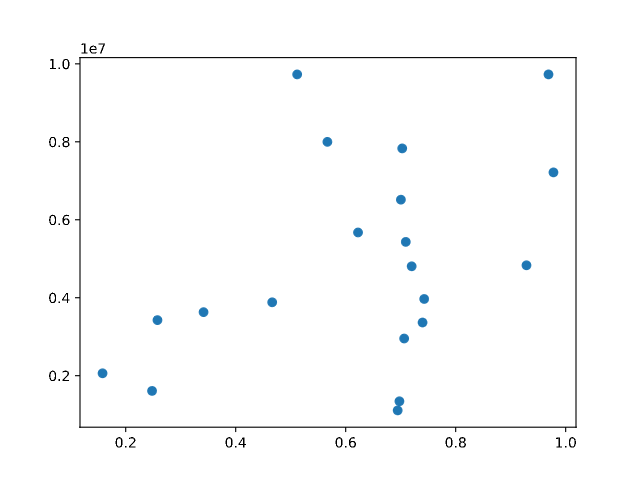
Coordinate status
| Matplotlib | xy.pyplot |
|---|---|
 |
 |
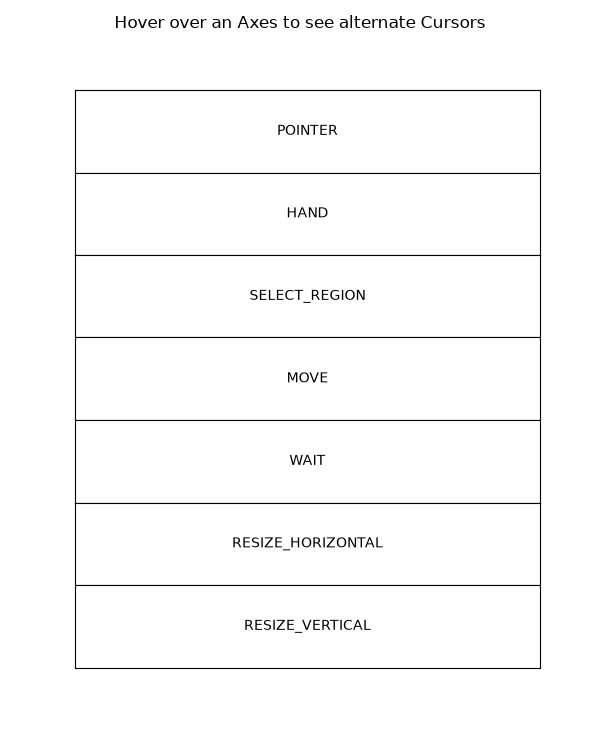
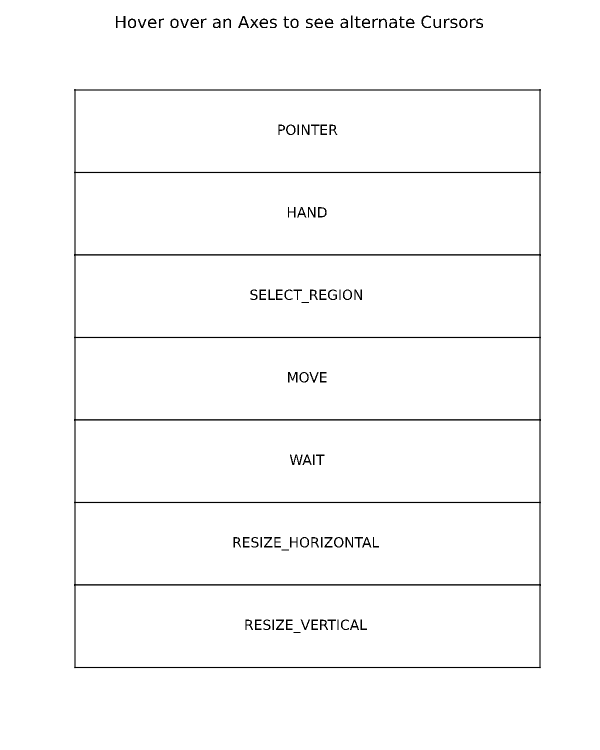
Mouse cursor
| Matplotlib | xy.pyplot |
|---|---|
 |
 |
Live browser host
| Chart | Event diagnostics |
|---|---|
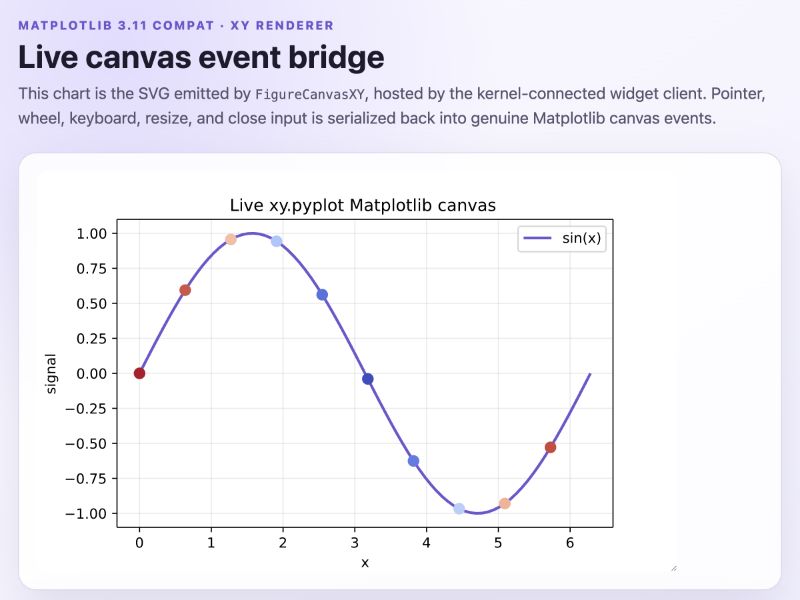 |
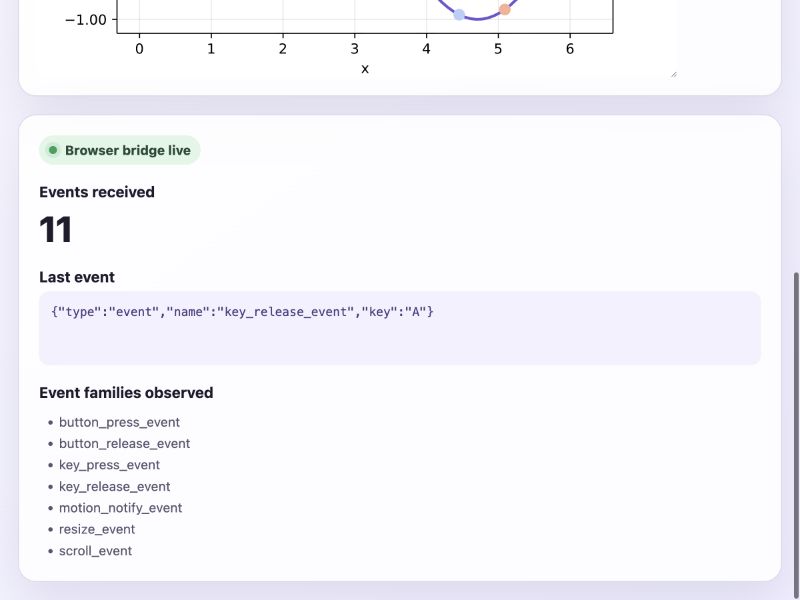 |
Complete upstream Matplotlib examples
misc/coords_report.py
"""
=============
Coords Report
=============

Override the default reporting of coords as the mouse moves over the Axes
in an interactive backend.
"""

import matplotlib.pyplot as plt
import numpy as np


def millions(x):
    return '$%1.1fM' % (x * 1e-6)


# Fixing random state for reproducibility
np.random.seed(19680801)

x = np.random.rand(20)
y = 1e7 * np.random.rand(20)

fig, ax = plt.subplots()
ax.fmt_ydata = millions
plt.plot(x, y, 'o')

plt.show()
widgets/mouse_cursor.py
"""
============
Mouse Cursor
============

This example sets an alternative cursor on a figure canvas.

Note, this is an interactive example, and must be run to see the effect.
"""

import matplotlib.pyplot as plt

from matplotlib.backend_tools import Cursors

fig, axs = plt.subplots(len(Cursors), figsize=(6, len(Cursors) + 0.5),
                        gridspec_kw={'hspace': 0})
fig.suptitle('Hover over an Axes to see alternate Cursors')

for cursor, ax in zip(Cursors, axs):
    ax.cursor_to_use = cursor
    ax.text(0.5, 0.5, cursor.name,
            horizontalalignment='center', verticalalignment='center')
    ax.set(xticks=[], yticks=[])


def hover(event):
    if fig.canvas.widgetlock.locked():
        # Don't do anything if the zoom/pan tools have been enabled.
        return

    fig.canvas.set_cursor(
        event.inaxes.cursor_to_use if event.inaxes else Cursors.POINTER)


fig.canvas.mpl_connect('motion_notify_event', hover)

plt.show()

# %%
#
# .. admonition:: References
#
#    The use of the following functions, methods, classes and modules is shown
#    in this example:
#
#    - `matplotlib.backend_bases.FigureCanvasBase.set_cursor`
Acceptance
mpl_connectandmpl_disconnectwork through the browser canvas.- Pointer, keyboard, scroll, resize, close, pick, and navigation events expose Matplotlib-compatible fields and coordinate transforms.
- Status text and cursor changes update from live browser events.
- Widgets, timers,
draw,draw_idle, and full-redrawblitwork without swallowed callback exceptions. - All 71 behavior-required standard examples pass deterministic behavior gates with zero waivers.
- Dominant language
- Python
- Stars
- 1.8k
- Forks
- 76
- Avg merge
- 1h 7m
- Merged PRs (30d)
- 8
Contributor guide
First steps
- Read the whole issue, then the project's contributing guide.
- Comment on the issue to say you are picking it up — it saves two people doing the same work.
- Fork the repository and make your change on a branch.
- Open a pull request that references the issue number.
More from reflex-dev/xy
-
needs investigate performance
Difficulty 2/5 1-3 hours Newbie friendliness 76/100
reflex-dev/xy#169 ·
-
Difficulty 5/5 Over a week Newbie friendliness 35/100
reflex-dev/xy#516 · 1 comment ·
-
Difficulty 3/5 1-2 days Newbie friendliness 74/100
reflex-dev/xy#512 ·
-
Difficulty 3/5 1-2 days Newbie friendliness 68/100
reflex-dev/xy#511 ·
-
Difficulty 3/5 1-2 days Newbie friendliness 62/100
reflex-dev/xy#510 ·
Similar issues
-
area/auth bug comp/agent P3 platform/discord type/security
Difficulty 2/5 1-3 hours Newbie friendliness 88/100
NousResearch/hermes-agent#117848 ·
-
Difficulty 2/5 1-3 hours Newbie friendliness 74/100
bancolombia/sentinel#23 ·
-
test md OpenCI
Difficulty 2/5 1-3 hours Newbie friendliness 74/100
-
integration:quickjs org:external priority:backlog topic:code-interpreter topic:middleware type:feature
Difficulty 2/5 1-3 hours Newbie friendliness 74/100
langchain-ai/deepagents#6450 ·
-
bug client
Difficulty 2/5 1-3 hours Newbie friendliness 88/100