redhat-developer / redhat-developer/vscode-yaml
Official K8s extension breaks YAML Extension autocomplete. The problem persists after uninstalling VS Code.
Nobody has claimed this yet.
- Dominant language
- TypeScript
- Stars
- 829
- Forks
- 260
- Avg merge
- 5h 43m
- Merged PRs (30d)
- 1
Description
Hacky Soution
I changed the version of your extension to version 1.0.0 by right clicking the gear icon in Extensions menu for your extension and selecting "Install Another Version"
The problem no longer persists-- I can now use the basic autocompletion.
I then went and re-installed version 1.10.1 ...and it works fine.
There's still the annoying issue of this weird "all.json" link hovering at the top of my file. Any way to disable this?
But at least my YAML files aren't linking to any weird JSON schemas-- probably because I added these settings to my settings.json file:
"json.schemaDownload.enable": false,
"yaml.schemaStore.enable": false,
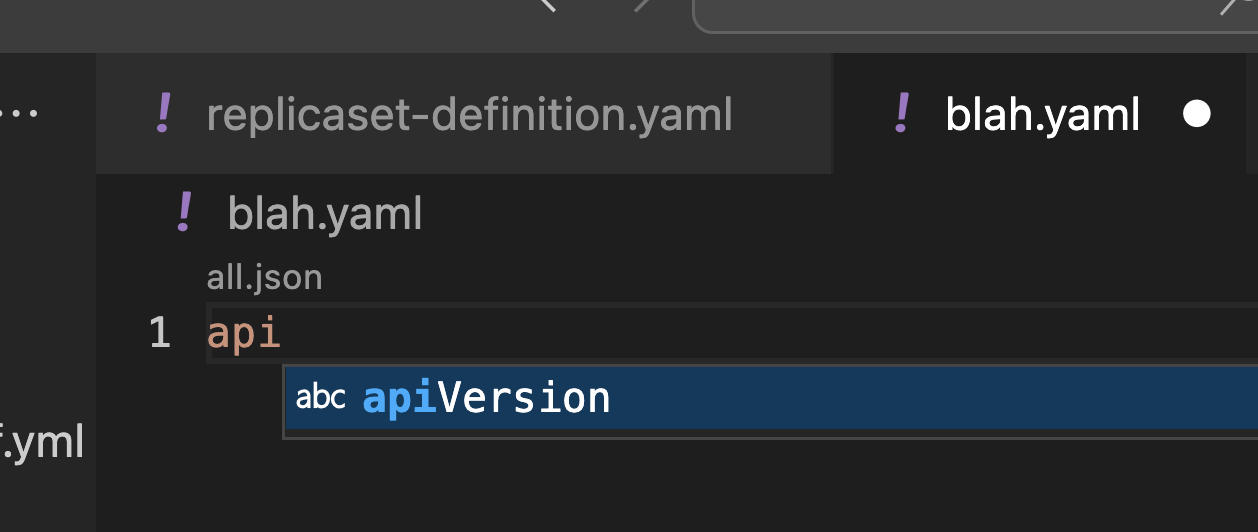
Describe the bug
I initially installed your YAML extension. It worked great!
Then I installed the official k8s extension.
It seems to have messed up the settings of the YAML Extension and or broken your YAML Extension.
For example--
- Many or most terms no longer auto complete.
However, "spec" does autocomplete.... in fact the dropdown offers a gazillion choices of "spec"-- all the same term. Very weird.
apiVer however does not show any autocomplete capability.
- Apparently after installing the k8s extension (and then uninstalling it) the YAML Extension now tries to use JSON schemas for YAML files. Weird.
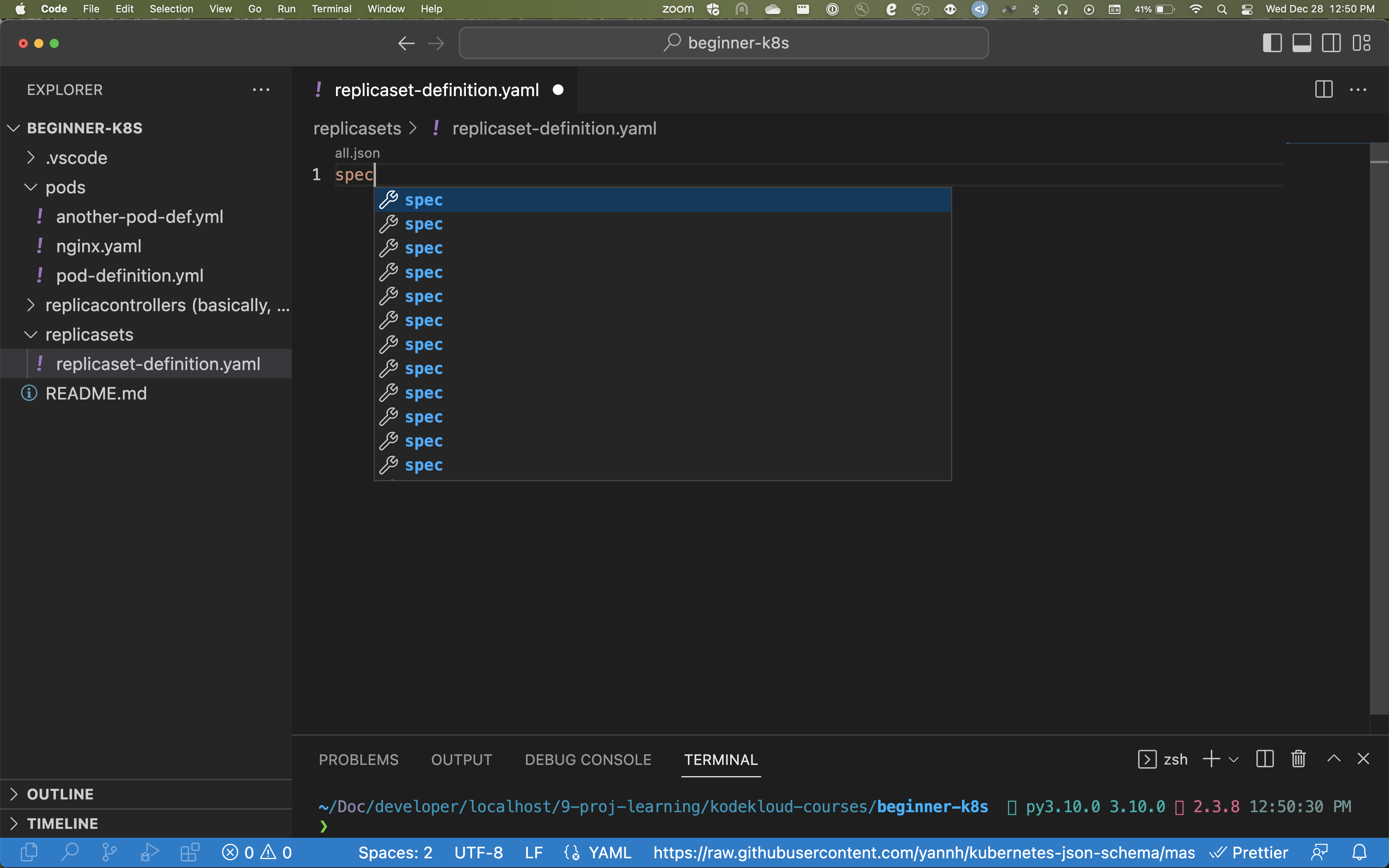
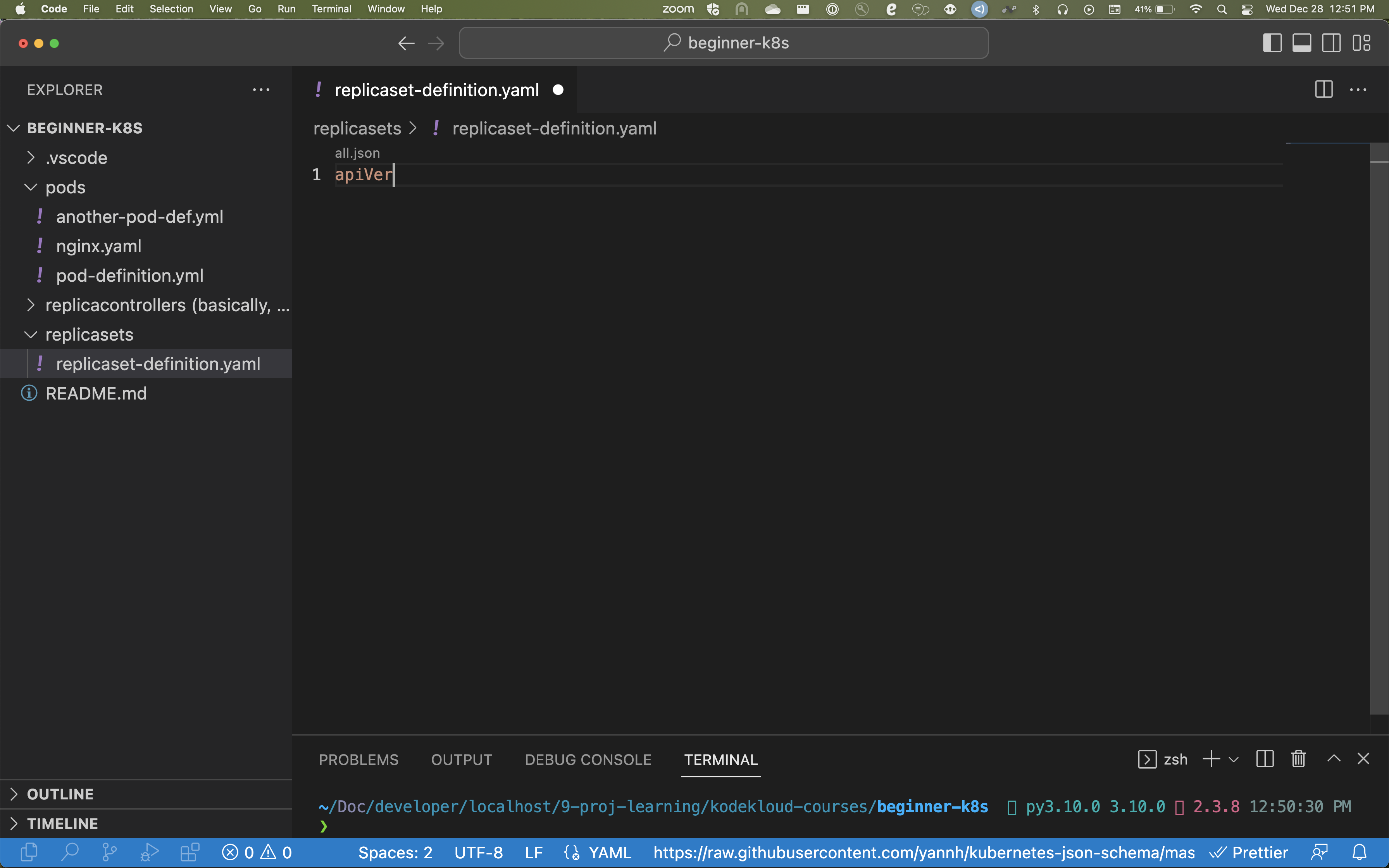
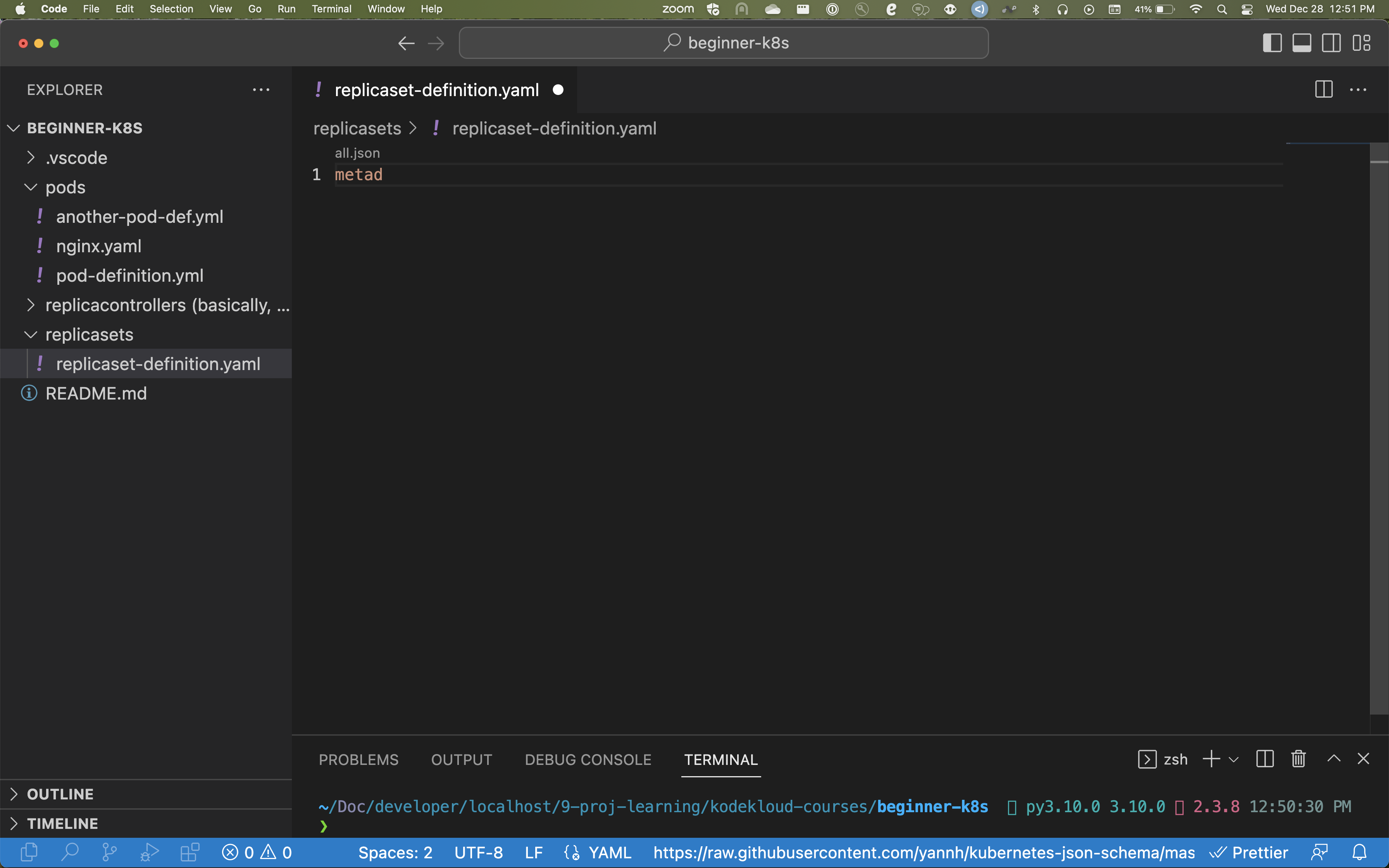
Also.... How the heck do I disable all these JSON schemas I don't need? I just want basic YAML auto complete!!!! Why the heck does this yannh JSON Schema force itself into my YAML files?
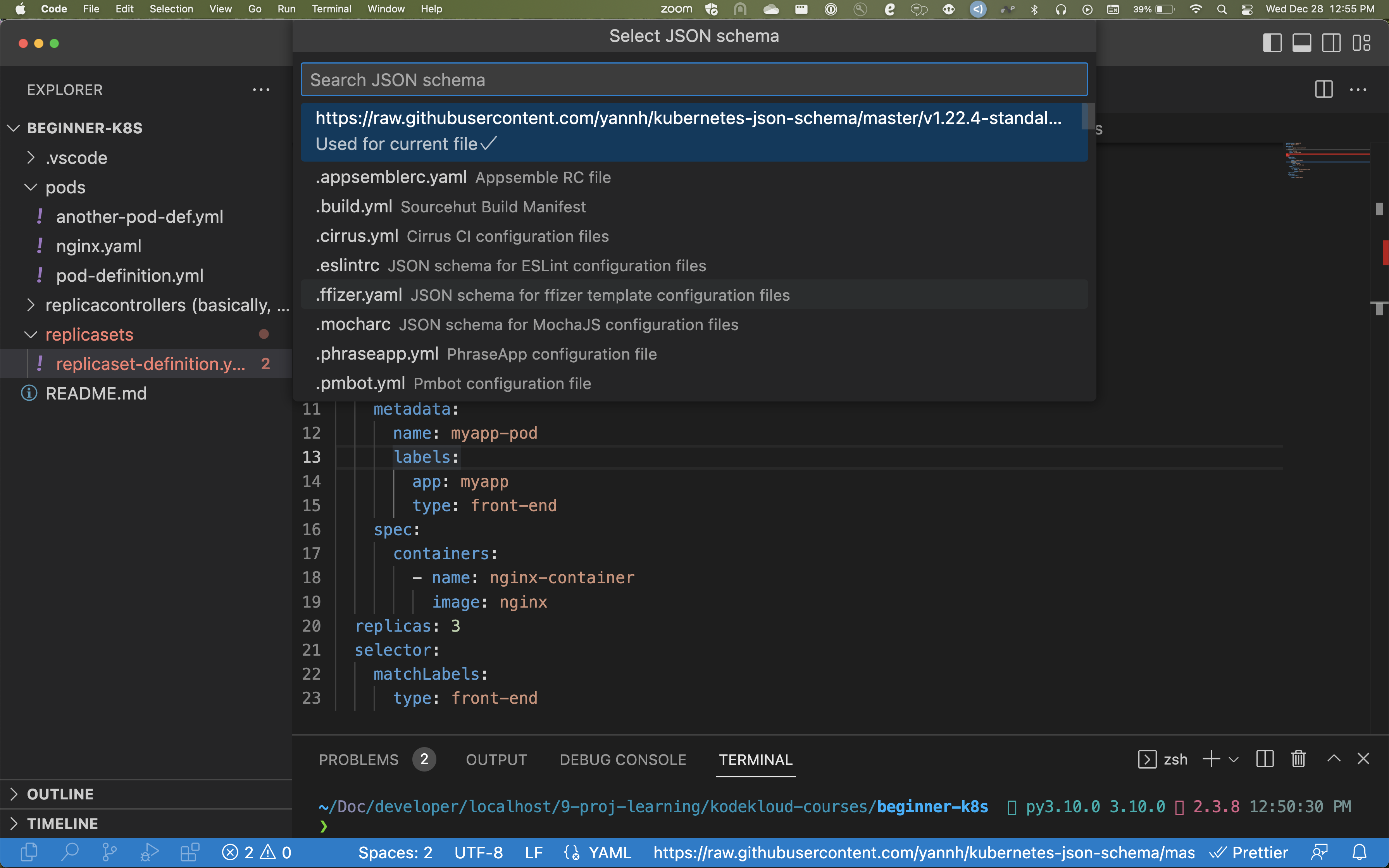
Expected Behavior
I just want a basic autocomplete capability for k8s yaml files.
Current Behavior
Steps to Reproduce
- Install your YAML extension into VS Code
- Test it out-- it probably works normally
- Install the official k8s extension into VS Code
- It has now superseded the YAML Extension's autocomplete, and only uses presents k8s autocomplete.
- Uninstall the k8s extension
- YAML extension autocomplete now no longer works
Bonus points:
Uninstall & reinstall VS Code. Delete all the files you can find associated with VS Code. Re-install YAML extension. It's still broken.
Cry in horror.
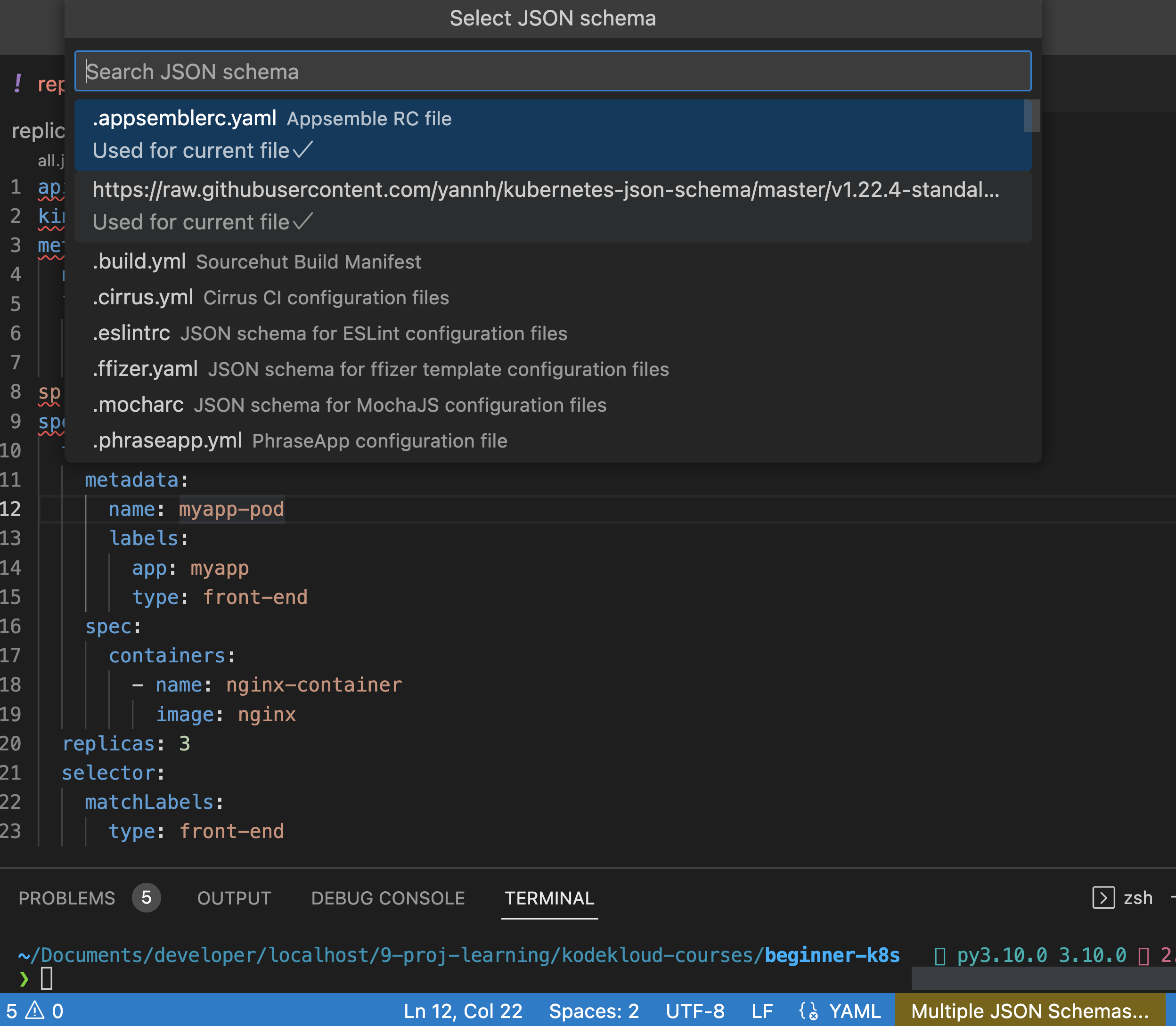
Additional Problem: I can't unselect the yannh JSON schema. If I select another, it shows "Multiple selected" ... If I click on the yannh json schema to toggle it... it does not toggle off. However, the others do.
Environment
- Mac. Intel chip.
Contributor guide
First steps
- Read the whole issue, then the project's contributing guide.
- Comment on the issue to say you are picking it up — it saves two people doing the same work.
- Fork the repository and make your change on a branch.
- Open a pull request that references the issue number.
Research direction
The report names no source files, tests, or entry points. Start by reproducing the YAML extension and official Kubernetes extension installation and removal sequence in VS Code, including the schema-selection behavior. Done means restoring YAML autocomplete after uninstalling Kubernetes and allowing the reported JSON schema to be disabled.
Written by the indexing model from the issue text.
Assessment
- Tech stack
- kubernetes, typescript, vscode
- Domain
- developer-experience, tooling
- Issue type
- Bug
- Difficulty
- 4/5
- Estimated time
- 3-5 days
- Activity status
- Stale
- Clarity
- Needs clarification
- Newbie friendliness
- 25/100