Can't run it with node 8.4.0: "Node: any 8.x version starting with 8.4.0 or greater"
Open
Nobody has claimed this yet.
- Dominant language
- JavaScript
- Stars
- 11.8k
- Forks
- 7.9k
- Avg merge
- 1d 11h
- Merged PRs (30d)
- 11
Description
- with node 8.4.0 I run
yarnand I get this error:error css-loader@1.0.0: The engine "node" is incompatible with this module. Expected version ">= 6.9.0 <7.0.0 || >= 8.9.0". error Found incompatible module

- I tried to install 8.9.0 and I managed to install the node_modules but then when I run
yarn devI get these errorsTypeError: Cannot read property 'filter' of undefinedanderror Plugin gatsby-transformer-sharp returned an error Error: The specified module could not be found. \\?\E:\dev\xxx\node_modules\sharp\build\Release\sharp.node;
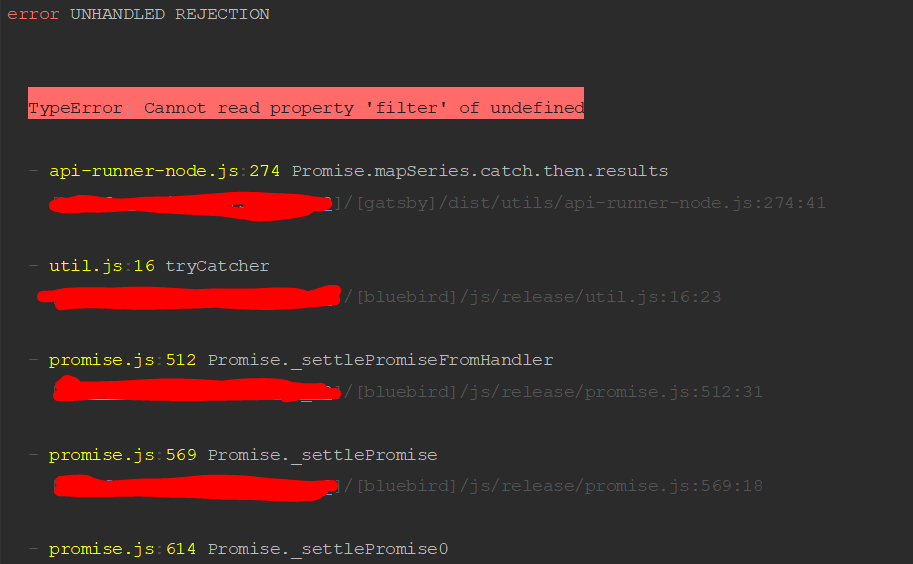
I'm using win 10 pro 64bit.
Contributor guide
First steps
- Read the whole issue, then the project's contributing guide.
- Comment on the issue to say you are picking it up — it saves two people doing the same work.
- Fork the repository and make your change on a branch.
- Open a pull request that references the issue number.
Research direction
No repository file, test, or entry point is named. First reproduce yarn and yarn dev with Node 8.4.0 and 8.9.0 on Windows, then inspect the dependency constraints around css-loader and gatsby-transformer-sharp. Done means establishing a supported Node version and confirming the development server starts without these errors.
Written by the indexing model from the issue text.
Assessment
- Tech stack
- javascript, node.js
- Domain
- build-system
- Issue type
- Bug
- Difficulty
- 3/5
- Estimated time
- 1-2 days
- Activity status
- Stale
- Clarity
- Needs clarification
- Newbie friendliness
- 25/100