react-navigation / react-navigation/react-navigation.github.io
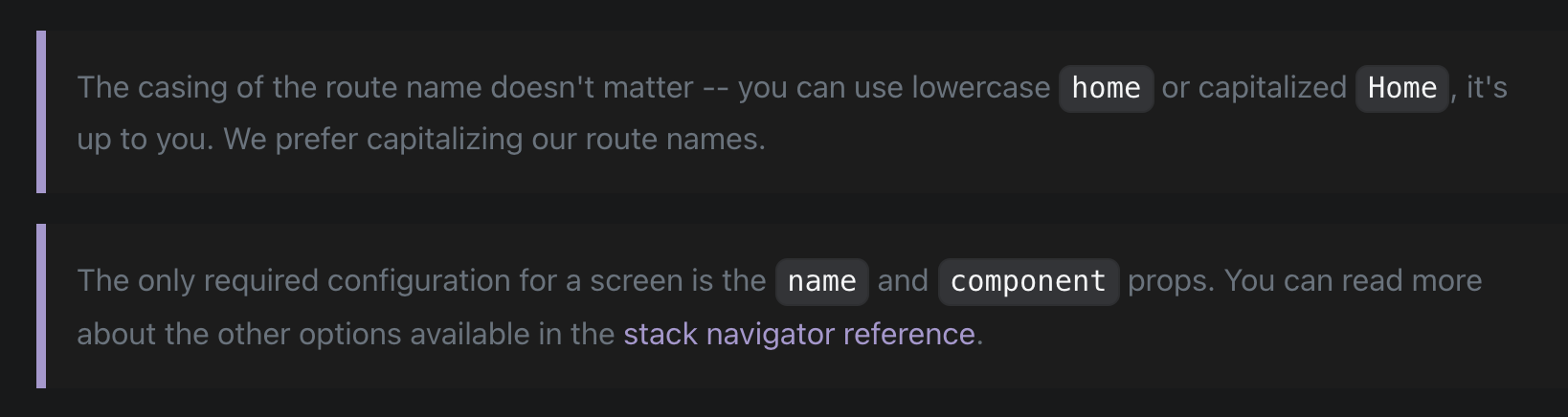
[Accessibility] Notes should have a lighten gray in the dark mode.
Nobody has claimed this yet.
- Dominant language
- JavaScript
- Stars
- 324
- Forks
- 2k
- PR merge metrics
- No merged PRs in 30d
Description
When I was reading the documentation in the dark mode I've noticed that it was hard for my eyes to read the notes or the explanations because of the chosen shade for the grey.
Screenshot
Link
Suggestion
I'd recommend choosing a light gray to make the text of notes more readable for people with low vision like me.
Contributor guide
No contributing guide indexed for this repository
First steps
- Read the whole issue, then the project's contributing guide.
- Comment on the issue to say you are picking it up — it saves two people doing the same work.
- Fork the repository and make your change on a branch.
- Open a pull request that references the issue number.
Research direction
Start with the Hello React Navigation documentation page linked in the issue and inspect the dark-mode styling for notes or explanations. Compare the note text against its background and the screenshot, then adjust the relevant gray so the text is easier to read for people with low vision. Done means the notes have improved contrast in dark mode without harming the page's appearance.
Written by the indexing model from the issue text.
Assessment
- Domain
- accessibility, documentation
- Issue type
- Bug
- Difficulty
- 2/5
- Estimated time
- 1-3 hours
- Activity status
- Stale
- Clarity
- Mostly clear
- Newbie friendliness
- 45/100