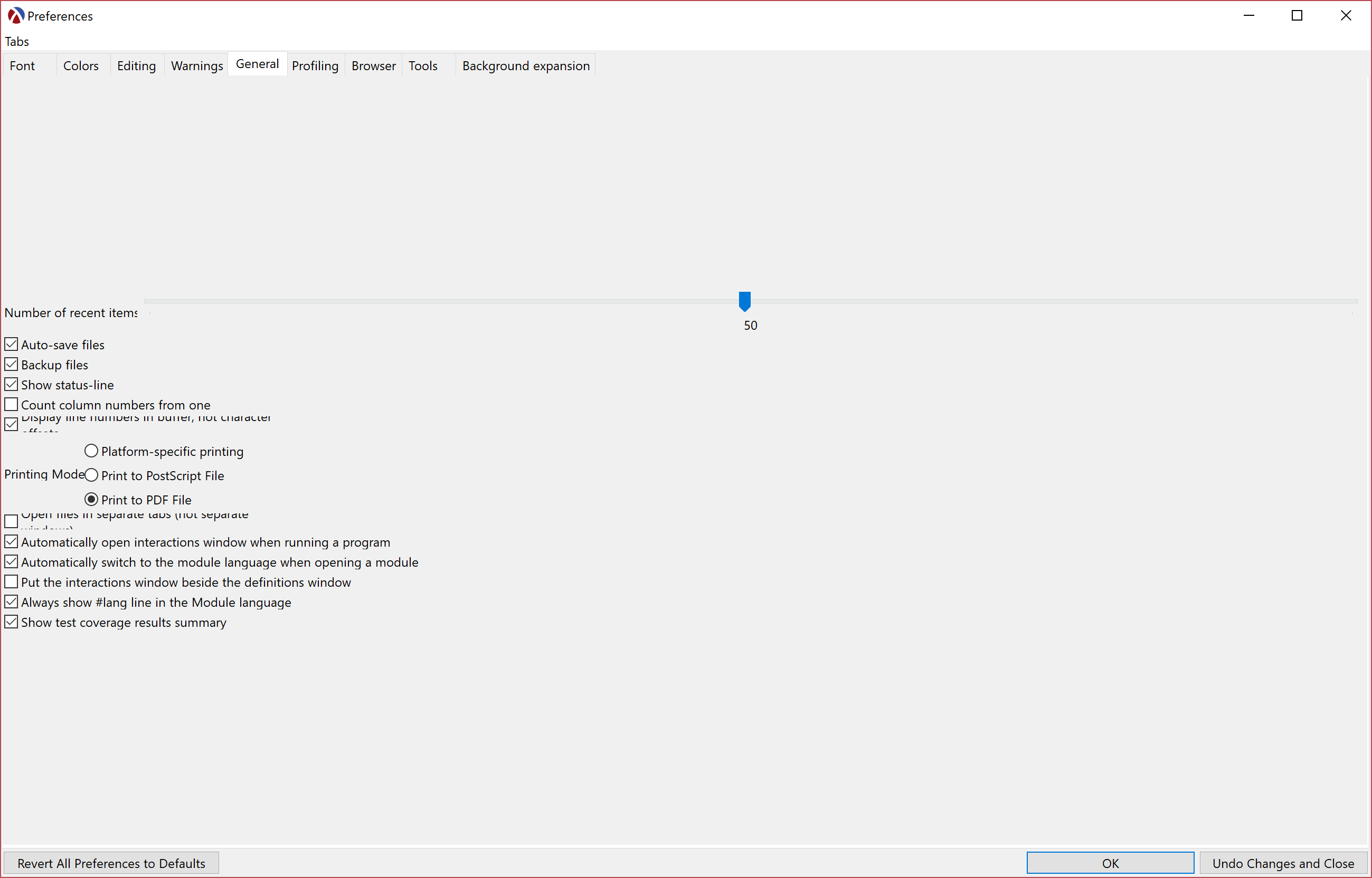
Wacky preferences window on Win10, hi-dpi screen
Open
Nobody has claimed this yet.
platform:windows
- Dominant language
- Racket
- Stars
- 5.2k
- Forks
- 698
- Avg merge
- 18h 34m
- Merged PRs (30d)
- 5
Description
A student encountered this on his laptop yesterday. I couldn't figure out how to even tab through the controls here, though fortunately the particular preference he needed wasn't on this page...
His system's information:
Resolution 3840x2160
Lenovo YOGA 910-13IKB Signature Edition
Windows 10 Home Edition, OS Build: 15063.608Processor/Internal Graphics: Intel Core i7-7500u @ 2.70GHz
16GB RAM
Contributor guide
First steps
- Read the whole issue, then the project's contributing guide.
- Comment on the issue to say you are picking it up — it saves two people doing the same work.
- Fork the repository and make your change on a branch.
- Open a pull request that references the issue number.
Research direction
No source file, test, or entry point is named. Reproduce the preferences window on Windows 10 with a 3840x2160 hi-DPI display and inspect the layout and keyboard focus behavior. Done means the controls render coherently and can be reached with the Tab key.
Written by the indexing model from the issue text.
Assessment
- Domain
- desktop
- Issue type
- Bug
- Difficulty
- 4/5
- Estimated time
- 3-5 days
- Activity status
- Stale
- Clarity
- Needs clarification
- Newbie friendliness
- 25/100