prompt-toolkit / prompt-toolkit/python-prompt-toolkit
Dialogs are only drawn after the execution finishes, but only in some installations
Nobody has claimed this yet.
- Dominant language
- Python
- Stars
- 10.6k
- Forks
- 815
- PR merge metrics
- No merged PRs in 30d
Description
I have this problem just on some windows machines, which for all I can say are identical OS and python environment.
Version of prompt_toolkit is 3.0.18
Python is winpython: Python 3.9.4 (tags/v3.9.4:1f2e308, Apr 6 2021, 13:40:21) [MSC v.1928 64 bit (AMD64)] on win32
Windows 10 Enterprise LTSC 64Bit
This is the minimal example I wrote in test.py to "reproduce" this.
from prompt_toolkit.shortcuts import message_dialog
message_dialog(title="minimal", text="sample").run()
On most machines this works as expected, but in some others the terminal is completely blank, except the cursor at the top left corner.
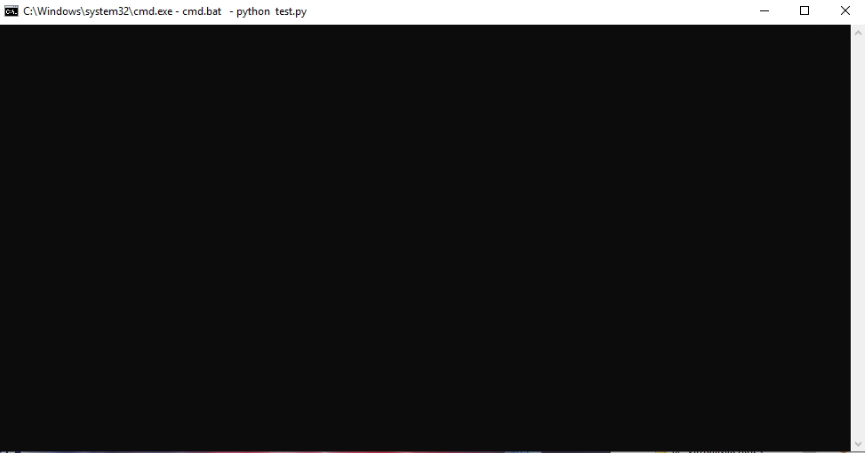
Once I press enter, the expected dialog is drawn (after the program is already closed).
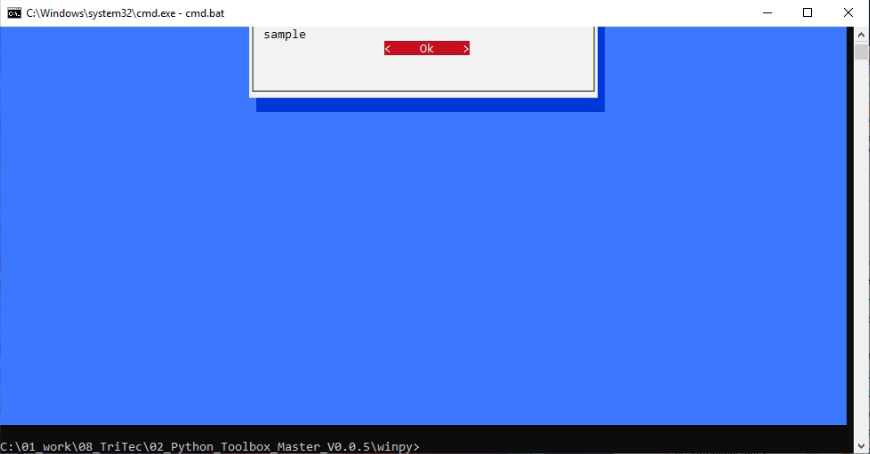
On the non-working machines the problem is reproducible in both cmd.exe and PowerShell terminal.
Contributor guide
No contributing guide indexed for this repository
First steps
- Read the whole issue, then the project's contributing guide.
- Comment on the issue to say you are picking it up — it saves two people doing the same work.
- Fork the repository and make your change on a branch.
- Open a pull request that references the issue number.
Research direction
Start by running the minimal test.py example in both cmd.exe and PowerShell on the affected Windows installations, using the reported Python and prompt_toolkit versions. Compare the blank terminal behavior with a working machine and trace the dialog rendering path. Done means the dialog is drawn before execution finishes on the affected terminals, with a regression check if the project has a suitable test location.
Written by the indexing model from the issue text.
Assessment
- Tech stack
- python
- Domain
- cli
- Issue type
- Bug
- Difficulty
- 4/5
- Estimated time
- 3-5 days
- Activity status
- Stale
- Clarity
- Mostly clear
- Newbie friendliness
- 35/100