large webGL canvases draw at unpredictable locations
Nobody has claimed this yet.
- Dominant language
- JavaScript
- Stars
- 24k
- Forks
- 3.8k
- Avg merge
- 3d 16h
- Merged PRs (30d)
- 25
Description
Most appropriate sub-area of p5.js?
- Accessibility (Web Accessibility)
- Build tools and processes
- Color
- Core/Environment/Rendering
- Data
- DOM
- Events
- Friendly error system
- Image
- IO (Input/Output)
- Localization
- Math
- Unit Testing
- Typography
- Utilities
- WebGL
- Other (specify if possible)
Details about the bug:
I noticed that when trying to draw very large graphics objects to the canvas, it doesn't seem to be drawing in the correct location. I noticed this happening yesterday when using a couple canvases around 5000px, and today again when using canvases > 6000px.
They seem to be drawing down and to the left for some reason. I'm attaching a sketch showing the issue and a screenshot here as well.
https://editor.p5js.org/aferriss/sketches/aMrQqoKF2
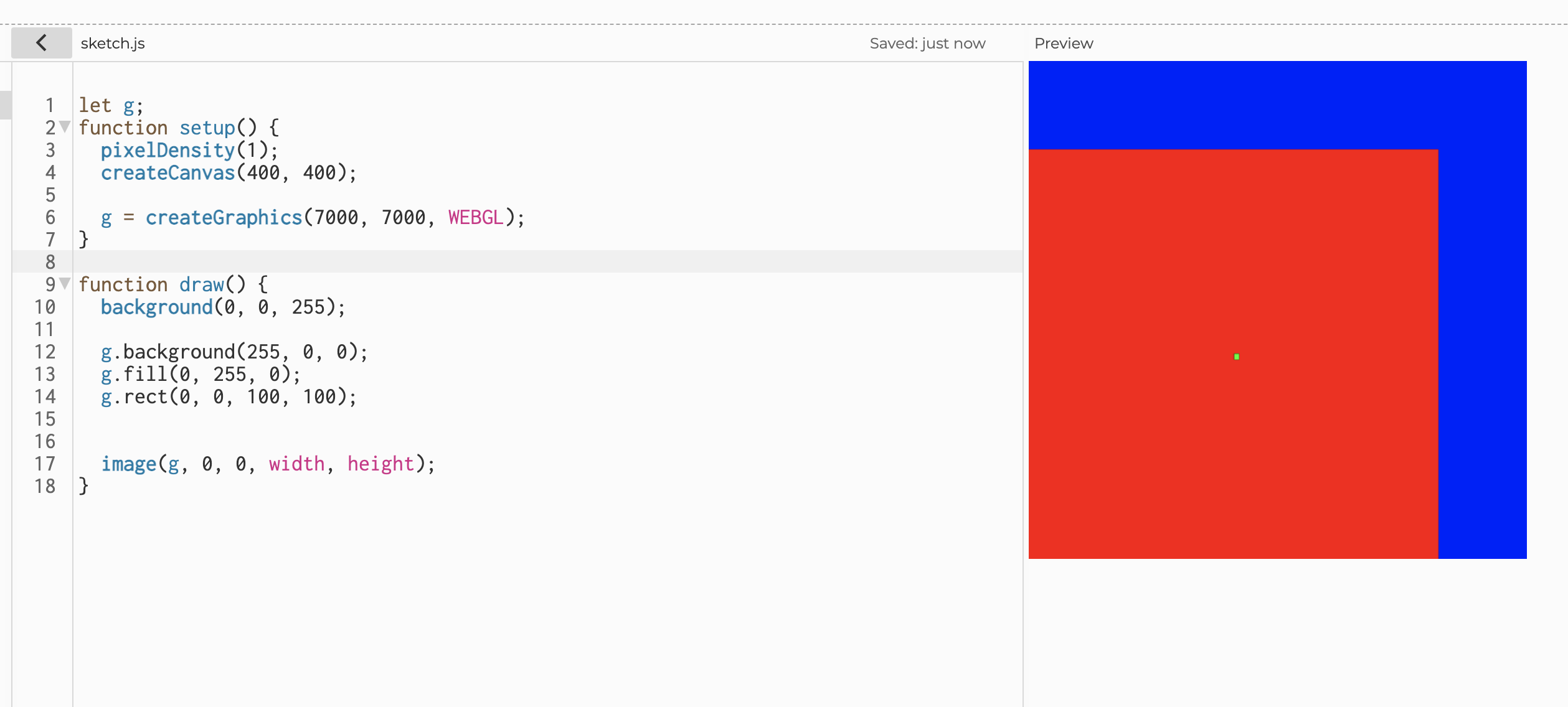
- p5.js version: 1.3.1
- Web browser and version: Chrome
- Operating System: Mac OSX
- Steps to reproduce this:
- Create a large graphics object (>6000px)
- Draw some things into that graphics object
- Try to draw that object at the origin.
Contributor guide
First steps
- Read the whole issue, then the project's contributing guide.
- Comment on the issue to say you are picking it up — it saves two people doing the same work.
- Fork the repository and make your change on a branch.
- Open a pull request that references the issue number.
Research direction
Start with the linked p5.js sketch and reproduce the issue using a WebGL graphics object larger than 6000px, following the listed steps. Trace the WebGL rendering path responsible for drawing that object at the origin; done means large graphics objects render at their requested location rather than down and to the left.
Written by the indexing model from the issue text.
Assessment
- Tech stack
- javascript
- Domain
- computer-graphics
- Issue type
- Bug
- Difficulty
- 4/5
- Estimated time
- 3-5 days
- Activity status
- Stale
- Clarity
- Mostly clear
- Newbie friendliness
- 38/100