ApplyProvisioningTemplate saves wrong ListId on target for Events WebParts
Nobody has claimed this yet.
- Dominant language
- C#
- Stars
- 259
- Forks
- 161
- Avg merge
- 10h 33m
- Merged PRs (30d)
- 1
Description
Hello,
The Events WebPart is not properly transferred using the "ApplyProvisioningTemplate" operation when using the handlers "Handlers.Pages | Handlers.PageContents" on a new site. The result in the UI looks as follows.
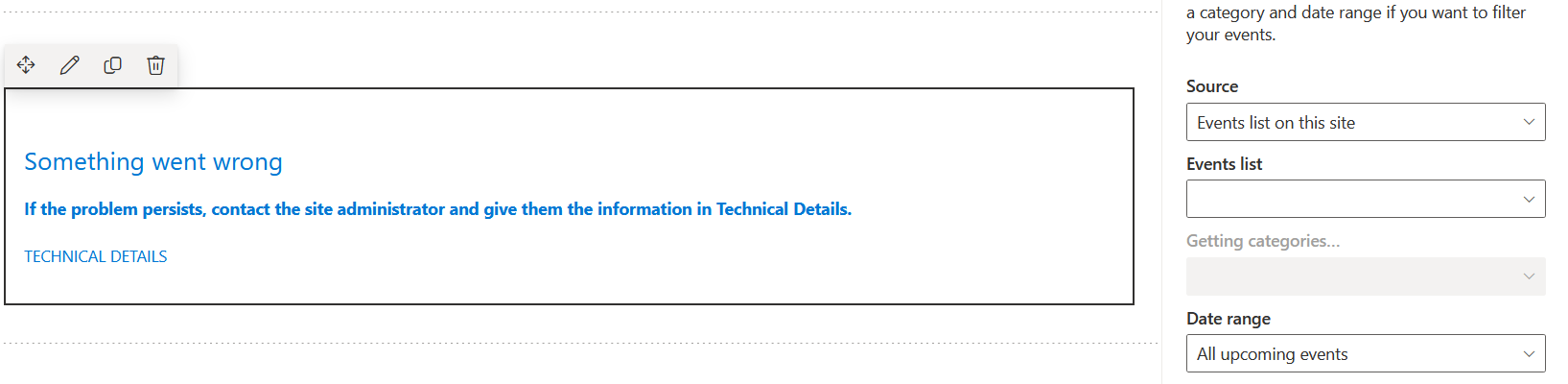 .
.
When looking at the results using PnP PowerShell, I am getting a "selectedListId" property associated to a list that does not exist on that Web (and also the sourceWeb).
How to reproduce
- Create a source Teamsite with only an Events WebPart
- Create a target Teamsite
- Execute the PowerShell command on the sourceSite
Connect-PnPOnline $sourceSite -UseWebLogin
$template = Get-PnPSiteTemplate -OutputInstance -Handlers PageContents -IncludeAllPages
Connect-PnPOnline $targetSite -UseWebLogin
Invoke-PnPSiteTemplate -InputInstance $template
$page = Get-PnPClientSidePage -Identity "Home.aspx"
$webParts = $page.Controls
#if there are more than one webparts
foreach($webpart in $webparts) {
    Write-Host "WebPart Id "
    $webpart.InstanceId
    Write-Host "Title "
    $webpart.Title
    $webpart.PropertiesJson
}
- This will output a selectedListid that is not present on the target Web.
- Alternatively, you can run it with the following code
ProvisioningTemplateCreationInformation creationInformation = new ProvisioningTemplateCreationInformation(sourceContext.Web);
creationInformation.PersistPublishingFiles = true;
creationInformation.IncludeAllClientSidePages = true;
creationInformation.HandlersToProcess = handlers;
var template = sourceContext.Web.GetProvisioningTemplate(creationInformation);

targetContext.Web.ApplyProvisioningTemplate(template, new ProvisioningTemplateApplyingInformation() { HandlersToProcess = Handlers.Pages | Handlers.PageContents });
Cheers,
Patrick
Contributor guide
No contributing guide indexed for this repository
First steps
- Read the whole issue, then the project's contributing guide.
- Comment on the issue to say you are picking it up — it saves two people doing the same work.
- Fork the repository and make your change on a branch.
- Open a pull request that references the issue number.
Research direction
Reproduce the transfer using Get-PnPSiteTemplate and Invoke-PnPSiteTemplate with Handlers.Pages and Handlers.PageContents, then inspect Home.aspx through Get-PnPClientSidePage and the web parts' PropertiesJson. The fix is complete when an Events WebPart applied to the target site has a selectedListId that exists on that target and renders correctly.
Written by the indexing model from the issue text.
Assessment
- Tech stack
- csharp, powershell
- Domain
- backend
- Issue type
- Bug
- Difficulty
- 4/5
- Estimated time
- 3-5 days
- Activity status
- Stale
- Clarity
- Mostly clear
- Newbie friendliness
- 42/100