playcanvas / playcanvas/engine
Non-preloaded batched objects aren't batched on enable (first enable only)
@mvaligursky is already working on this.
Since Jul 25, 2020.
- Dominant language
- JavaScript
- Stars
- 16.8k
- Forks
- 2k
- Avg merge
- 4h 32m
- Merged PRs (30d)
- 222
Description
Description
Basically, when you enable the entity of a batched model that is not preloaded, the model will not be batched. However, if you disable, then re-enable that same entity, the batching will run the second time around. This is unexpected behavior for what I imagine is a somewhat common use-case.
Use-case
You have a batched model in your scene that you enable later on. Natually, you turn off preload to speed up app load. When you later enable that model, despite being batched it won't actually be batched.
This is confusing behavior with batching working perfectly fine when you have a preloaded object, but breaking for seemingly no reason when you turn off preload. The batching documentation does not mention this behavior, which adds to the mystery.
Solutions
I'm not sure what the intended behavior is, I understand batching on enable is a bit of a convenience method and if an asset isn't preloaded, the batcher would need events for each batched asset to run once it's loaded. But, I think there should be some consistency, if we're going to automatically load the child models of an entity I think it would be reasonable to expect that batching would be similarly generated automatically. However, Leonidas mentioned he would prefer more control over when the batcher runs and have it default to run less, so in that case I think for consistency's sake it would make sense to never automatically batch when entities are enabled (could potentially break apps).
Regardless, I think this would be a useful "gotcha" to the batching documentation.
Steps to Reproduce
This test project can be used to reproduce this behavior.
- Add a handful models (that can be batched) to the scene under a single parent entity.
- Uncheck "preload" on these models.
- In the editor, setup batching across all these models.
- Disable the parent entity.
- Launch the scene preview (with the profiler).
- In the editor, re-enable the parent entity.
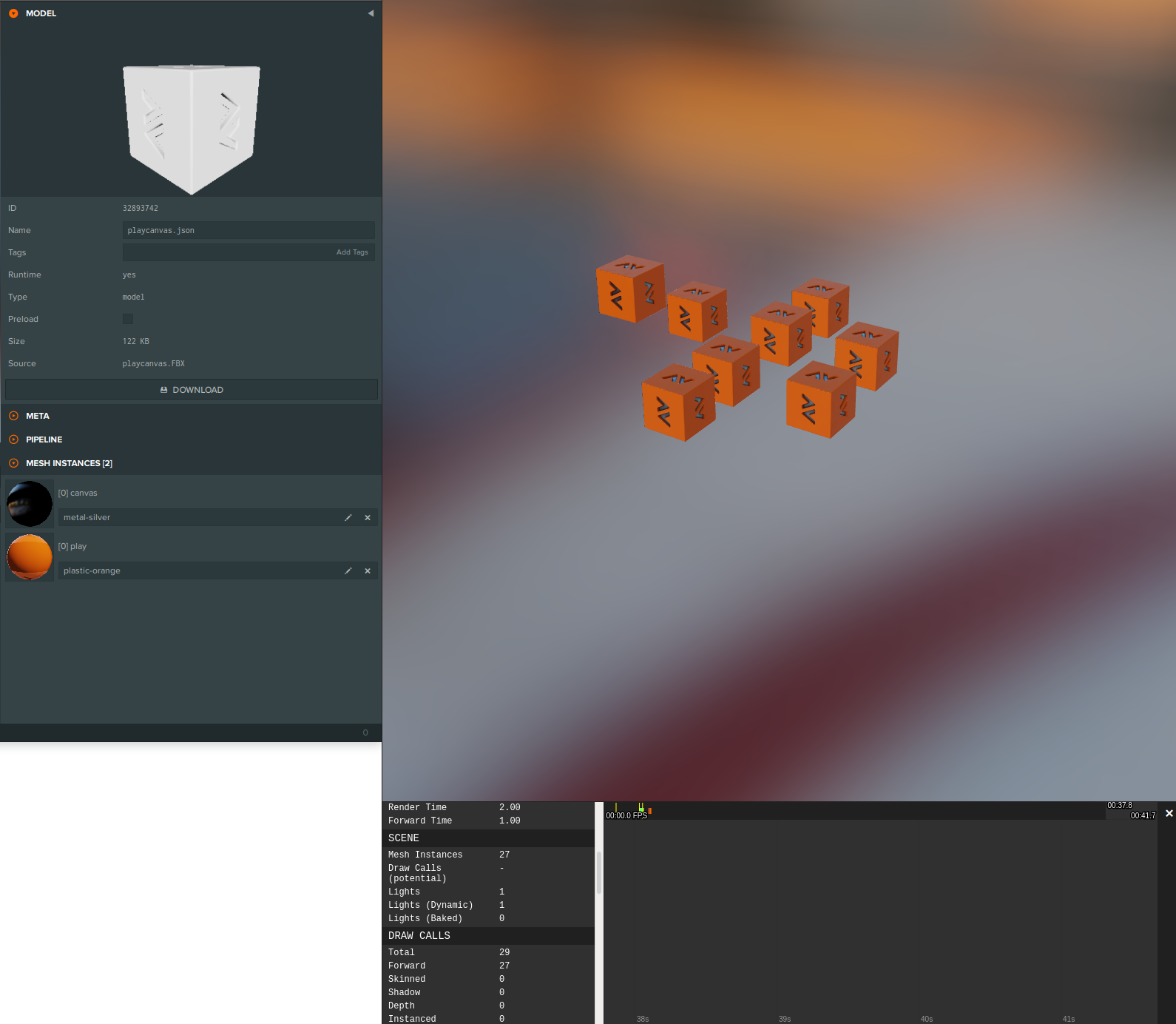
- Observe that the models that were just added are not being batched according to the draw calls.
- In the editor, disable the parent entity, and then re-enable the parent entity (again).
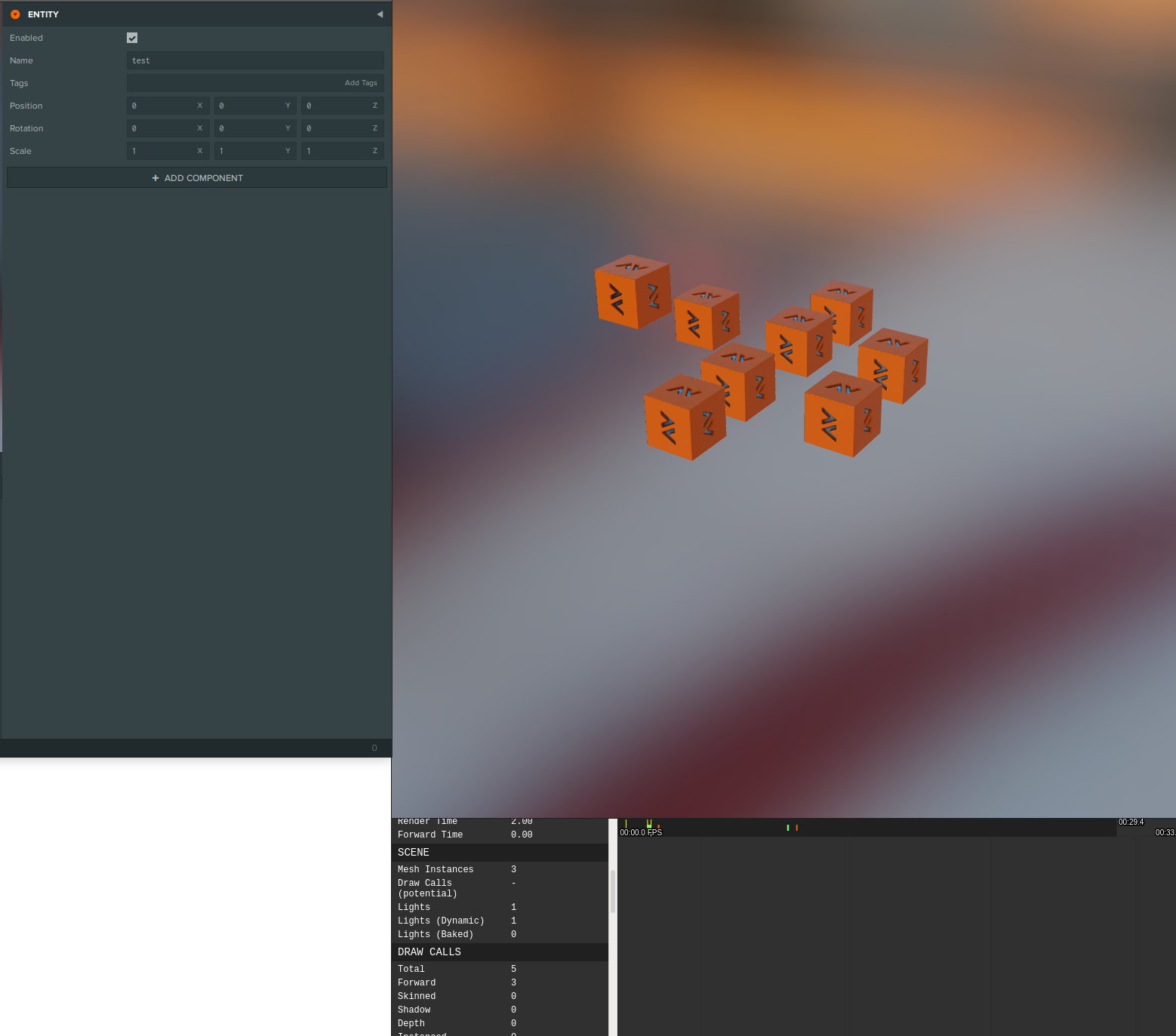
- Observe that this time the draw calls will indicate the models are now being batched.
On the otherhand, if you check "preload" on these models, when you first load the scene they will be batched.
Screenshots
Models were enabled after the scene was loaded - note the 29 draw calls
Models were disabled and then re-enabled - now draw calls are 5
PlayCanvas forum discussion: https://forum.playcanvas.com/t/unexpected-batching-interaction-with-preload-documentation/13942/4
Contributor guide
First steps
- Read the whole issue, then the project's contributing guide.
- Comment on the issue to say you are picking it up — it saves two people doing the same work.
- Fork the repository and make your change on a branch.
- Open a pull request that references the issue number.
Assessment
This issue has not been assessed yet.