playcanvas / playcanvas/editor
Unclear how to exit the camera view after clicking the dockable camera viewport
Open
Nobody has claimed this yet.
area: editor interface
area: viewport
enhancement
- Dominant language
- TypeScript
- Stars
- 1.3k
- Forks
- 215
- Avg merge
- 1d 29m
- Merged PRs (30d)
- 30
Description
Clicking on the camera viewport will switch users' viewport to what the camera sees, but it is unclear to users how to get out of the camera view.
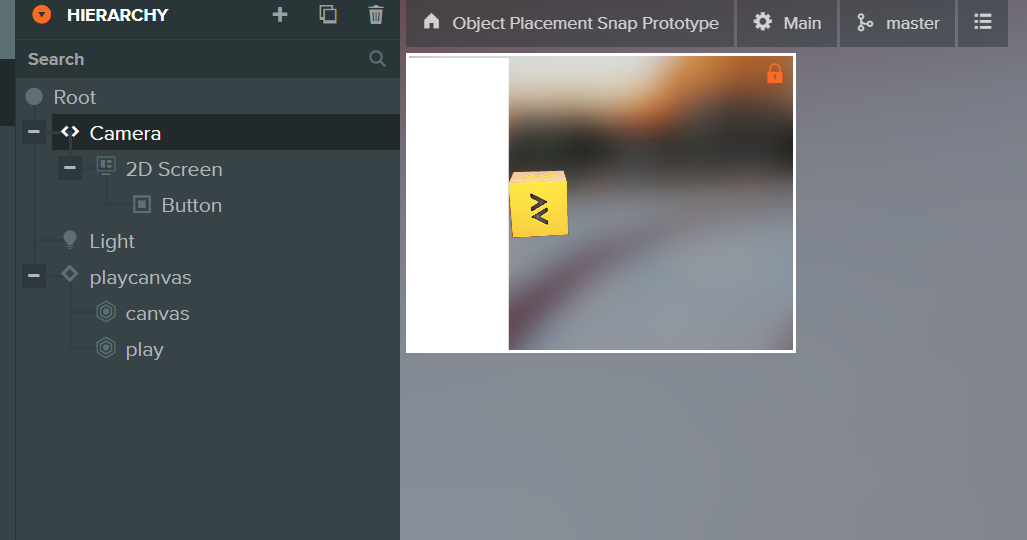
@jiajasper Ticket to self - UX needs work.
Contributor guide
First steps
- Read the whole issue, then the project's contributing guide.
- Comment on the issue to say you are picking it up — it saves two people doing the same work.
- Fork the repository and make your change on a branch.
- Open a pull request that references the issue number.
Research direction
Start by reproducing the interaction described in the issue: click the dockable camera viewport and observe how users might return to the regular viewport. No source files or tests are named, so locate the camera viewport and related viewport-navigation UI first. Done should make the exit action discoverable and provide a clear way to leave the camera view.
Written by the indexing model from the issue text.
Assessment
- Tech stack
- typescript
- Domain
- design, frontend
- Issue type
- Feature
- Difficulty
- 5/5
- Estimated time
- Over a week
- Activity status
- Stale
- Clarity
- Needs clarification
- Newbie friendliness
- 25/100