playcanvas / playcanvas/editor
Add twitter card player meta tags to playcanv.as links to allow embedding of content
Nobody has claimed this yet.
- Dominant language
- TypeScript
- Stars
- 1.3k
- Forks
- 215
- Avg merge
- 1d 29m
- Merged PRs (30d)
- 30
Description
Example:
The tags are documented here: https://developer.twitter.com/en/docs/twitter-for-websites/cards/guides/getting-started and https://developer.twitter.com/en/docs/twitter-for-websites/cards/overview/player-card
Unfortunately, they don't work on the mobile app nor show any preview of any kind which is unfortunate.
See how it looks on mobile here: https://twitter.com/ciaranioh/status/1479168955595976705
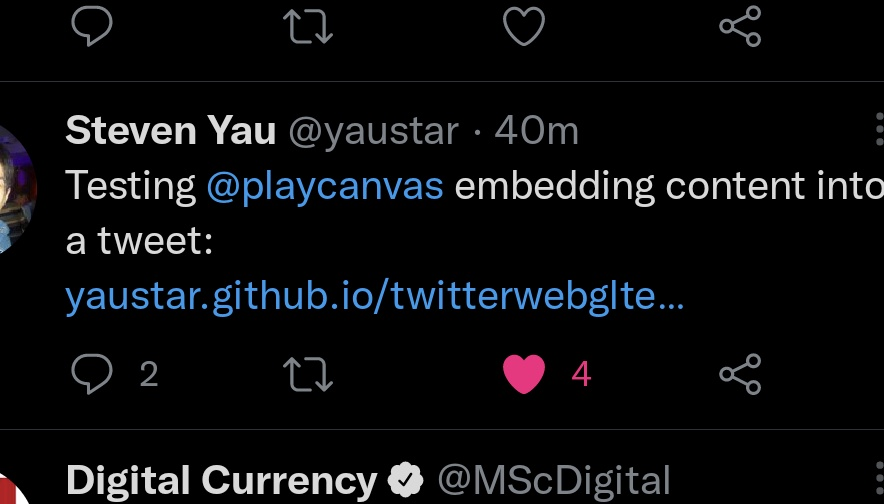
This ticket should wait until that is 'fixed' by Twitter as it's a shame to only support this for desktop.
Contributor guide
First steps
- Read the whole issue, then the project's contributing guide.
- Comment on the issue to say you are picking it up — it saves two people doing the same work.
- Fork the repository and make your change on a branch.
- Open a pull request that references the issue number.
Research direction
No file, test, or entry point is named. Start by reviewing the linked Twitter Player Card documentation and the linked mobile example; confirm that Twitter supports the requested behavior before locating how playcanv.as links are rendered. Done means the documented player-card metadata is added once Twitter’s mobile limitation is fixed.
Written by the indexing model from the issue text.
Assessment
- Tech stack
- html
- Domain
- frontend
- Issue type
- Feature
- Difficulty
- 3/5
- Estimated time
- 1-2 days
- Activity status
- Stale
- Clarity
- Mostly clear
- Newbie friendliness
- 35/100