cluster: can't connect remote with the deploy user just created
Nobody has claimed this yet.
- Dominant language
- Go
- Stars
- 466
- Forks
- 338
- Avg merge
- 3d 7h
- Merged PRs (30d)
- 8
Description
Bug Report
Please answer these questions before submitting your issue. Thanks!
From the user scenario, not reproduce in test env.
- What did you do?
tiup cluster deploy xxx -i xxx
-
What did you expect to see?
the cluster deployed success. -
What did you see instead?
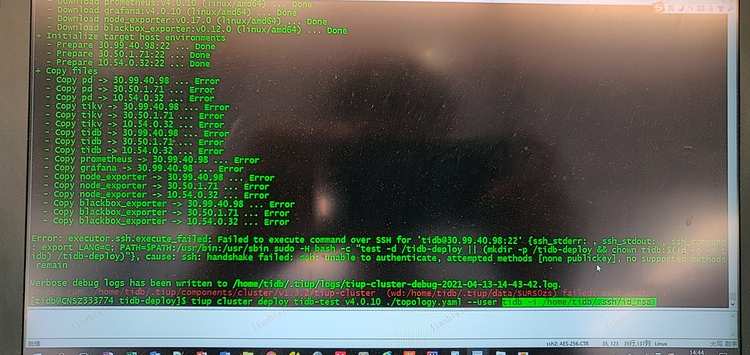
I guess this is because TiUP doesn't transfer new generated key to remote successfully instead of the user input a wrong key because when it print Initialize target host environments: ...Done, it means TiUP has create deploy user successfully.
https://github.com/pingcap/tiup/blob/v1.4.0/pkg/cluster/manager/deploy.go#L345
- What version of TiUP are you using (
tiup --version)?
v1.4.0
Contributor guide
First steps
- Read the whole issue, then the project's contributing guide.
- Comment on the issue to say you are picking it up — it saves two people doing the same work.
- Fork the repository and make your change on a branch.
- Open a pull request that references the issue number.
Research direction
Start with the deployment flow in pkg/cluster/manager/deploy.go around the referenced v1.4.0 line and trace the tiup cluster deploy path after the deploy user is created. Verify the newly created user can connect to the remote host with the generated key and that deployment completes successfully; the report provides no reproducible test environment.
Written by the indexing model from the issue text.
Assessment
- Tech stack
- go
- Domain
- devops, infrastructure
- Issue type
- Bug
- Difficulty
- 4/5
- Estimated time
- 3-5 days
- Activity status
- Stale
- Clarity
- Mostly clear
- Newbie friendliness
- 30/100