When pressing `f`, some buttons are hidden behind others
Nobody has claimed this yet.
- Dominant language
- JavaScript
- Stars
- 27k
- Forks
- 2.6k
- PR merge metrics
- No merged PRs in 30d
Description
Describe the bug
There is another button behind the SK. For this exact example, it is not a problem, however with other websites I have had to use a mouse because the button I need to press is hidden behind another button. For example,
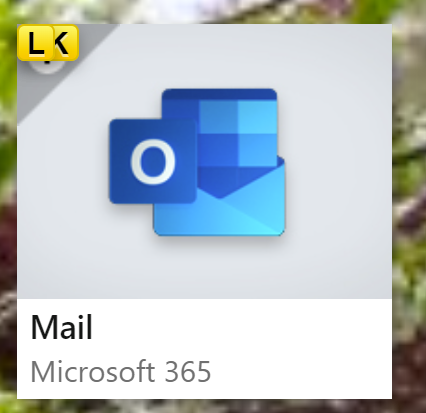
The hidden button is SK, which I figured out because of guesswork and the K being visible. Unfortunately, no such luck on this;

I understand that this is a poor website design, however
a) this whole panel is clickable
b) the f buttons should have a proximity radar, to check if they are actually visible
To Reproduce
Steps to reproduce the behavior:
- Go to URL
- Press
f
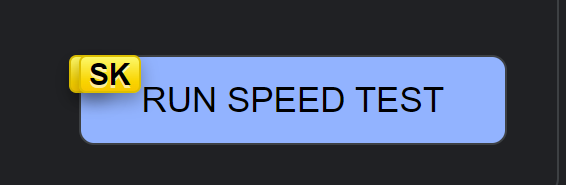
Vimium version: 1.67
Chrome version: 105.0.5195.102 (Official Build) (64-bit) (cohort: Stable)
OS Version: Windows 11 Version 21H2 (Build 22000.856)
Contributor guide
First steps
- Read the whole issue, then the project's contributing guide.
- Comment on the issue to say you are picking it up — it saves two people doing the same work.
- Fork the repository and make your change on a branch.
- Open a pull request that references the issue number.
Research direction
Reproduce the problem by opening the linked Google search and pressing f in Vimium 1.67 on Chrome. Investigate how generated f buttons are positioned and determine how overlapping buttons can remain distinguishable and clickable; done when the hidden targets in this example and similar pages can be selected without using the mouse.
Written by the indexing model from the issue text.
Assessment
- Tech stack
- javascript
- Domain
- frontend
- Issue type
- Bug
- Difficulty
- 4/5
- Estimated time
- 3-5 days
- Activity status
- Stale
- Clarity
- Mostly clear
- Newbie friendliness
- 35/100