Feature request: copy image / copy image URL to the clipboard
Open
Nobody has claimed this yet.
- Dominant language
- JavaScript
- Stars
- 27k
- Forks
- 2.6k
- PR merge metrics
- No merged PRs in 30d
Description
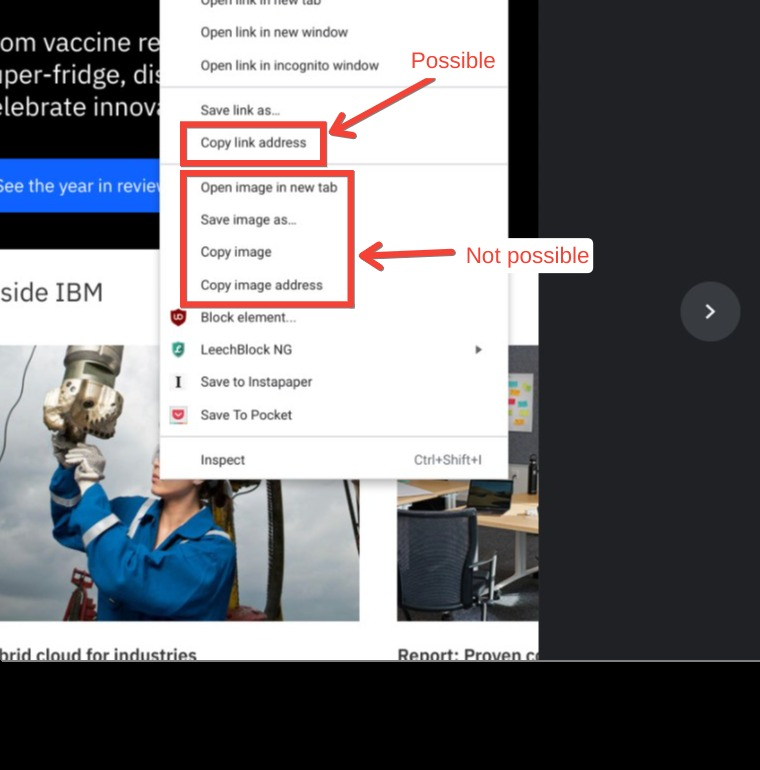
Current functionality:
- It is possible to use
LinkHints.activateModeToCopyLinkUrl(Copy a link URL to the clipboard) to activate hints, select a hint, and have that hint's destination URL copied to the clipboard.
Desired functionality:
- Add hint-activated functions for images. These include (in my personal desired order):
- Copy image
- Copy image URL / address
- Save image
- Open image in new tab
Illustration:
- The Chrome context menu when right-clicking on an image:
Personal note:
- I absolutely love Vimium! Thank you so much to the community for creating this wonderful extension.
Contributor guide
First steps
- Read the whole issue, then the project's contributing guide.
- Comment on the issue to say you are picking it up — it saves two people doing the same work.
- Fork the repository and make your change on a branch.
- Open a pull request that references the issue number.
Research direction
Start at LinkHints.activateModeToCopyLinkUrl and trace how hint activation selects a destination URL. Use the requested Chrome image context-menu actions to define the scope, with copy image and copy image URL first; done means the selected image supports the agreed hint-activated actions.
Written by the indexing model from the issue text.
Assessment
- Tech stack
- javascript
- Domain
- frontend
- Issue type
- Feature
- Difficulty
- 4/5
- Estimated time
- 3-5 days
- Activity status
- Stale
- Clarity
- Mostly clear
- Newbie friendliness
- 38/100