Allow custom keys for toggling vimium on firefox's addons page
Open
Nobody has claimed this yet.
- Dominant language
- JavaScript
- Stars
- 27k
- Forks
- 2.6k
- PR merge metrics
- No merged PRs in 30d
Description
The wiki explains how to temporarily disable vimium using its own interface or adding keys for toggling it from chrome's extension page .
I found other extensions that make use of this on firefox by going to about:addons > Manage Extension Shortcuts
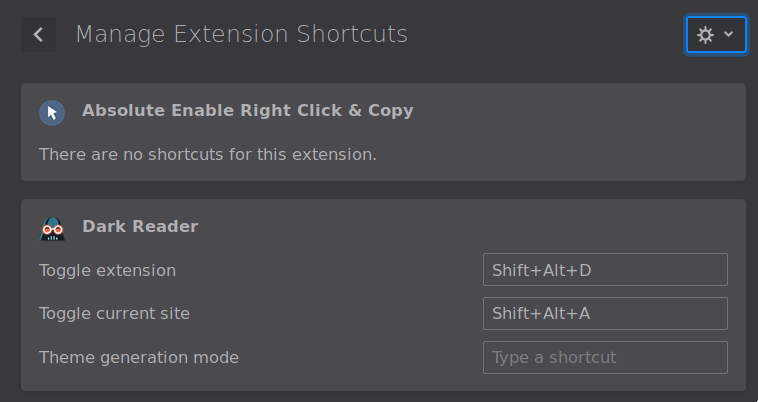
Would it be possible to add this option on firefox too?
Contributor guide
First steps
- Read the whole issue, then the project's contributing guide.
- Comment on the issue to say you are picking it up — it saves two people doing the same work.
- Fork the repository and make your change on a branch.
- Open a pull request that references the issue number.
Research direction
Start by reviewing the wiki's Disabling Vimium section and Firefox's about:addons > Manage Extension Shortcuts behavior described in the issue. Trace where Vimium defines its toggle keys and determine what Firefox exposes for extension shortcuts; done means custom toggle keys can be configured and used on Firefox's add-ons page.
Written by the indexing model from the issue text.
Assessment
- Tech stack
- javascript
- Domain
- frontend
- Issue type
- Feature
- Difficulty
- 3/5
- Estimated time
- 1-2 days
- Activity status
- Stale
- Clarity
- Mostly clear
- Newbie friendliness
- 38/100