payloadcms / payloadcms/payload
Pasting a copied blocks row renders the block blank until page refresh
Nobody has claimed this yet.
- Dominant language
- TypeScript
- Stars
- 44.8k
- Forks
- 4.2k
- Avg merge
- 2d 21h
- Merged PRs (30d)
- 53
Description
Describe the Bug
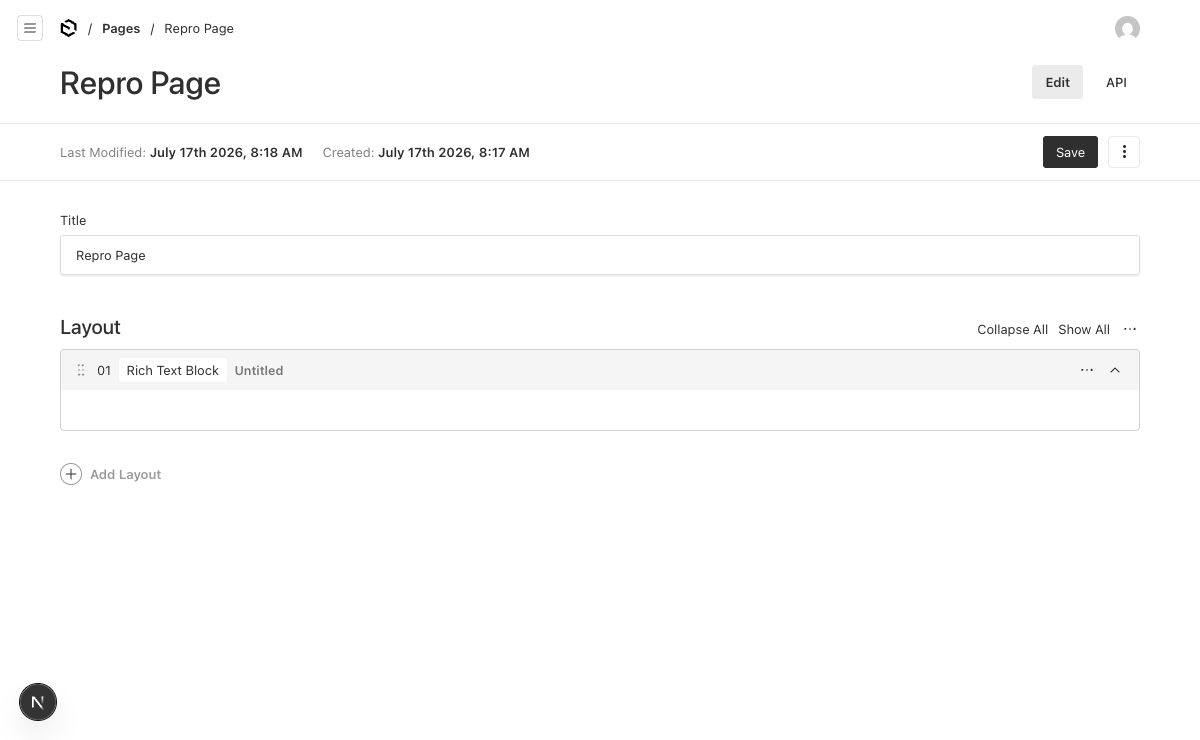
Using a blocks field row's ... menu → Copy Row, then Paste Row onto a row whose field path + row index match the copied row (simplest case: pasting a copied row back over itself; also e.g. layout.0 in one document → layout.0 in another document whose blocks field has the same name), the pasted block's body renders completely blank: the block header stays, but every field inside disappears. In this repro the block contains a single richText field.
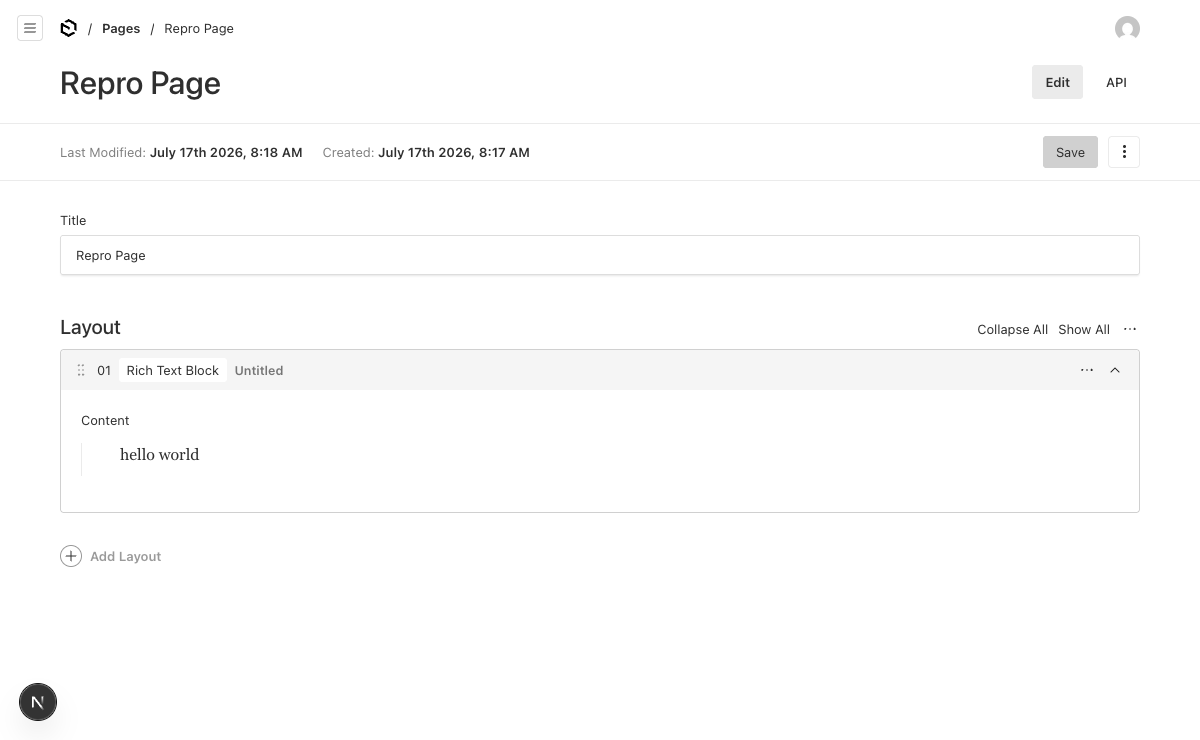
The document data is intact — saving works and a full page refresh restores the rendered fields — so it is purely an admin-UI render bug. But for editors it looks like the paste just wiped the block.
After Paste Row:
Same document after a full page refresh:
Root cause
Traced on 3.86.0; the code is identical on 4.0.0-canary.13. All in packages/ui/src/elements/ClipboardAction/mergeFormStateFromClipboard.ts:
- On copy,
reduceFormStateByPathstripscustomComponentsfrom the clipboard payload (not serializable) but keepslastRenderedPath. - On paste,
mergeFormStateFromClipboardrestorescustomComponentsfrom existing form state only forarrayfields — hardcodedundefinedforblocks:const customComponents = isArray ? formState[newPath]?.customComponents : undefined - On the next form-state request the server decides re-rendering via
requiresRender = renderAllFields || !lastRenderedPath || lastRenderedPath !== path || ...(forms/fieldSchemasToFormState/renderField.ts). The pasted entries carry the stalelastRenderedPathfrom the clipboard; when source and target paths match it equalspath, so the server never re-renders the field's components. - The client
RichTextFieldfallback isreturn null, so the field (label included) renders nothing until a full page load re-renders all fields.
This also explains why the bug looks intermittent: pasting to a different row index or a differently-named blocks field self-heals after the next form-state round-trip (paths mismatch → re-render), while same-path pastes stay blank indefinitely.
Suggested fix
Strip lastRenderedPath (field-level, and row-level inside rows) in reduceFormStateByPath at copy time — verified locally via a patch on 3.86.0: pasted rows then re-render on the next form-state round-trip. (Trade-off: array pastes get one redundant server re-render even though their customComponents survive the merge; alternatives would be restoring customComponents for blocks in the merge, or clearing lastRenderedPath on merged entries at paste time.)
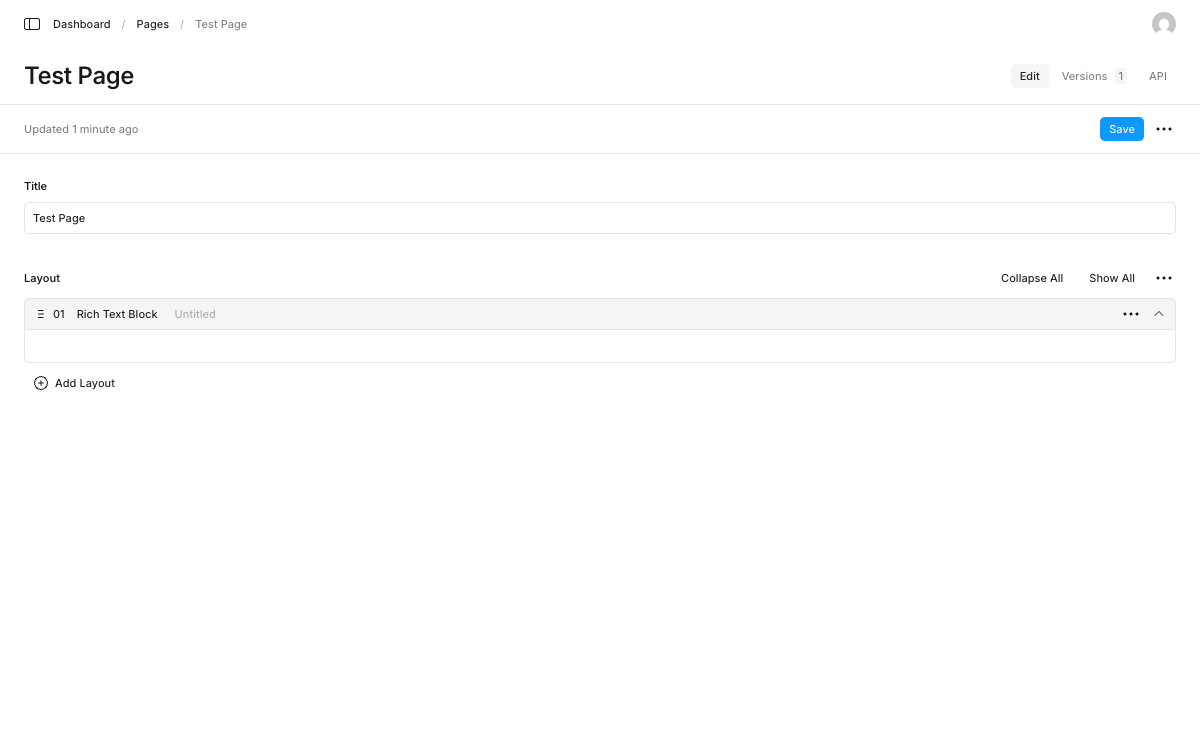
Also reproduces on Payload v4
Same scenario, same result on payload@4.0.0-canary.13 (all @payloadcms/* at 4.0.0-canary.13, next@16.2.6):
Link to the code that reproduces this issue
https://github.com/DarioSiroki/payload-paste-row-blank-repro
Reproduction Steps
pnpm install,cp .env.example .env(sqlite file DB, set anyPAYLOAD_SECRET),pnpm dev- Open
http://localhost:3000/admin, create the first admin user. - Go to Pages → create a new document. Under Layout, click Add Layout → Rich Text Block.
- Type
hello worldinto the block's Content rich-text editor and Save. - Reload the edit view and confirm the block renders the Content field with
hello world. - Click the block row's
...actions menu → Copy Row. - Open the same
...menu again → Paste Row (pasting onto the same row,layout.0). - Bug: the block body goes blank — only the header (
01,Rich Text Block,Untitled) remains; the Content field and its editor are gone. - Refresh the page — the Content field and
hello worldrender again (data was never lost).
Which area(s) are affected?
area: ui
Environment Info
Binaries:
  Node: 24.13.0
  npm: 11.6.2
  Yarn: N/A
  pnpm: 11.1.0
Relevant Packages:
  payload: 3.86.0
  next: 16.2.6
  @payloadcms/db-sqlite: 3.86.0
  @payloadcms/drizzle: 3.86.0
  @payloadcms/graphql: 3.86.0
  @payloadcms/next/utilities: 3.86.0
  @payloadcms/richtext-lexical: 3.86.0
  @payloadcms/translations: 3.86.0
  @payloadcms/ui/shared: 3.86.0
  react: 19.2.6
  react-dom: 19.2.6
Operating System:
  Platform: darwin
  Arch: arm64
  Version: Darwin Kernel Version 25.5.0
  Available memory (MB): 32768
  Available CPU cores: 10
Contributor guide
First steps
- Read the whole issue, then the project's contributing guide.
- Comment on the issue to say you are picking it up — it saves two people doing the same work.
- Fork the repository and make your change on a branch.
- Open a pull request that references the issue number.
Research direction
Start in packages/ui/src/elements/ClipboardAction/mergeFormStateFromClipboard.ts and trace the copied form state into forms/fieldSchemasToFormState/renderField.ts. Run the linked reproduction steps, focusing on copying and pasting the same blocks row. Done means the block fields render immediately after the next form-state round-trip and remain visible without a full page refresh.
Written by the indexing model from the issue text.
Assessment
- Tech stack
- react, typescript
- Domain
- frontend
- Issue type
- Bug
- Difficulty
- 3/5
- Estimated time
- 1-2 days
- Activity status
- Quiet
- Clarity
- Clearly specified
- Newbie friendliness
- 78/100