[BUG] [iOS 13] Verify AppLock behaviour in multi-window environment
Nobody has claimed this yet.
- Dominant language
- Swift
- Stars
- 251
- Forks
- 142
- Avg merge
- 2d 17h
- Merged PRs (30d)
- 3
Description
If you found a bug:
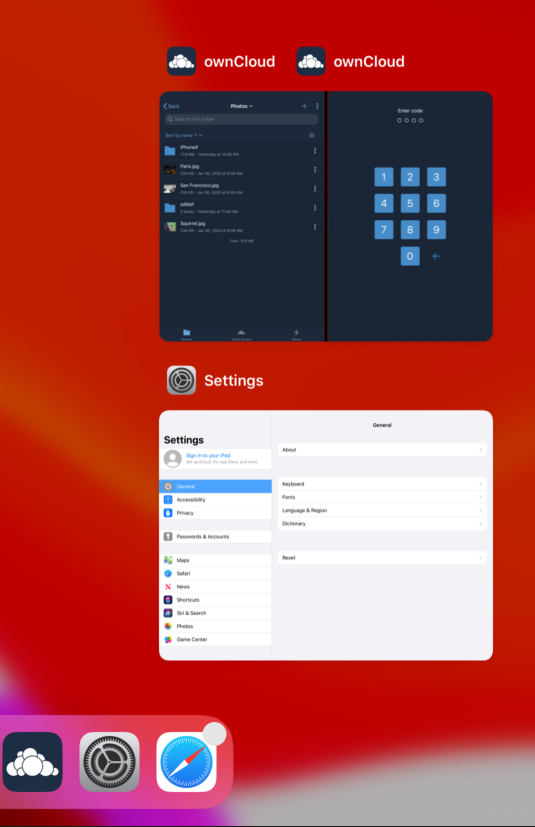
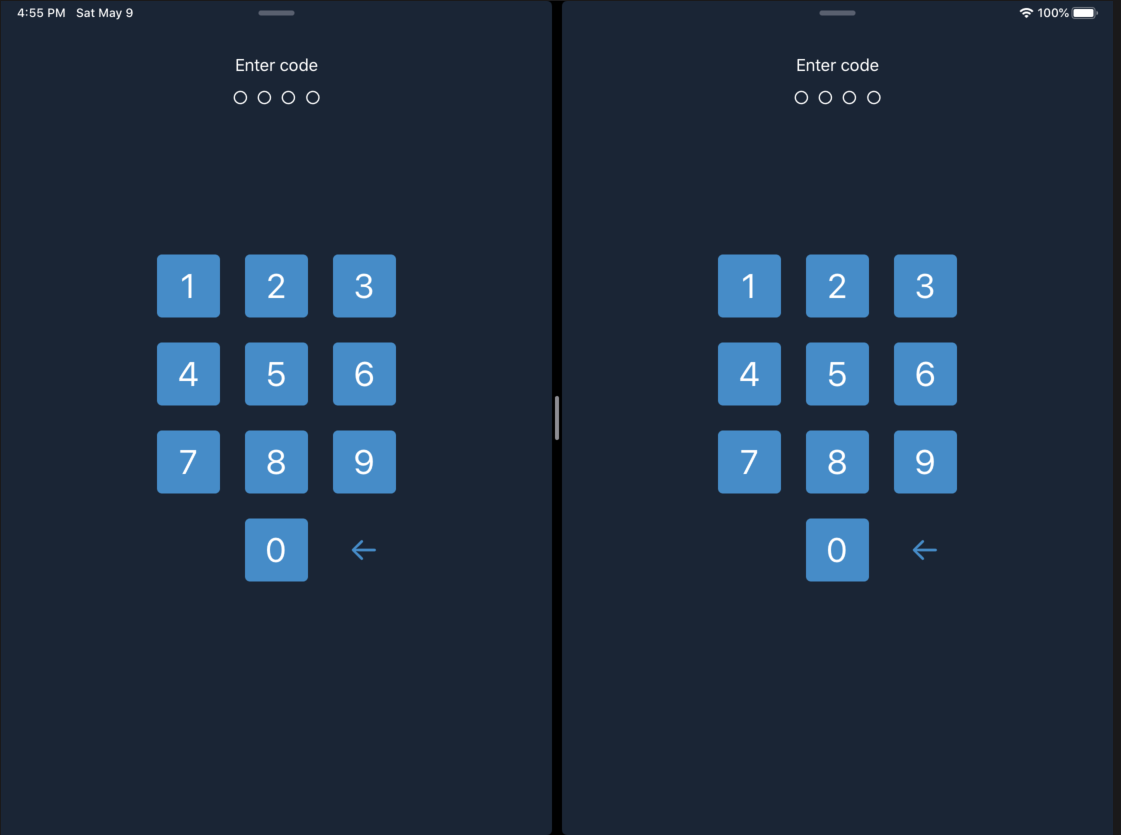
Looks like there is some inconsistencies with the App Lock feature when multiple windows are used on iPad. E.g. some parts of UI can be visible in the App Expose (swipe up from bottom edge). Or if you have 2x windows and bring app back to foreground, then you would see Enter Code UI in both windows which is kind of weird. See screenshots for details
Steps to reproduce
- Set pass lock
- Open bookmark
- Open one of the item in new windows
- Swipe up or press home button, to send the app to background
- Open app expose
- Open the app again.
Expected behaviour
In step 5 you should not see an actual app UI, only may be some blur effect.
In step 6 it would be nice if the unlock UI would be shown only once, possibly as modal view.
Actual behaviour
Step 5
Step 6
Client
iOS version: 13.4.1
ownCloud app version: 1.3
Device model: iPad Air 2
Contributor guide
First steps
- Read the whole issue, then the project's contributing guide.
- Comment on the issue to say you are picking it up — it saves two people doing the same work.
- Fork the repository and make your change on a branch.
- Open a pull request that references the issue number.
Research direction
Start by reproducing the AppLock flow on an iPad running iOS 13.4.1 with two app windows, following the listed steps through App Expose and foregrounding. Done means backgrounded windows show no actual app UI, and returning to the app presents the unlock UI only once rather than in both windows.
Written by the indexing model from the issue text.
Assessment
- Tech stack
- ios, swift
- Domain
- mobile, security
- Issue type
- Bug
- Difficulty
- 4/5
- Estimated time
- 3-5 days
- Activity status
- Stale
- Clarity
- Mostly clear
- Newbie friendliness
- 30/100