Display private link and public link permanent
Nobody has claimed this yet.
- Dominant language
- Swift
- Stars
- 251
- Forks
- 142
- Avg merge
- 2d 17h
- Merged PRs (30d)
- 3
Description
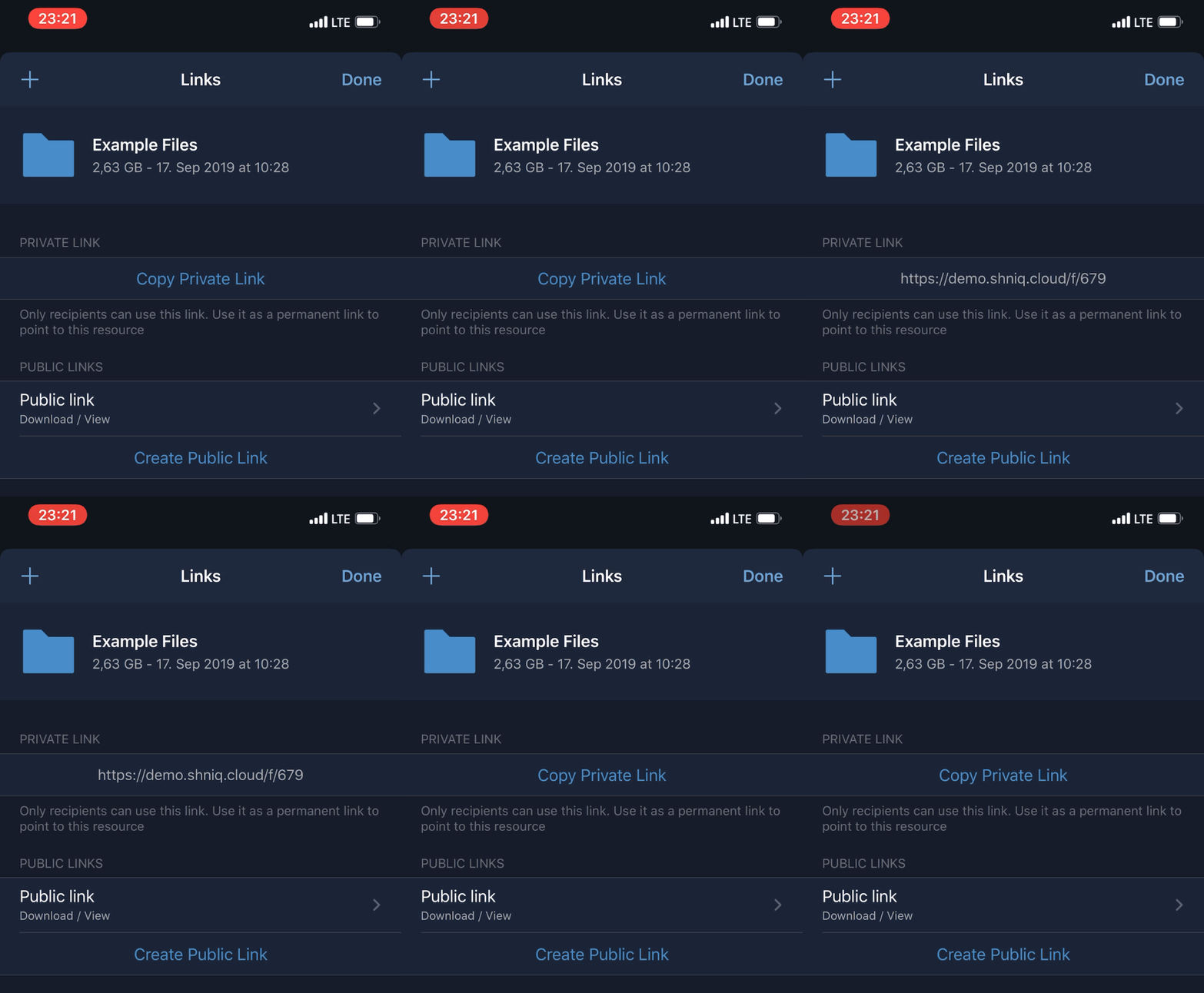
Private and public link appearing when clicking the button, and disappearing automatically is confusing. Please just display the private and public links permanent.
Expected behaviour
Created links should be always visible on the screen
Actual behaviour
Private and public link appearing when clicking the button, then disappearing automatically
Client
iOS version:
iOs 13.2 (17B5077a)
ownCloud app version:
1.1.1 build 134 (app: 6768537, sdk: b85482a)
Device model:
iPhone 11 Pro Max
Server configuration
ownCloud version:
$ curl  -s https://demo.shniq.cloud/status.php | jq
{
  "installed": true,
  "maintenance": false,
  "needsDbUpgrade": false,
  "version": "10.2.1.4",
  "versionstring": "10.2.1",
  "edition": "Community",
  "productname": "ownCloud"
}
@wuenschedesign any idea to display created links permanent?
Contributor guide
First steps
- Read the whole issue, then the project's contributing guide.
- Comment on the issue to say you are picking it up — it saves two people doing the same work.
- Fork the repository and make your change on a branch.
- Open a pull request that references the issue number.
Research direction
Start by reproducing the link-sharing flow on the iOS app using the reported iOS 13.2 and app version 1.1.1 details. Inspect the screen shown in the attached recording and verify that created private and public links remain visible after the button interaction instead of disappearing automatically.
Written by the indexing model from the issue text.
Assessment
- Tech stack
- ios, swift
- Domain
- mobile
- Issue type
- Bug
- Difficulty
- 3/5
- Estimated time
- 1-2 days
- Activity status
- Stale
- Clarity
- Clearly specified
- Newbie friendliness
- 45/100